Chapter 4: Configuration with web interface
98-148232-E To set up your data connection packages (BGAN M2M) 53
Automatic Context Activation (ACA)
To enable Automatic Context Activation of your Standard data connection, do as follows:
1. From the Dashboard, click
in the right side of the tile with the connection package that
you want to change.
2. Select Parameters.
3. Select Automatic Context Activation (ACA) of Standard data.
•When you select ACA, the data connection is automatically established after restart as
soon as the EXPLORER 540 and its BGAN connection are ready.
This setting is mandatory when the terminal is in Cellular modem preferred or Cellular
modem preferred (PRISM) mode.
•When you disable ACA, you can control the data connection manually from the startup
page
or with the SMS command ACTIVATE.
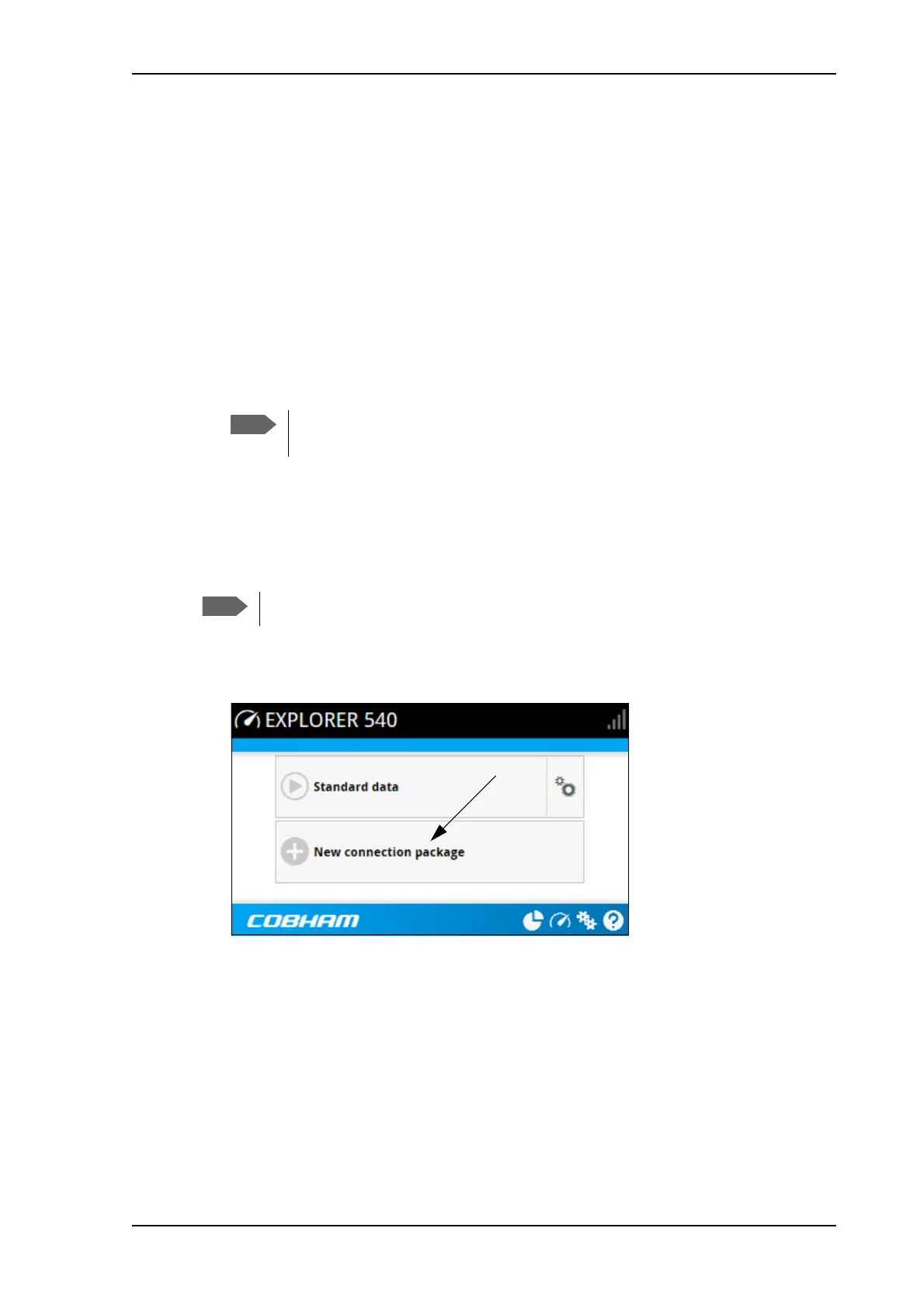
To create a new connection package
Do as follows:
1. Click New connection package.
2. Type a Name for the new package.
3. If you want to create dedicated connections, select the Type. For details on dedicated
connections, see To set up dedicated connections on page 55.
4. Click Save
5. Click Click here to create connections.
You are charged for the data transferred. You may want to disable automatic
updates in your LAN device to avoid unnecessary charges.
You must be logged in as administrator to be able to create connection packages.



 To Next Page