Chapter 4: To use the web interface
98-140012-H To set up your data connection packages 83
To create a shared connection package
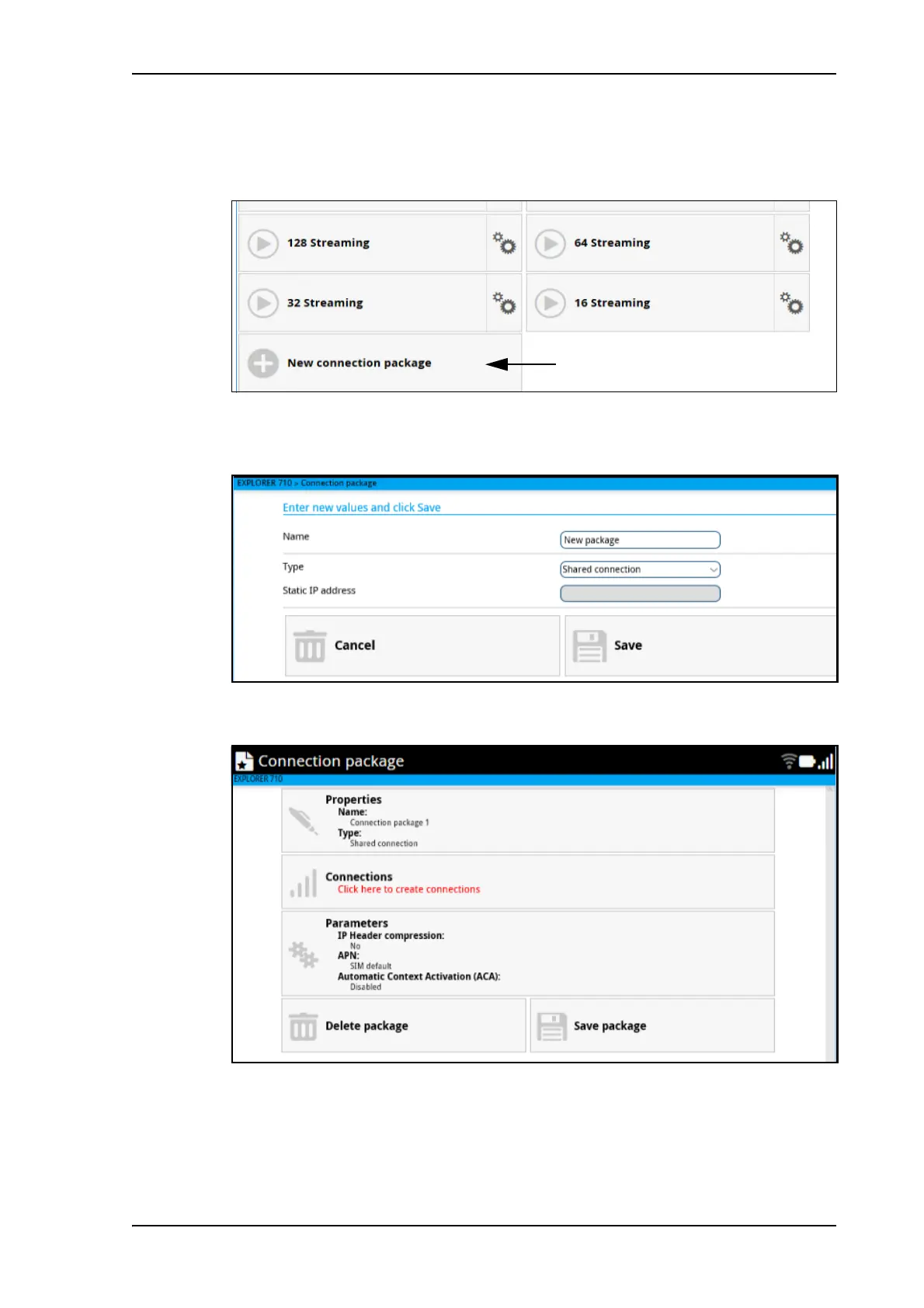
1. From the startup page, click New connection package.
2. Type a Name for the new connection package.
3. Under Type, select Shared connection.
For Dedicated connections, see To set up dedicated connections on page 87.
4. Click Save
5. Click Click here to create connections.
6. To add a connection to the connection package, click Add connection and select the
type of connection you want to add.



 To Next Page