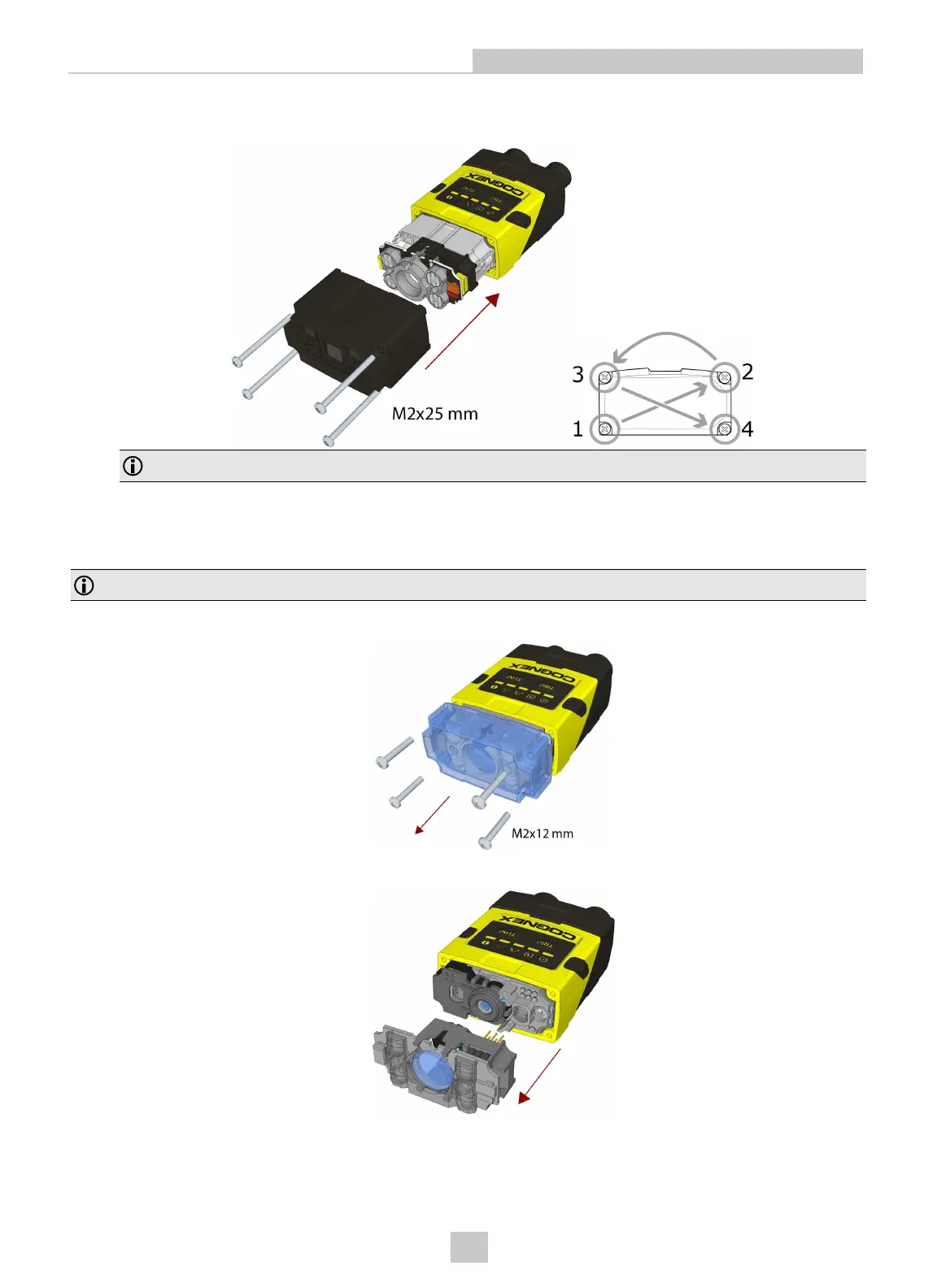
8. Attach the front cover. Observing the tightening sequence below, tighten all four M2x25 Phillips Pan head screws
to 9 Ncm using a torque wrench.
Note: The rib in the front cover must be oriented to the top side.
Changing to an Illumination with a Different Color
Perform the following steps to change the illumination.
Note: Disconnect the DataMan 260 reader from power before changing to an illumination with a different color.
1. Remove the front cover: unscrew the four screws and take off the LEDcover.
2. Remove the illumination module.
28
Setting Up Your DataMan 260
Artisan Technology Group - Quality Instrumentation ... Guaranteed | (888) 88-SOURCE | www.artisantg.com









 To Next Page