Using Your DataMan 260
This section provides general information about the installation process of the DataMan Setup Tool, triggering, and
reader training.
Installing the DataMan Software
Perform the following steps to install the DataMan Setup Tool:
1. Check the DataMan Release Notes for a full list of system requirements.
2. Download the DataMan Setup Tool from http://www.cognex.com/support/dataman and follow the on-screen
steps.
3. Connect the DataMan 260 to your PC.
4. Choose Start > Programs > Cognex > DataMan Software vx.x.x > Setup Tool to launch the DataMan Setup
Tool. Detected readers will appear under COM ports.
5. Click Refresh to update the list of connected devices.
6. Select the device from the Network list (Discovered Devices) and click Connect.
Industrial Protocols
The DataMan 260 readers support the following industrial protocols:
l EtherNet/IP™
l PROFINET
l MC Protocol
l Modbus TCP
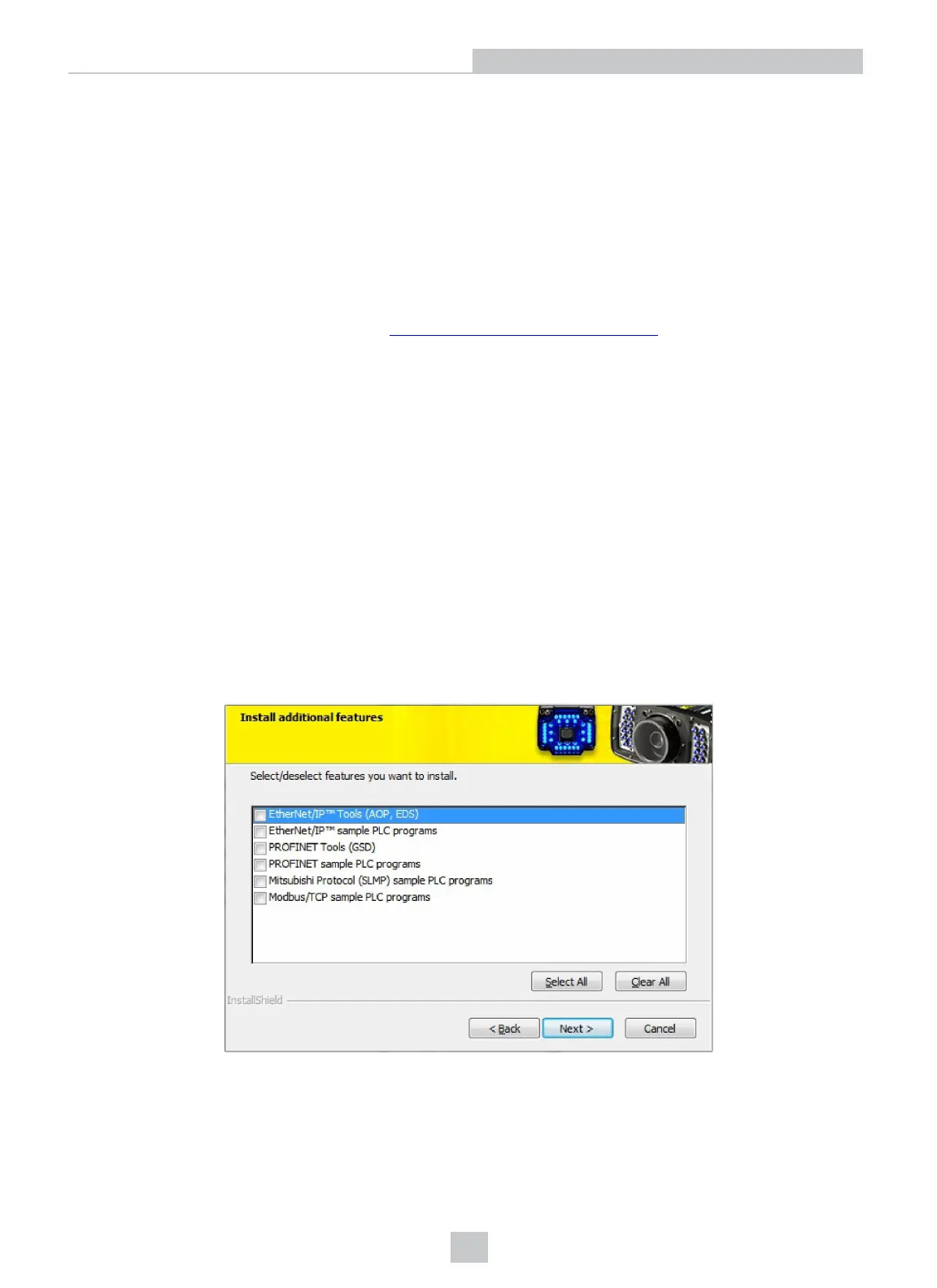
Select industrial protocol samples and tools you want to use when you install the DataMan Software. There are three
ways to enable or disable Industrial Protocols. Using either method, a reboot is required for the changes to take effect.
47
Using Your DataMan 260
Artisan Technology Group - Quality Instrumentation ... Guaranteed | (888) 88-SOURCE | www.artisantg.com








 To Next Page