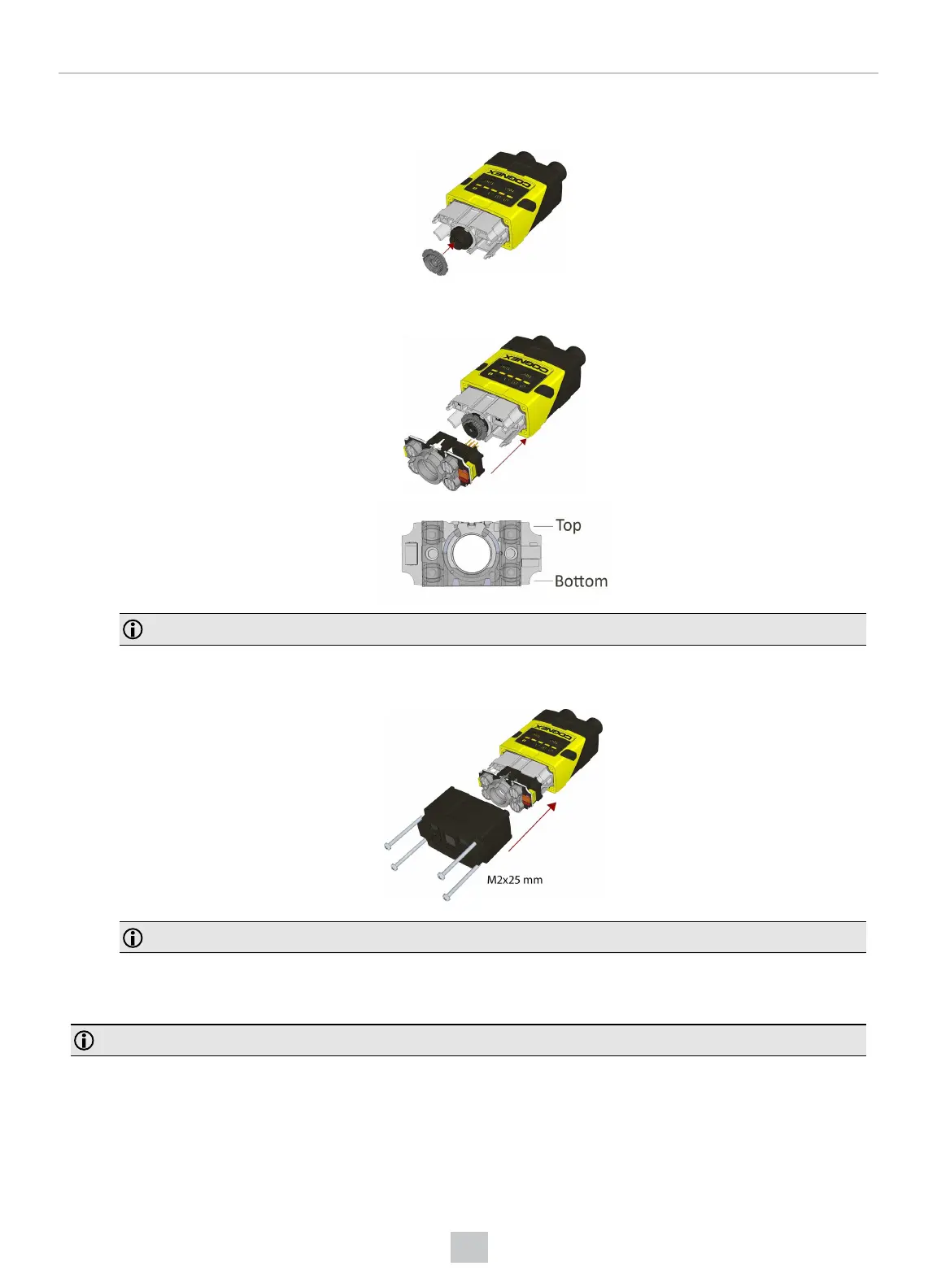
6. In the case of a manual focus lens, press the 16 mm lens cap onto the lens. The lens has 12 cutouts so it can be
locked in steps of 30 degrees.
7. Attach the illumination board.
Note: Take care to attach the illumination with the right orientation.
8. Attach the extended front cover. Observing the tightening sequence below, tighten all four screws to 9 Ncm using
a torque wrench.
Note: The rib in the front cover must be oriented to the top side.
Installing an Optical Filter
Perform the following steps to install an optical filter in the optics module of your DataMan 150 or DataMan 260 reader.
Note: Disconnect the reader from power before installing an optical filter.
Observe the following constraints on the filter:
l Diameter (Ø): 12.3 mm<Ø<12.7 mm
l Thickness (t): 1.6 mm<t<2 mm filter
32
Mechanical Information











 To Next Page