CBR2 CGA4332COM- User Guide
27 of 51
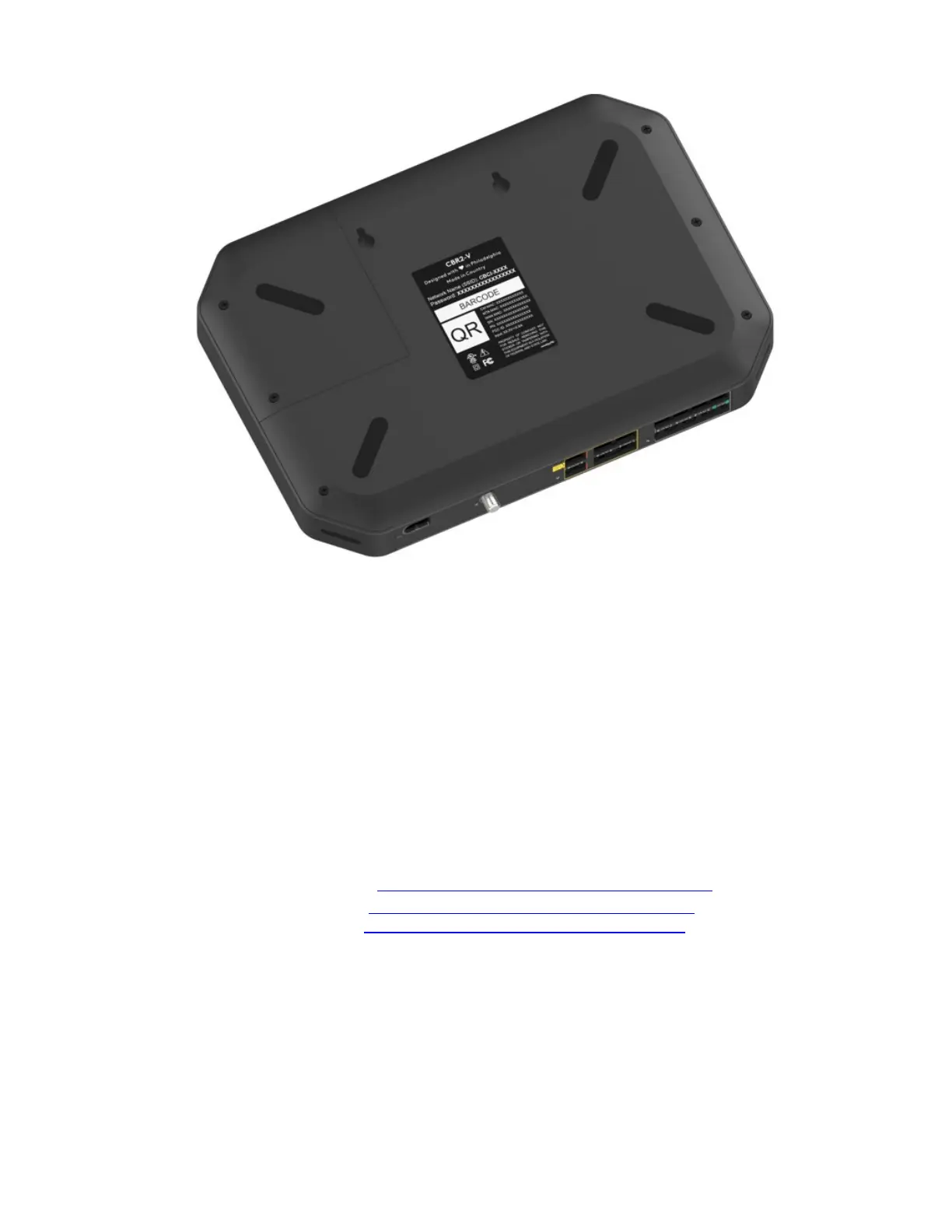
Network Name 1 (SSID): CBCI-XXXX
Network Name 2 (SSID): CBCI-XXXX
Password: ***************
The Gateway’s back panel contains two items needed to establish a Wi-Fi connection:
• Network Name (SSID) is the default network name. This network name is used by both the
2.4 GHz and 5 GHz access points and is in the following format:
CBCI-XXXX (where X is last 4 octets of CM MAC)
• Password (Key) is the default password used for both the 2.4 GHz and 5 GHz access points.
To configure these settings on:
• Windows 10 proceed with “How to connect your computer on Windows 10
”.
• Windows 8 proceed with “How to connect your computer on Windows 8”.
• Mac OS X proceed with “How to connect your computer on Mac OS X”.
• On another operating system, consult the help of your wireless client or operating system.



 To Next Page