CBR2 CGA4332COM- User Guide
39 of 51
7
Advanced configuration
This chapter covers the more advanced features. The following topics are available:
Topic Page
7.1 Port configuration for applications and services 39
7.1.1 UPnP 40
7.1.2 Port Forwarding 41
7.1.3 Port Triggering 42
7.1.4 Port Management 43
7.1.5 Remote Management 45
7.1.6 Configure a DMZ Host 46
7.1.7 NAT 46
7.1.8 Static Routing 47
7.2 Assigning a Reserved IP Address to a Device 47
7.1
Port Configuration for Applications and Services
The Gateway allows you to use one Internet connection for multiple computers. This means that all your
computers share one public IP address, as if only one computer were connected to the outside world.
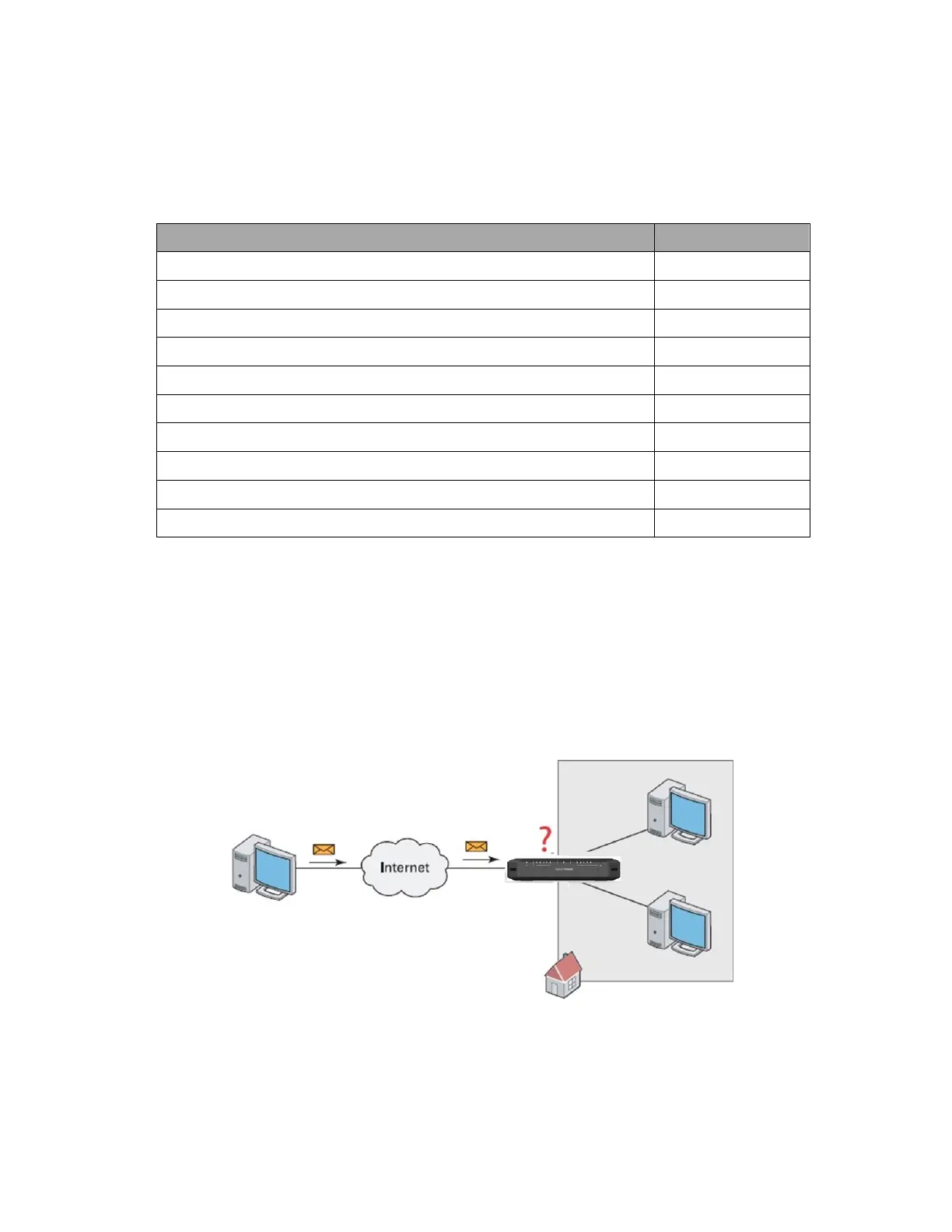
However, when the Gateway receives an incoming message, it must decide to which computer it should send
this message. If the incoming message is a response to an outgoing message originating from one of your
computers, the Gateway sends the incoming message to this computer.
The Gateway will not be able to resolve the destination if:
The incoming message arrives on a different port as the outgoing message. The Gateway will be unable
to determine that the two messages are related.
There is no outgoing message.



 To Next Page