CBR2 CGA4332COM- User Guide
30 of 51
5.2
How to Configure the Wireless Settings
1. Go to the Admin Tool (http://10.1.10.1), using a computer or other device that is currently connected
to your Gateway (either wired or wirelessly). For more information, see “Accessing the Admin Tool”
.
2. On the Gateway menu, click Connection and then click Wi-Fi.
3. The Wi-Fi page appears. In the Private Wi-Fi Network table, click the EDIT button next to the access
point that you want to modify (2.4G Hz or 5 GHz).
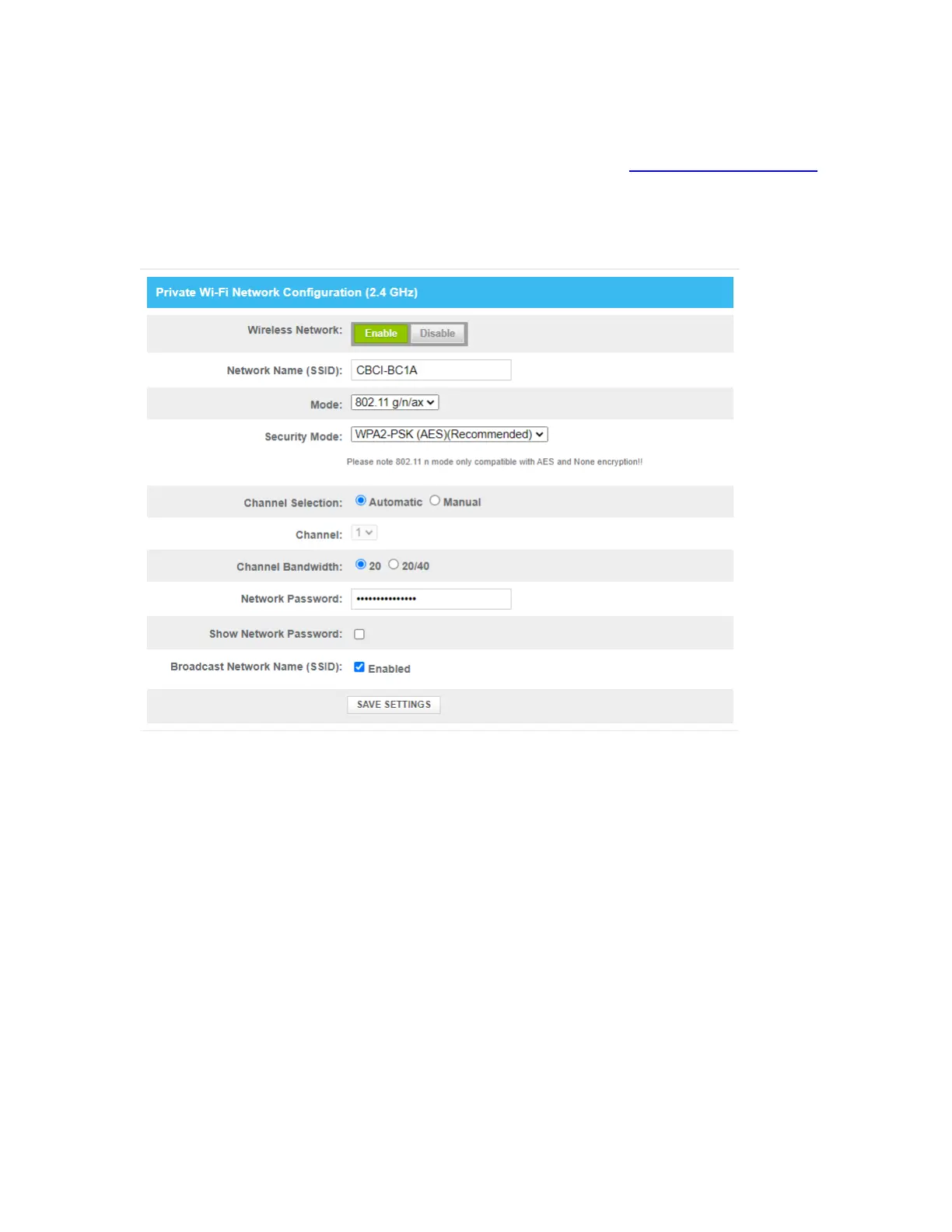
4. The Edit page appears (examples of both 2.4 GHz and 5 GHz below):



 To Next Page