CBR2 CGA4332COM- User Guide
13 of 51
E: WiFi LED - White
State Description
Solid on On and OK
Blink (1X/second) In Use (2.4 or 5G active)
F: US/DS LED - White
State Description
Solid on Registration State Confirmed
Blink (1X/second) Up/Down Stream registration or Non-deferred SW Download (when Online)
G: TEL 1 – TEL8 LED - White
State Description
Solid on Port Provisioned
Blinking (1X/second) Call in Process
Blinking (5X/second) Port Error: Tip & Ring shorts, foreign voltage detected, provisioning or registration error
Off Port Not provisioned / Not enabled
Note: The CBR2 supports a total of 8 lines; the state is reflective of the number of lines in use.
1.2.2
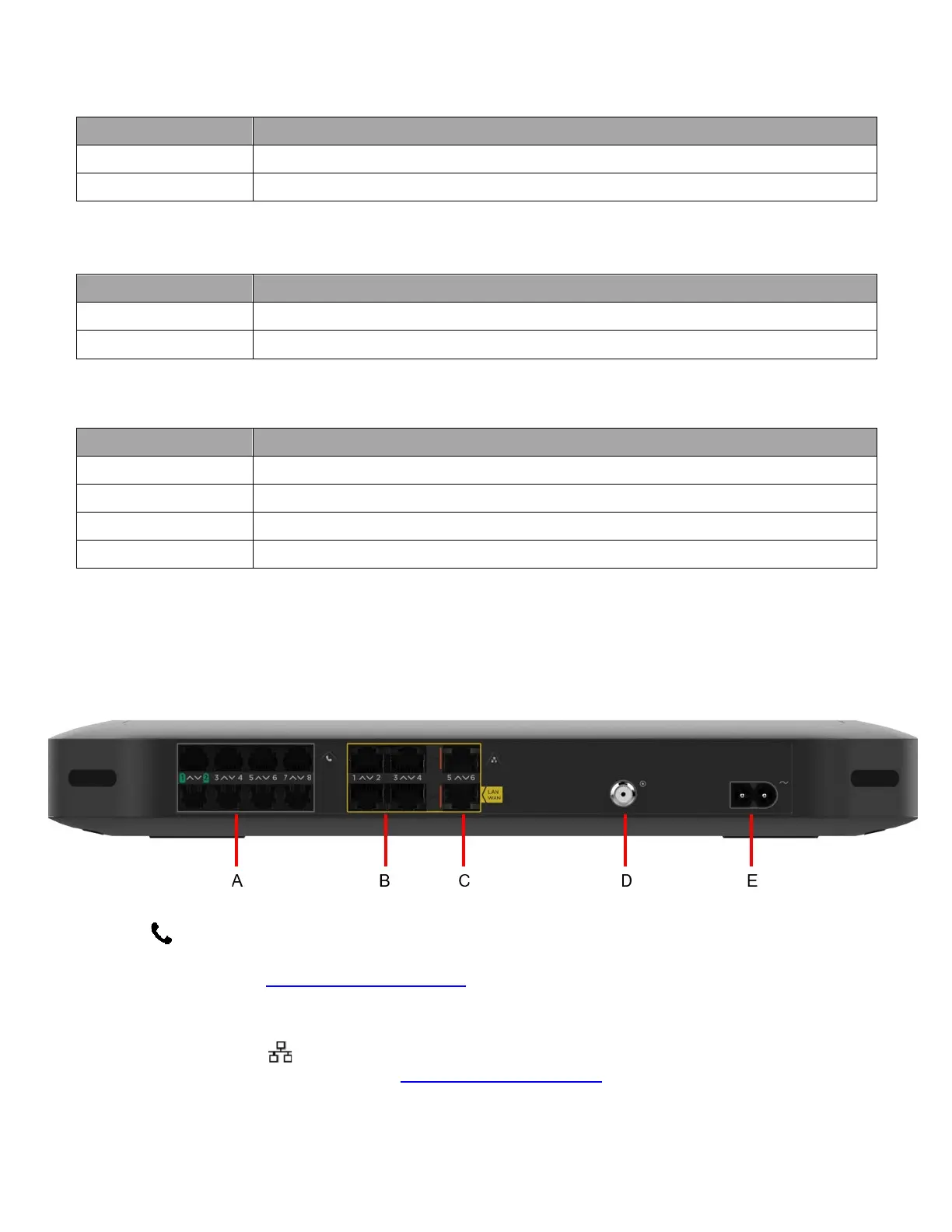
Back panel
A: Telephone ports
The Tel ( ) RJ-11 ports support up to eight traditional phones or DECT base station to connect to the
Gateway. Single-line customers can use the Tel 2/Alarm port to connect an auto-dial alarm system.
For more information, see “How to connect your phone”
.
B and C: Ethernet ports
The RJ-45 Ethernet ports ( ) support up to six Ethernet connections (for example, to connect a computer) to
your local network. For more information, see “Connect your wired devices”
.



 To Next Page