11
TECHNICIAN MENU
Insert the Technician’s SterilCard to access the Technician Menu.
If the steriliser is not equipped with a SterilCard reader, a Technician’s SterilCard kit may be
employed. The kit includes a reader, a Technician’s SterilCard and a cable for connecting
the reader to logic board 33 (connector J5).
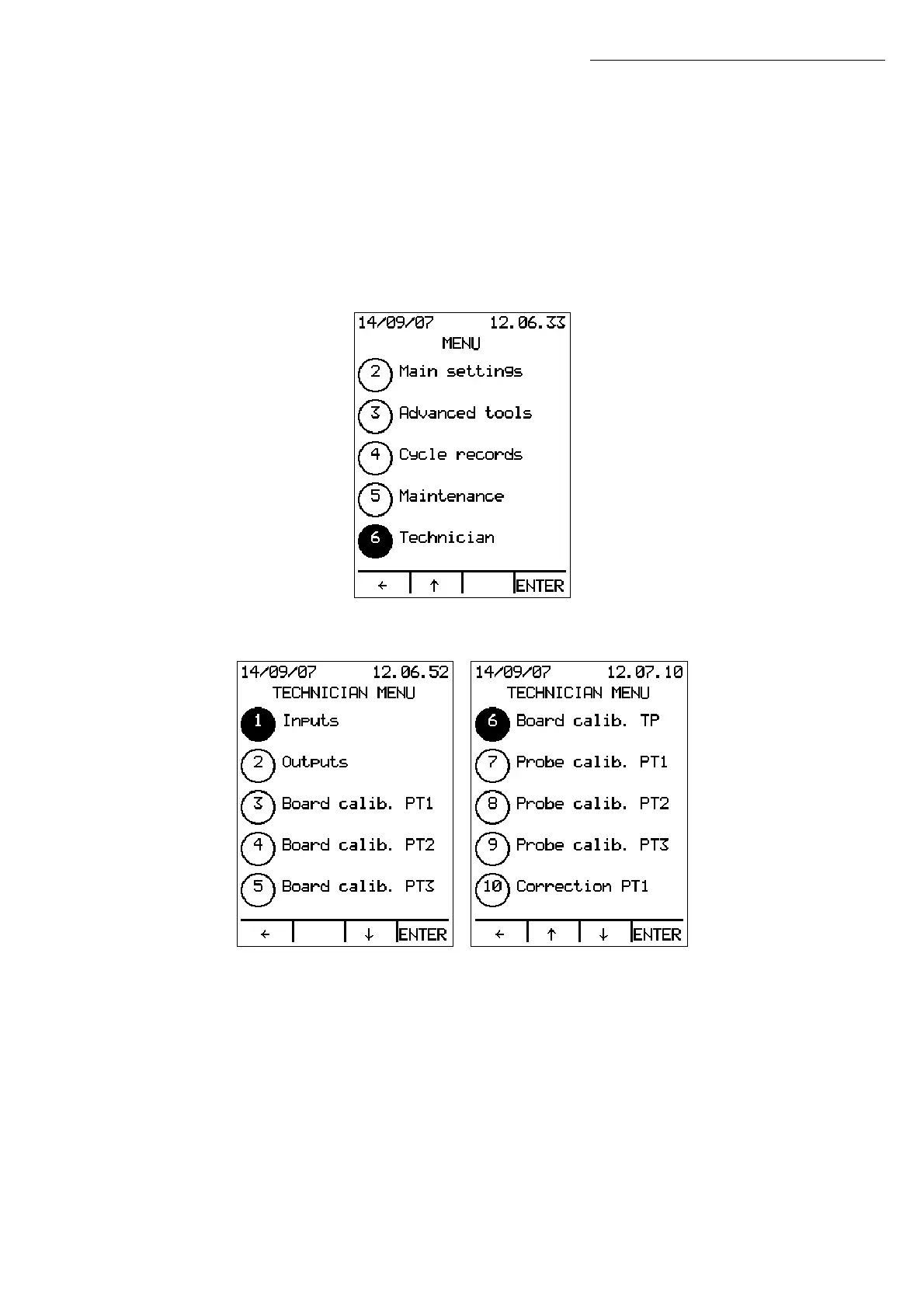
In STAND BY mode, press MENU and use the ↑↓ arrows to select the Technician Menu
(option 6):
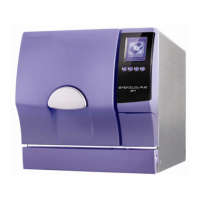
Press ENTER to open the Technician Menu:
Technician Menu


 To Next Page