19
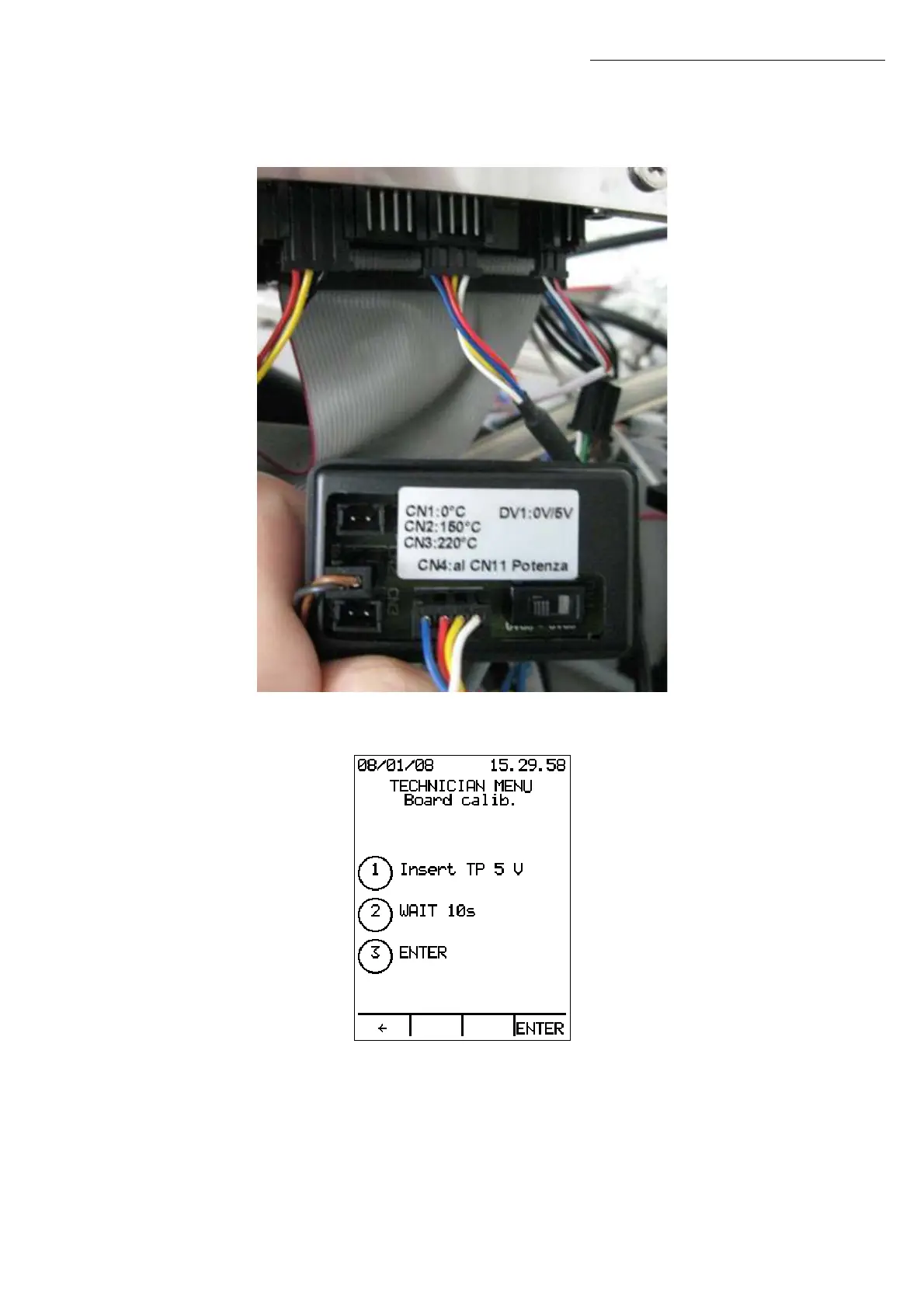
Using the cable included in the kit, connect connector CN4 of the calibration tool to
connector CN11 of the power board 34.
Set the calibration tool switch to 0 Vdc.
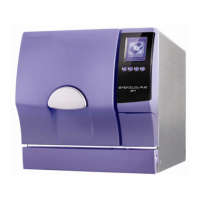
Wait for at least 10 seconds and press ENTER.
Now set the calibration tool switch to 5 Vdc.
Wait for at least 10 seconds and press ENTER.
Press to go back to the Technician Menu without changing the calibration.
Technician Menu


 To Next Page