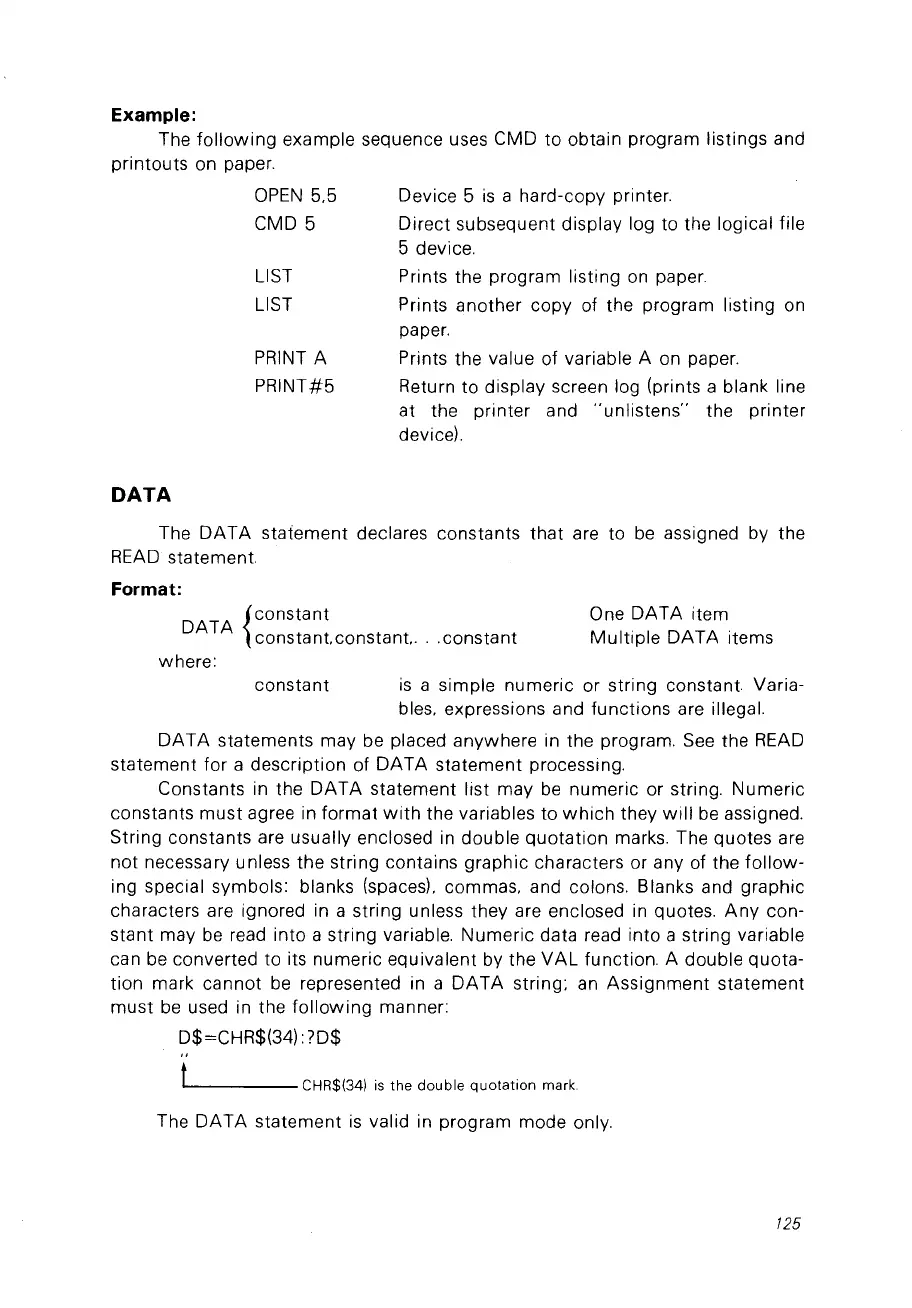
Example:
The
following
example sequence uses CMD
to
obtain program listings and
printouts on paper.
DATA
OPEN
5,5
CMD 5
LIST
LIST
PRINT
A
PRINT#5
Device 5
is
a hard-copy printer.
Direct subsequent display log to the logical file
5 device.
Prints the program listing
on
paper.
Prints another copy of the program listing on
paper.
Prints the value of variable A on paper.
Return to display screen log (prints a blank line
at the printer and
"unlistens"
the printer
deviceL
One DATA item
Multiple
DATA items
The
DATA
statement declares constants
that
are to
be
assigned by the
READ
statement.
Format:
DATA
{constant
constant. constant.
...
constant
where:
constant
is
a simple numeric or string constant. Varia-
bles, expressions and functions are illega!.
DATA
statements may be placed anywhere in the program.
See
the
READ
statement for a description of DATA statement processing.
Constants in the DATA statement list may
be
numeric or string. Numeric
constants
must
agree in format
with
the variables to
which
they
will
be
assigned.
String constants are usually enclosed
in
double
quotation
marks. The quotes are
not necessary unless the string contains graphic characters or any of the
follow-
ing special symbols: blanks (spaces), commas, and colons. Blanks and graphic
characters are ignored in a string unless they are enclosed
in
quotes.
Any
con-
stant may
be
read into a string variable. Numeric data read into a string variable
can
be
converted to its numeric equivalent by the
VAL
function. A double quota-
tion mark cannot
be
represented in a
DATA
string;
an
Assignment statement
must
be
used in the
following
manner:
D$=CHR$(34):
70$
"
t CHR$(34)
is
the
double
quotation
mark.
The DATA statement
is
valid in program mode only.
125



 To Next Page