MODIFYING
A
PROGRAM
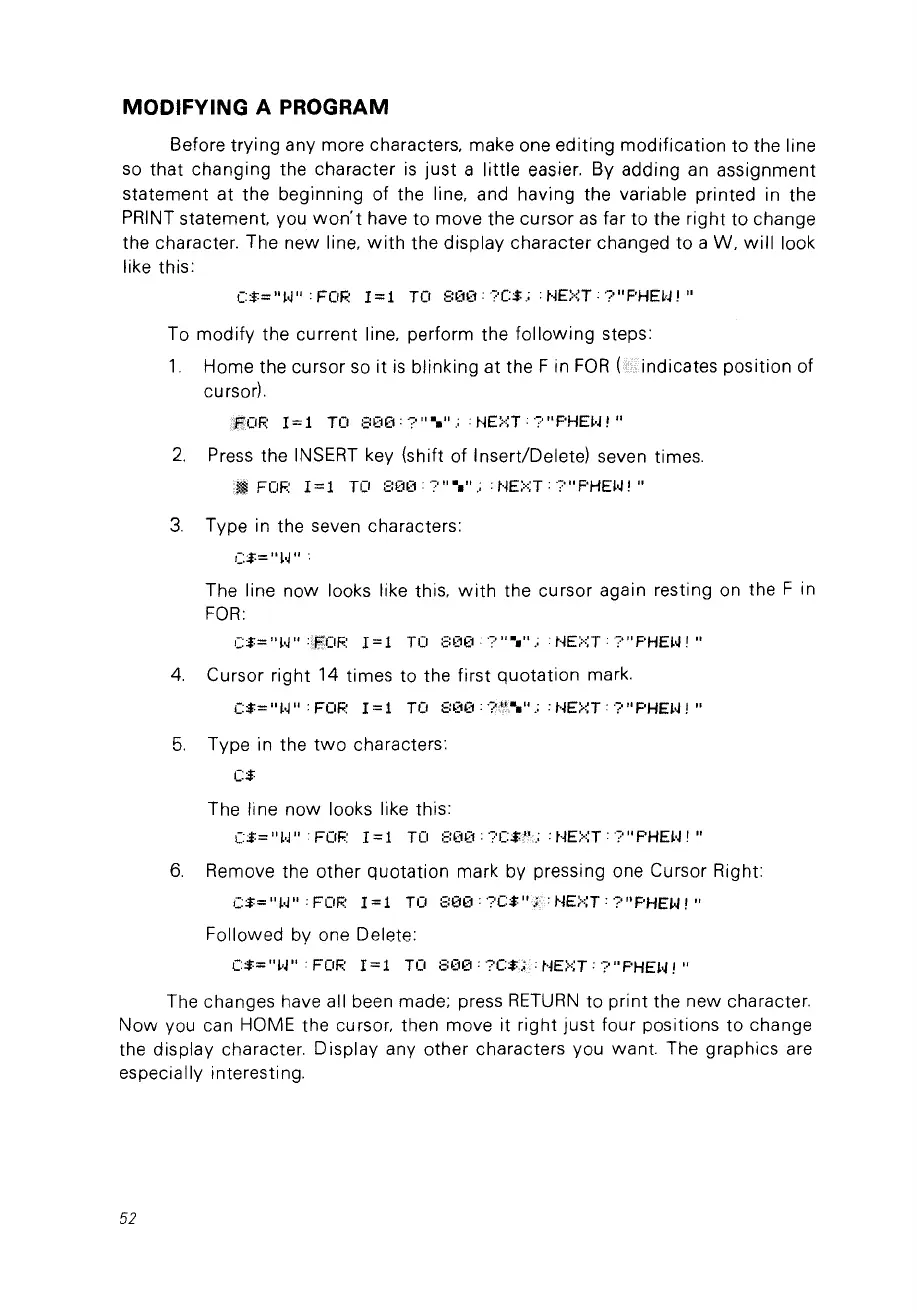
Before trying any more characters, make one editing modification to the line
so
that changing the character
is
just
a little easier. By adding
an
assignment
statement at the beginning of the line, and having the variable printed in the
PRINT statement. vou
won't
have to move the cursor
as
far to the right to change
the character. The new line,
with
the display character changed to a W,
will
look
like this:
(:$="
~~"
: FOR
1=1
TO 8(1(1: '?(:$.; :
NE>I,T
.
'?"
F'HE~'J
!
..
To modify the current line, perform the
following
steps:
1.
Home the cursor
so
it
is
blinking at the F in
FOR
indicates position of
cursor).
2.
Press the INSERT key (shift of Insert/Delete) seven times.
•
~
FOF~
1=1
TO
::;:(1(1:
':',
..
.....
: :
NE>:;T
:
?"
F'HE~~
!
..
3.
Type in the seven characters:
C$="~~"
"
The line
now
looks like this,
with
the cursor again resting on the F in
FOR:
C$="
~~"
:.fWOF.:
1=1
Tü
::;:(10
.~
... ••
".:
t..jE>::T:·?"
F'HE~~
1 ..
4.
Cursor right 14 times to the first quotation mark.
(:$="
~'J"
: FOI':
1=1
TO 8(1(1:
·n':-.".:
:
NE>I,T
:
?"
PHEH !
..
5.
Type in the
two
characters:
(:$
The line
now
looks like this:
(:$="
~'J"
. FOI':
1=1
TO
::;:00: ?C$)".; :
NE>::T
:
?"
PHE~'J
!
..
6.
Remove the other quotation mark by pressing one Cursor Right:
(:$="
~'J"
: FOI':
1=1
Tü
800:
'?C$ NEi'::T :
?"
PHEH , "
Followed by one Delete:
C$="~'J"
'FüF~
1=1
TO
800:?C$<;:NE::':;T:?"F'HEH!"
The changes have ail been made: press
RETURN
to
print the new character.
Now
vou can HOME the cursor, then move it right
just
four positions to change
the display character. Display any other characters vou want. The graphies are
especially interesting.
52



 To Next Page