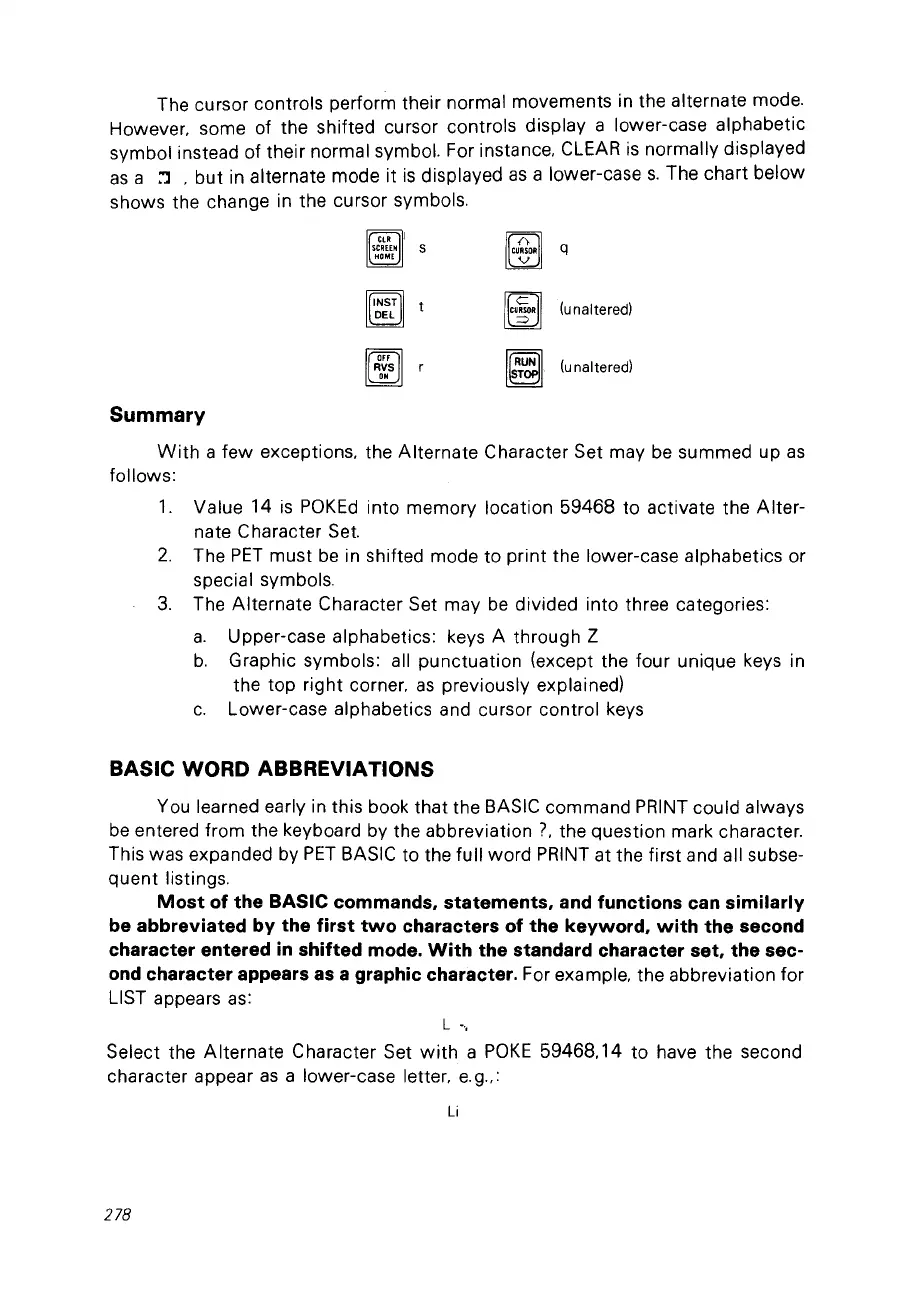
The cursor contrais perform their normal movements in the alternate mode.
However. some of the shifted cursor contrais display a lower-case alphabetic
symbol instead of their normal symbol. For instance.
CLEAR
is
normally displayed
as
a :J .
but
in alternate mode it
is
displayed
as
a lower-case
s.
The chart below
shows the change in the cursor symbols.
Cll! 1
SCREEH
S
HOME
~t
~
~
FF
RVS r
"
I~I
(unaltered)
I~I
(unaltered)
Summary
With
a few exceptions. the Alternate Character Set may
be
summed up
as
follows:
1.
Value 14
is
POKEd
into memory location 59468 ta activate the Alter-
nate Character Set.
2.
The
PET
must
be
in shifted mode ta print the lower-case alphabetics or
special symbols.
3.
The Alternate Character Set may
be
divided into three categories:
a.
Upper-case alphabetics: keys A through Z
b.
Graphie symbols: ail punctuation (except the four unique keys in
the top right corner.
as
previously explained)
c.
Lower-case alphabetics and cursor control keys
BASIC WORD ABBREVIATIONS
You learned early in this book that the BASIC command
PRINT
could always
be
entered from the keyboard by the abbreviation
7.
the question mark character.
This was expanded by
PET
BASIC to the full word
PRINT
at the first and ail subse-
quent listings.
Most
of the BASIC commands. statements. and functions can similarly
be abbreviated by the first
two
characters of the keyword.
with
the second
character entered
in
shifted mode.
With
the standard character set. the sec-
ond
character appears
as
a graphic character. For example. the abbreviation for
LIST appears
as:
L
-',
Select the Alternate Character Set
with
a
POKE
59468,14 ta have the second
character appear
as
a lower-case letter.
e.
g
..
:
Li
278



 To Next Page