Program
Mode
Instead of ereating graphies in ealeulator mode and eonverting
it
to a pro-
gram in program mode.
Vou
ean skip ealeulator mode eompletely. To draw the
pieture in program mode. eaeh line of the pieture
is
typed individually.
with
the
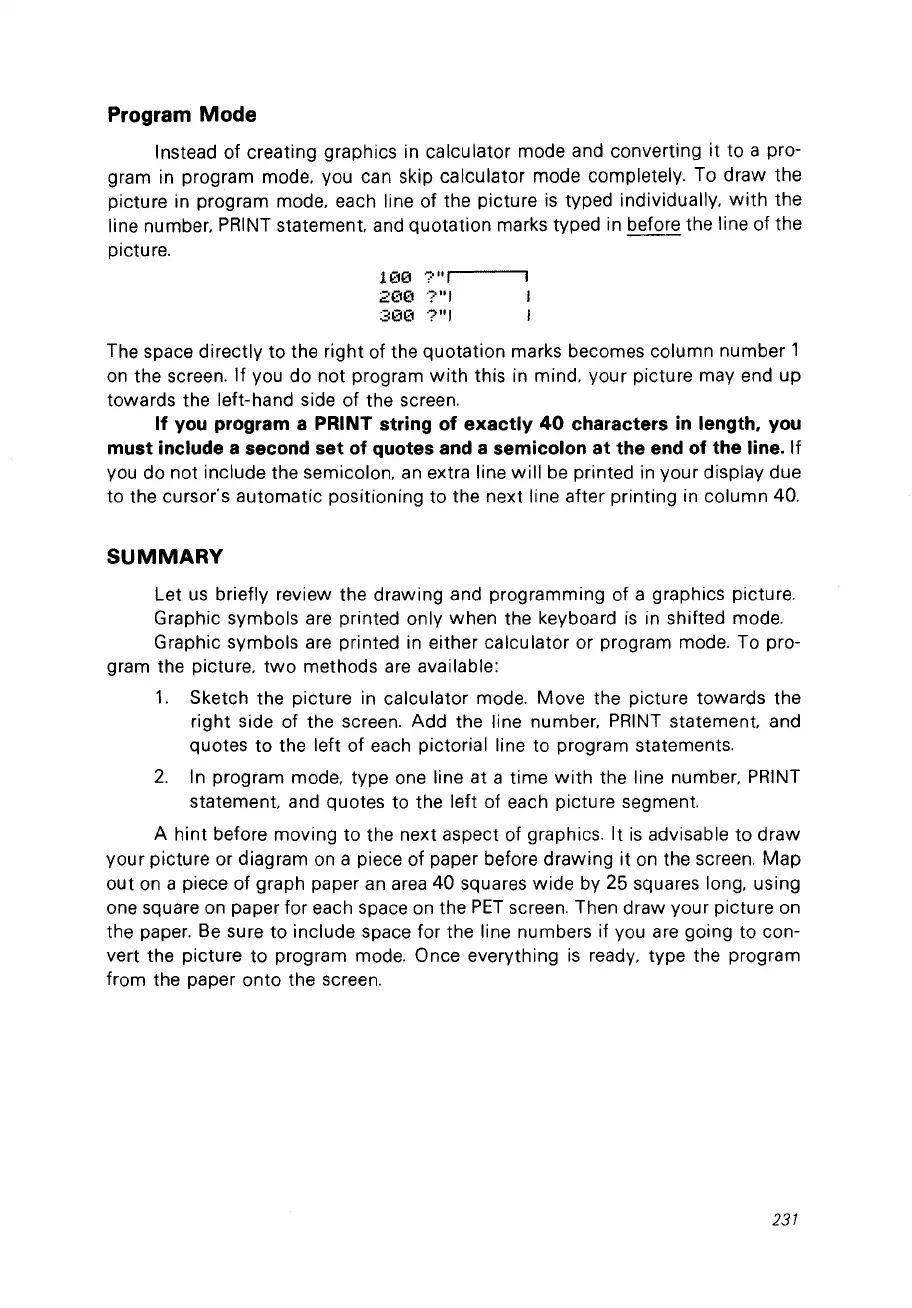
line number. PRINT statement. and quotation marks typed in before the line of the
pieture.
1(10
?"1
2(1(1
?"1
30(1
?"1
The spaee direetly
to
the right of the quotation marks beeomes eolumn number 1
on
the sereen.
If
vou do
not
program
with
this in mind. your pieture may end up
towards the left-hand side
of
the sereen.
If
vou
program a PRINT string of exactly
40
characters
in
length,
vou
must include a second set of quotes and a semicolon
at
the end of the line.
If
vou
do
not inelude the semieolon.
an
extra line
will
be printed in your display due
to the eursor's automatie positioning to the next line after printing in eolumn 40.
SUMMARY
Let
us
briefly review the drawing and programming of a graphies pieture.
Graphie symbols are printed only when the keyboard
is
in shifted mode.
Graphie symbols are printed in either ealeulator or program mode. To pro-
gram the pieture.
two
methods
are
available:
1.
Sketch the pieture in ealeulator mode. Move the pieture towards the
right side of the sereen. Add the line number.
PRINT
statement. and
quotes to the left of eaeh pietorial line to program statements.
2.
In program mode. type one line at a time
with
the line number.
PRINT
statement. and quotes to the left of eaeh pietu
re
segment.
A hint before moving to the next aspect of graphies.
It
is
advisable to
draw
your pieture or diagram
on
a piece of paper before
drawing
it
on
the sereen.
Map
out
on
a pieee of graph paper an
area
40
squares
wide
by 25 squares long. using
one square
on
paper for eaeh spaee
on
the
PET
sereen. Then draw your pieture
on
the paper.
Be
sure to include spaee for the line numbers if vou are going to eon-
vert the pieture
to
program mode. Once everything
is
ready. type the program
from the paper onto the sereen.
231



 To Next Page