a.
HOME cursor
D
c.
Complete program statement
r0
"lm
1
e.
1nsert five
spa
ces
}"OO?'"
U
b.
INSERT
five spaces
d.
Key
RETURN
o
f.
Complete program statement; key
RETURN
1 a a?
'"1
o
i~
denotes position of cursor at the completion of the step
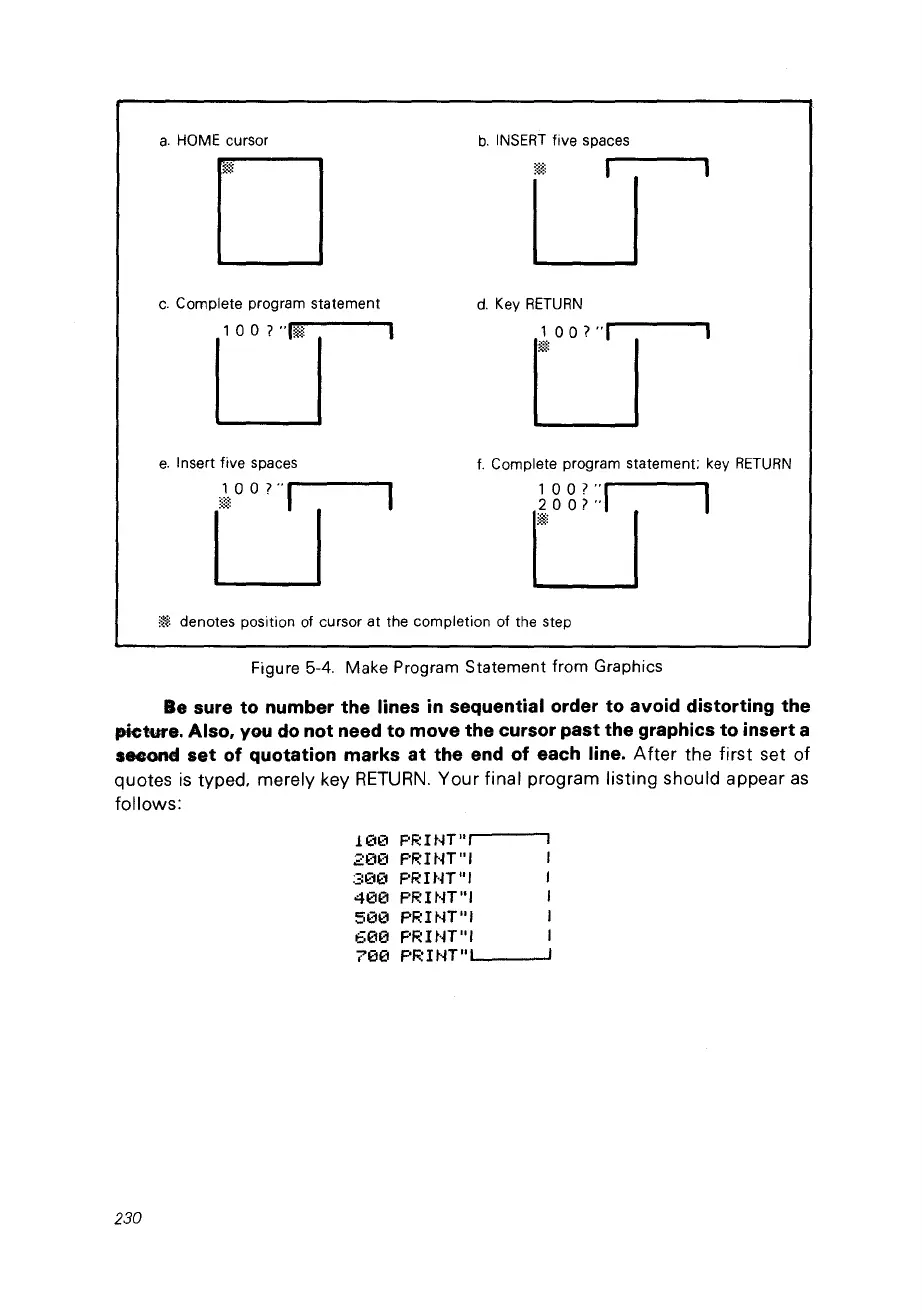
Figure 5-4. Make Program
Statement
tram
Graphies
Be sure to number the Iines
in
sequential order to avoid distorting the
pieture. Also,
vou
do
not need to move the eursor past the graphies to insert a
second set of quotation marks
at
the end of eaeh line.
After
the first set of
quotes
is
typed. merely key
RETURN.
Your final program listing should appear
as
follows:
1(113
F'R
ItiT
n,
200
F'R!NTnl
:30f1
F'RHn
n
,
4013
F'RINT"I
5130 F'R!NT
ni
61313
PRINT
n
,
71313
PR
1NT"
...
1
__
---'
230



 To Next Page