CHAPTER
5
Making
the
Most
of
PET
Features
ln this chapter
we
go over features of the
PET
that
vou
will
come across
sooner or later in your
PET
BASIC programs. Where the
"feature"
is
a
limitation
or
other
stumbling
black.
we
tell vou
how
ta
get around it (if possible) or at least
warn
vou about it. Where the feature
is
a real capability,
we
tell vou
how
ta use
it
ta its
fu
Ilest adva ntage.
KEYBOARD ROLLOVER
If vou type rapidly vou may type faster than the characters can
be
printed. If
vou press
two
or more keys simultaneously or press the second key before the
first character
is
printed. a keystroke
will
be
ignored - unless your keyboard has
"rollover."
Rollover
"remembers"
a keystroke
until
it
is
printed. Fortunately, the
PET
keyboard
has
rollover.
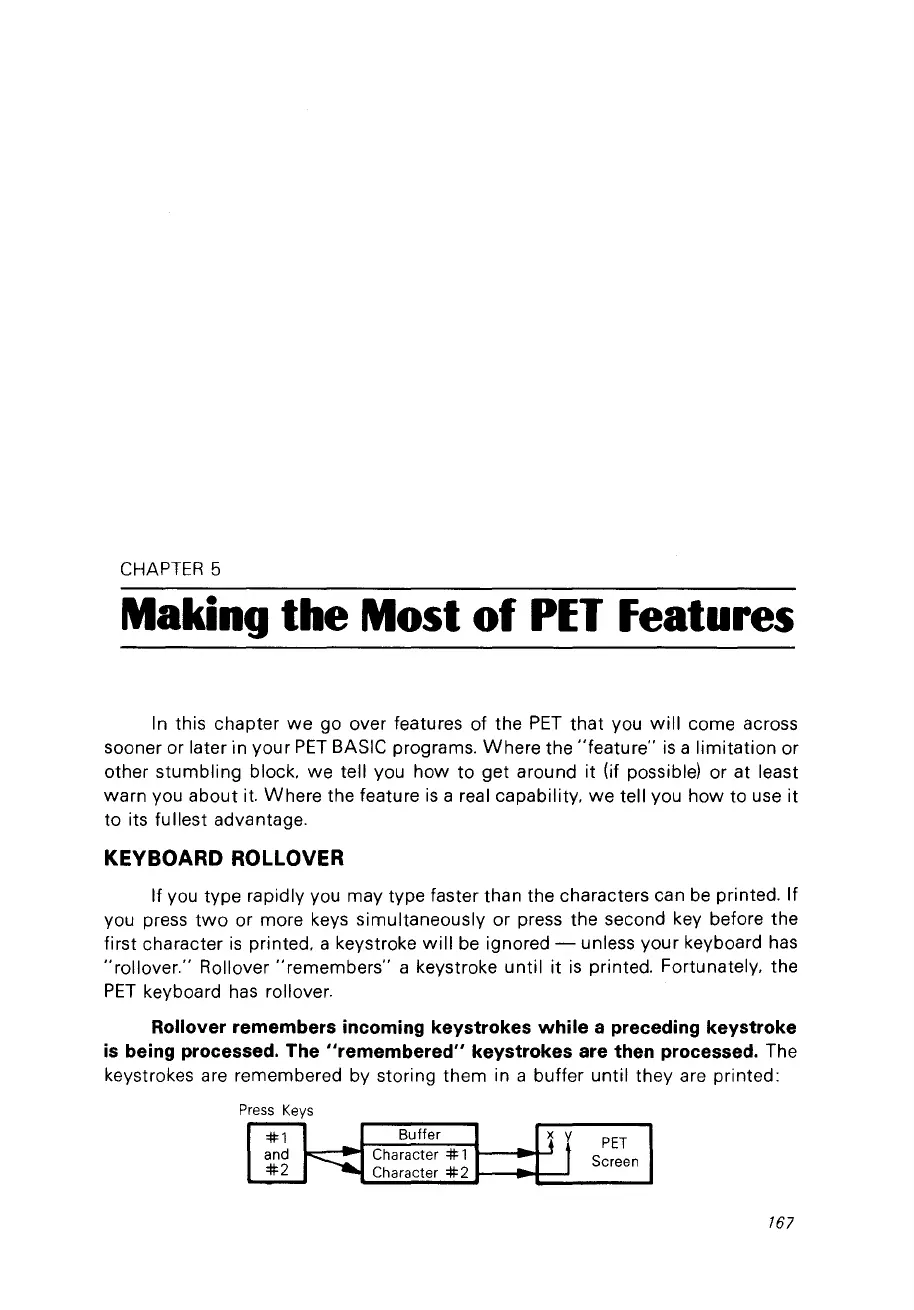
Rollover remembers incoming keystrokes while a preceding keystroke
is
being processed. The "remembered" keystrokes are then processed. The
keystrokes are remembered by storing them in a butter until they are printed:
Press
Keys
#1
Bulfer
~
f
PET
and
-.....
Character # 1
Screen
#2
Character
#2
167



 To Next Page