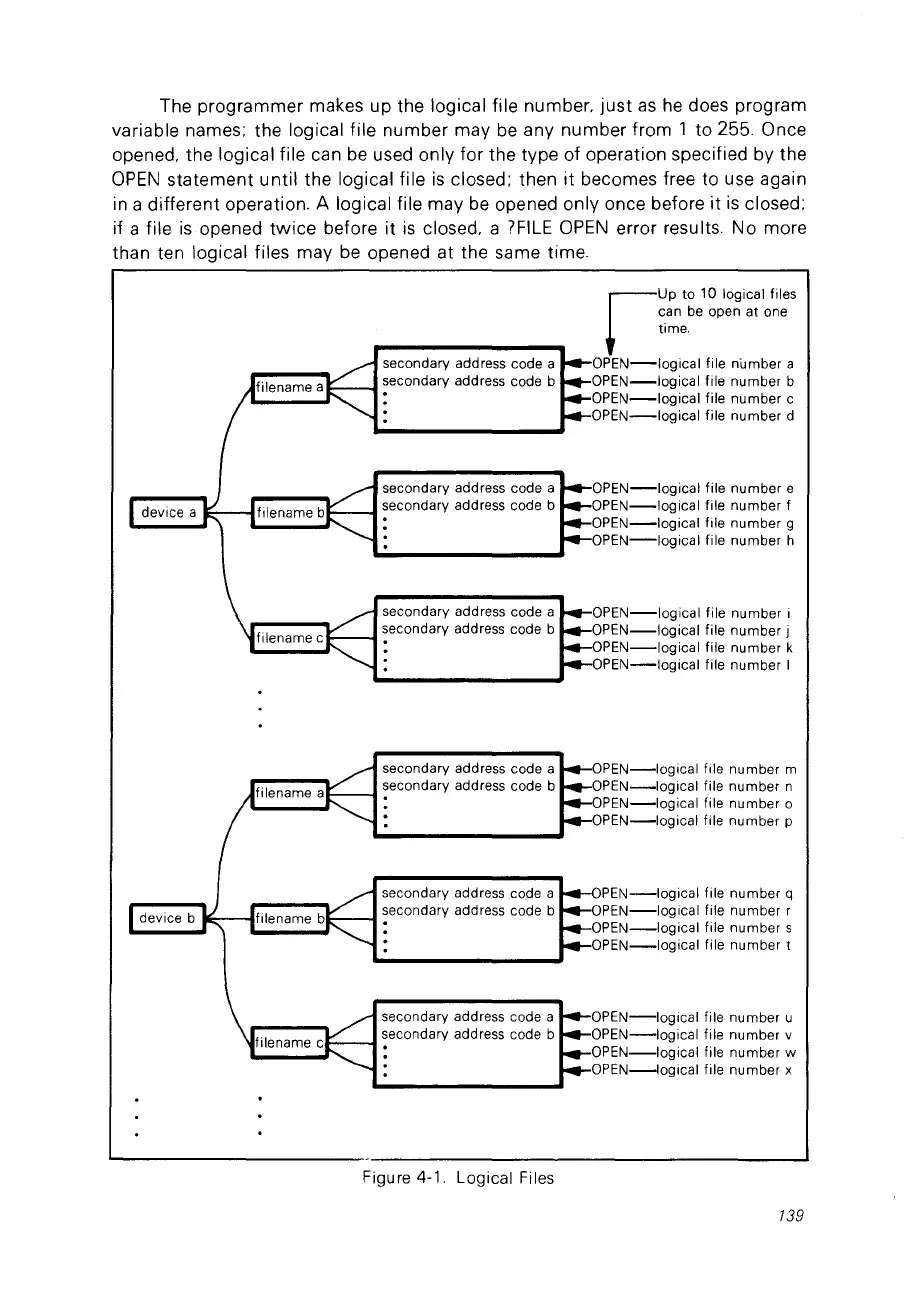
The programmer makes up the logical file number.
just
as
he
does program
variable names; the logical file number may
be
any number from 1 to 255. Once
opened. the logical file can
be
used only for the type of operation specified by the
OPEN
statement until the logical file
is
closed; then
it
becomes free to use again
in
a different operation. A logical file may
be
opened only once before
it
is
closed;
if a file
is
opened
twice
before it
is
closed. a
?FILE
OPEN
error results. No more
than ten logical files may
be
opened at the same time.
secondary address code a
secondary address code b
secondary address code a
secondary address code b
secondary address code a
secondary address code b
r-
UP
10 10 logical files
can
be
open
al
one
lime.
OPEN-Iogical
file number a
OPEN-Iogical
file number b
OPEN-Iogical
file number c
OPEN-Iogical
file number d
OPEN-Iogical
file number e
OPEN-Iogical
file number f
OPEN-Iogical
file number 9
OPEN-Iogical
file number h
OPEN-Iogical
file number i
OPEN-Iogical
file number j
OPEN-Iogical
file number k
OPEN-Iogical
file number 1
OPEN-Iogical
flle number m
OPEN-Iogical
file number n
OPEN-Iogical
file number 0
OPEN-Iogical
flle number p
PEN-Iogical
file number q
OPEN-Iogical
file number r
OPEN-Iogical
file number s
OPEN-Iogical
file number 1
OPEN-Ioglcal
file number u
OPEN-Iogical
file number v
OPEN-Iogical
file number w
OPEN-Iogical
file number x
secondary address code a
secondary address code b
secondary address code a
secondary address code b
secondary address code a
secondary address code b
Figure 4-1. Logical Files
139



 To Next Page