Before beginning file operations
it
is
advisable, if
you
have not already
installed the
new
ROMs (Read-Only Memory chips)
in
the PET, that
you
do
so
before attempting to
write
files.
With
the old
ROMs
it
is
very difficult. if not im-
possible. to
read
and
write data tapes.
as
the tapes
will
not move
without
several
extra commands to force the
PET
to move the tapes. File attributes of the old
ROMs
are
discussed further
in
Appendix
H.
The following discussion assumes
that
you
have the
new
ROMs.
FILE
HANDLING
Seing able to handle you r files correctly
is
extremely important for successfu1
programming. The programmer must know when to open or close a file. and when
and how a file can
be
read
from or written
to.
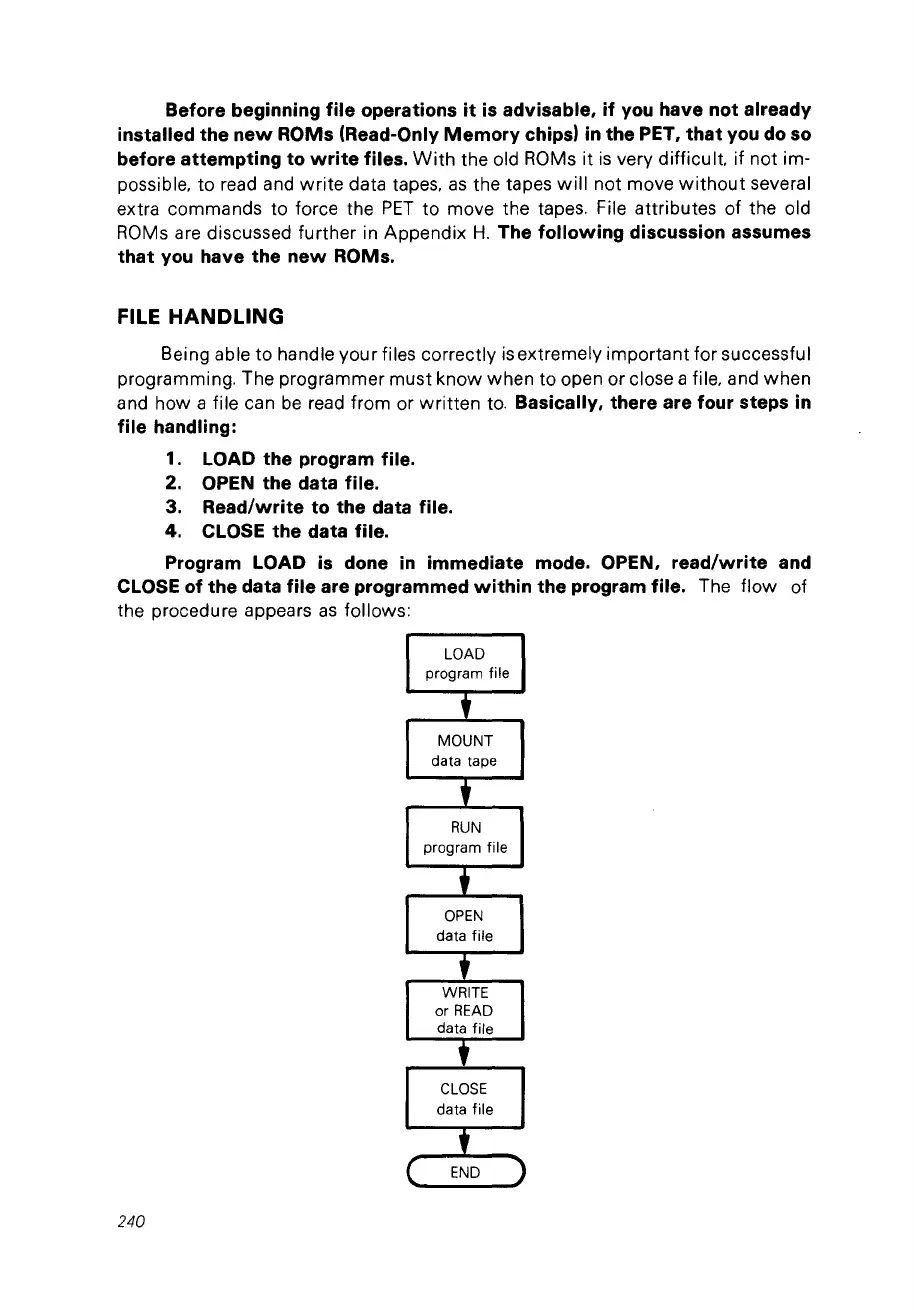
Basically, there are four steps
in
file handling:
1. LOAD the program file.
2. OPEN the data file.
3. Read/write to the data file.
4. CLOSE the data file.
Program LOAD
is
done
in
immediate mode. OPEN, read/write and
CLOSE of the data file are programmed within the program file. The flow of
the procedure appears
as
follows:
LOAD
program file
t
MOUNT
data tape
t
RUN
program file
+
OPEN
data file
t
WRITE
or
READ
data file
t
CLOSE
data file
t
C
END
1
240



 To Next Page