BUFFER
The
PET
has
a 10-character keyboard buffer to hold the ASCII code
equivalents of characters whose keys are pressed at the keyboard. This
is
nor-
mally of no concern to vou.
but
vou should
be
aware of
how
the buffer operates
for when vou are programming
PET
inputs.
To illustrate. load the final saved version of the BLANKET program (from
Chapter
3)
and press a key for display.
While
the display
is
occurring. press up to
ten more keys, then sit back and relax. Each of the keyed-in characters
will
be
fetched, in turn, and displayed by the BLANKET program.
Let's look at this process
in
more detai!.
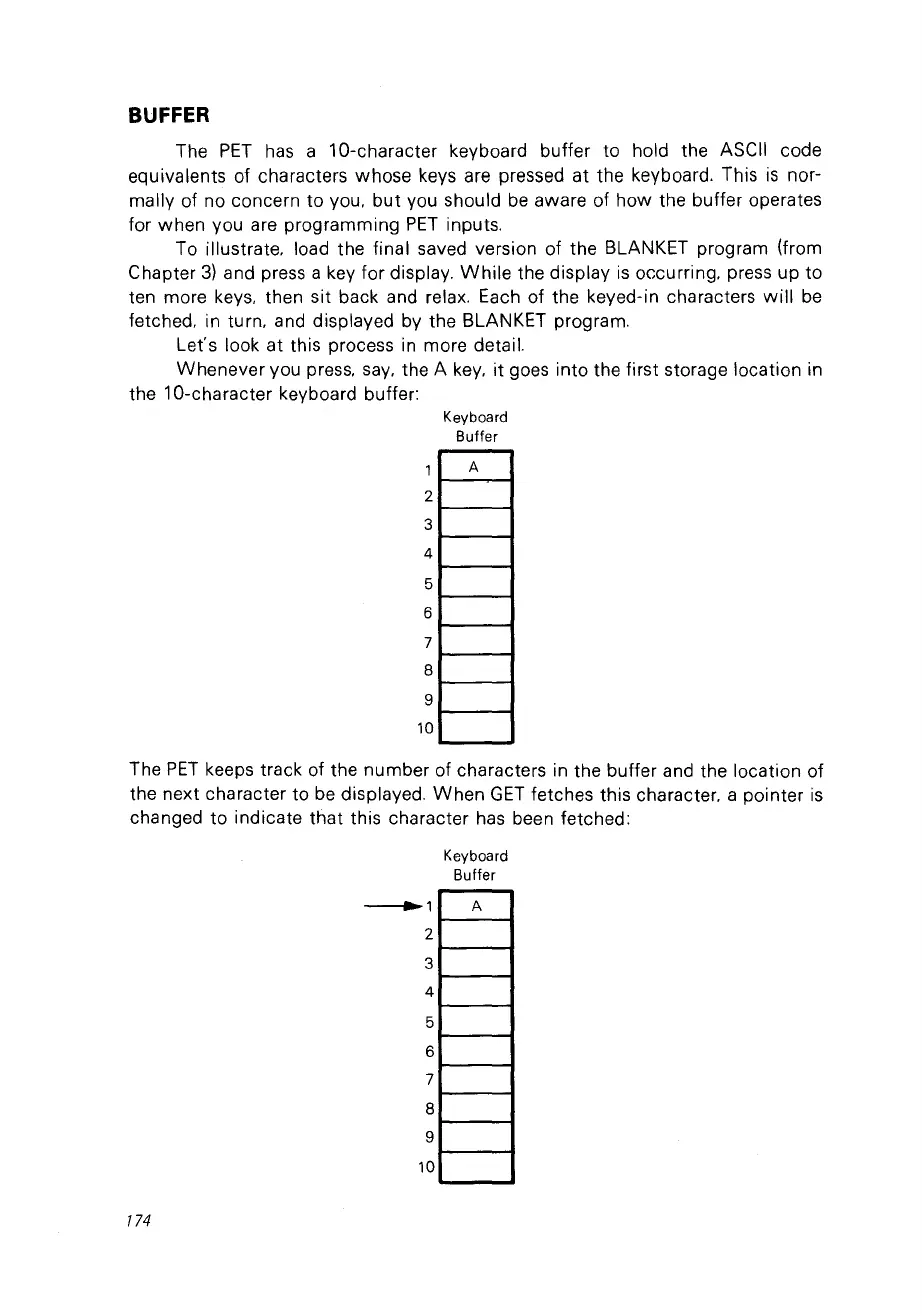
Whenever vou press.
say,
the A
key,
it
goes into the first storage location in
the 1O-character keyboard buffer:
Keyboard
Buffer
1
A
2
3
4
5
6
7
8
9
10
The
PET
keeps track of the number of characters in the buffer and the location of
the next character ta
be
displayed.
When
GET
fetches this character. a pointer
is
changed ta indicate that this character has been fetched:
Keyboard
Buffer
-------.1
A
2
3
4
5
6
7
8
9
10
174



 To Next Page