THE CHR$ FUNCTION: PROGRAMMING CHARACTERS IN ASCII
Certain PET characters cannot be programmed by enclosure within
quotation marks.
It
is
possible to program these select characters using their
ASCII values.
ASCII
is
the code name for "American Standard Code for Informa-
tion Interchange."
ASCII
assigns a unique number
in
the range of 0 ta 255 ta each
alphabetic and numeric character. and ta various symbolic characters. Table
6-4
in
Chapter 6 lists the standard
ASCII
codes. Appendix A shows the
PET
ASCII
codes. Notice that the
PET
ASCII
chart assigns numbers ta cursor contrais and
graphie characters peculiar ta the
PET.
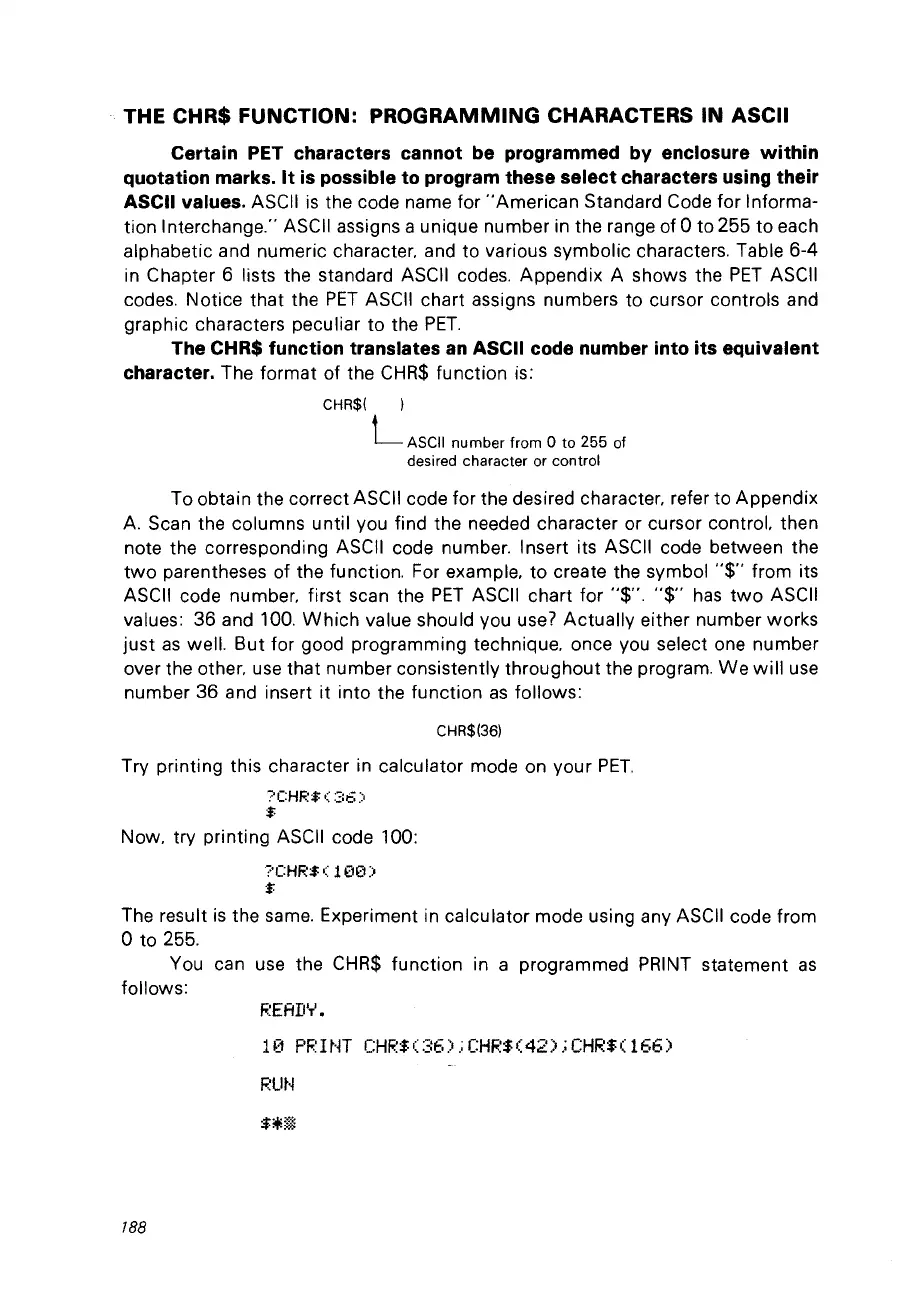
The CHR$ function translates
an
ASCII code number into its equivalent
character.
The format of the
CHR$
function is:
CHR$( )
L
ASCII
number from 0 to 255 of
desired character
or
control
Ta obtain the correct ASCII code for the desired character. refer ta Appendix
A.
Scan the columns until vou find the needed character or cursor control. then
note the corresponding ASCII code number. Insert its
ASCII
code between the
two
parentheses of the function. For example. ta create the symbol
"$"
from its
ASCII
code number. first scan the
PET
ASCII
chart for
"$".
"$"
has
two
ASCII
values:
36 and 100.
Which
value should vou
use?
Actually either number works
just
as
weil. But for good programming technique. once vou select one number
over the other.
use
that number consistently throughout the program.
We
will
use
number
36 and insert
it
into the function
as
follows:
CHR$(36)
Try printing this character
in
calculator mode on your
PET.
?CHR$(36)
$
Now. try printing
ASCII
code 100:
?CHR:$
0::
10(1)
:$
The result
is
the
sa
me.
Experiment in calculator mode using any ASCII code from
Ota
255.
Vou
can
use
the
CHR$
function in a programmed
PRINT
statement
as
follows:
F.~EFŒI''''
•
10
PRINT
CHR$(36);CHR$(42);CHR$(166)
788



 To Next Page