EasyManua.ls Logo

Commodore CBM - Draw the Square

Commodore CBM
447 pages
Print Icon
To Next Page IconTo Next Page
To Previous Page IconTo Previous Page
Loading...
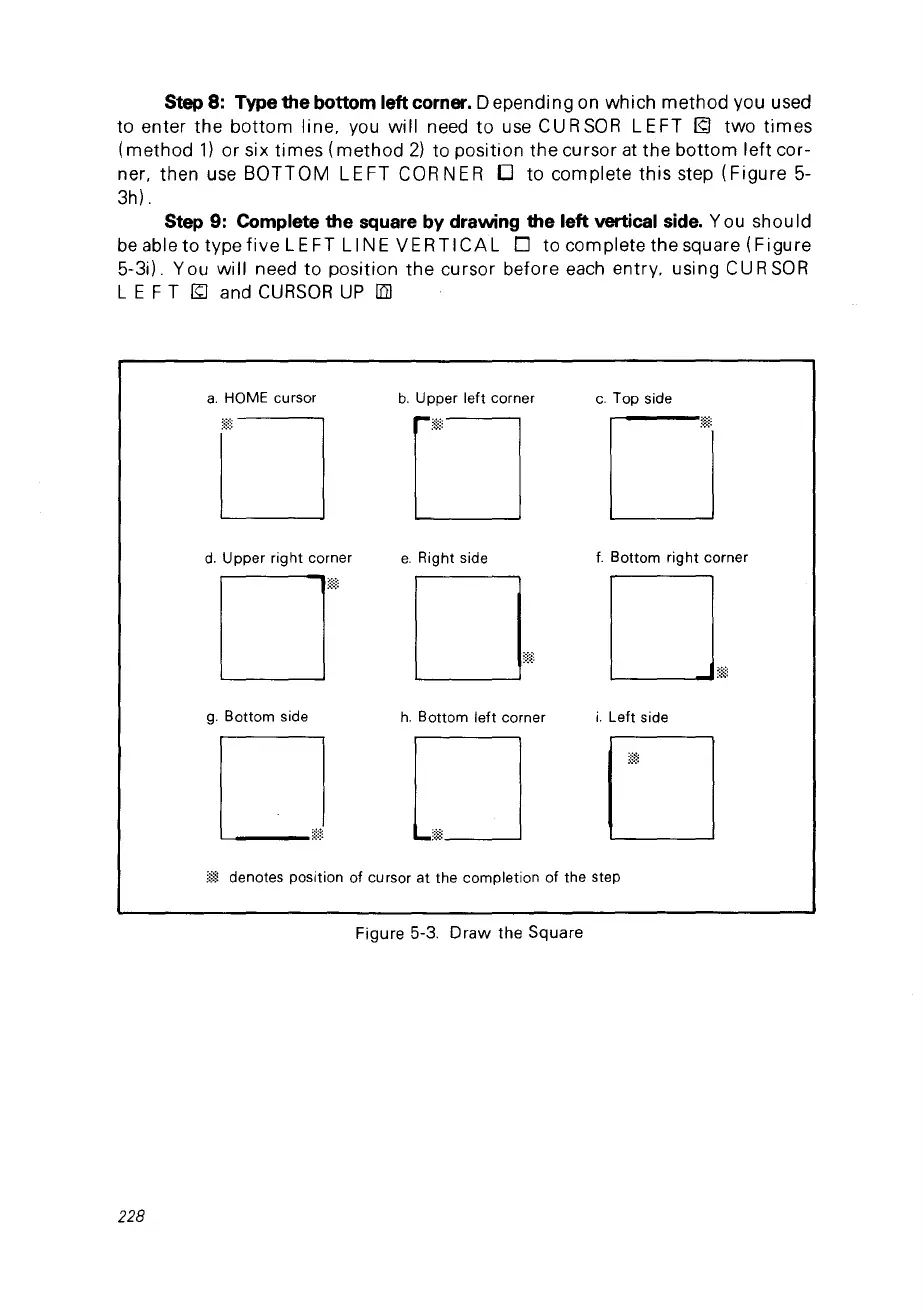
Step 8: Type the bottom left corner. D ependi ng on wh ich
method
you used
ta enter the
bottom
line. you will need
ta
use CURSOR
LEFT
(Q two
times
(method
1)
or six
times
(method
2)
ta position the cursor
at
the
bottom
left
cor-
ner. th
en
use
BOTTOM
LEFT
CORNER
0 ta complete
this
step
(Figure
5-
3h) .
Step 9: Complete the square by drawing the left vertical side. You should
be
able ta type
five
LE FT LI NE
VERTICAL
0 ta complete the square
(Figure
5-3i). You
will
need ta position
the
cursor before each entry. using
CU
R
SOR
L E F T
~
and
CURSOR
UP
liïl
a.
HOME cursor
b.
Upper left corner
c.
Top side
DDD
d.
Upper right corner
e.
Right side
f.
Bottom
right
corner
g.
Bottom side
h.
Bottom left corner
i.
Left side
:@
denotes position of cursor at the completion of the step
Figure 5-3.
Draw
the Square
228

Table of Contents

Other manuals for Commodore CBM

Related product manuals