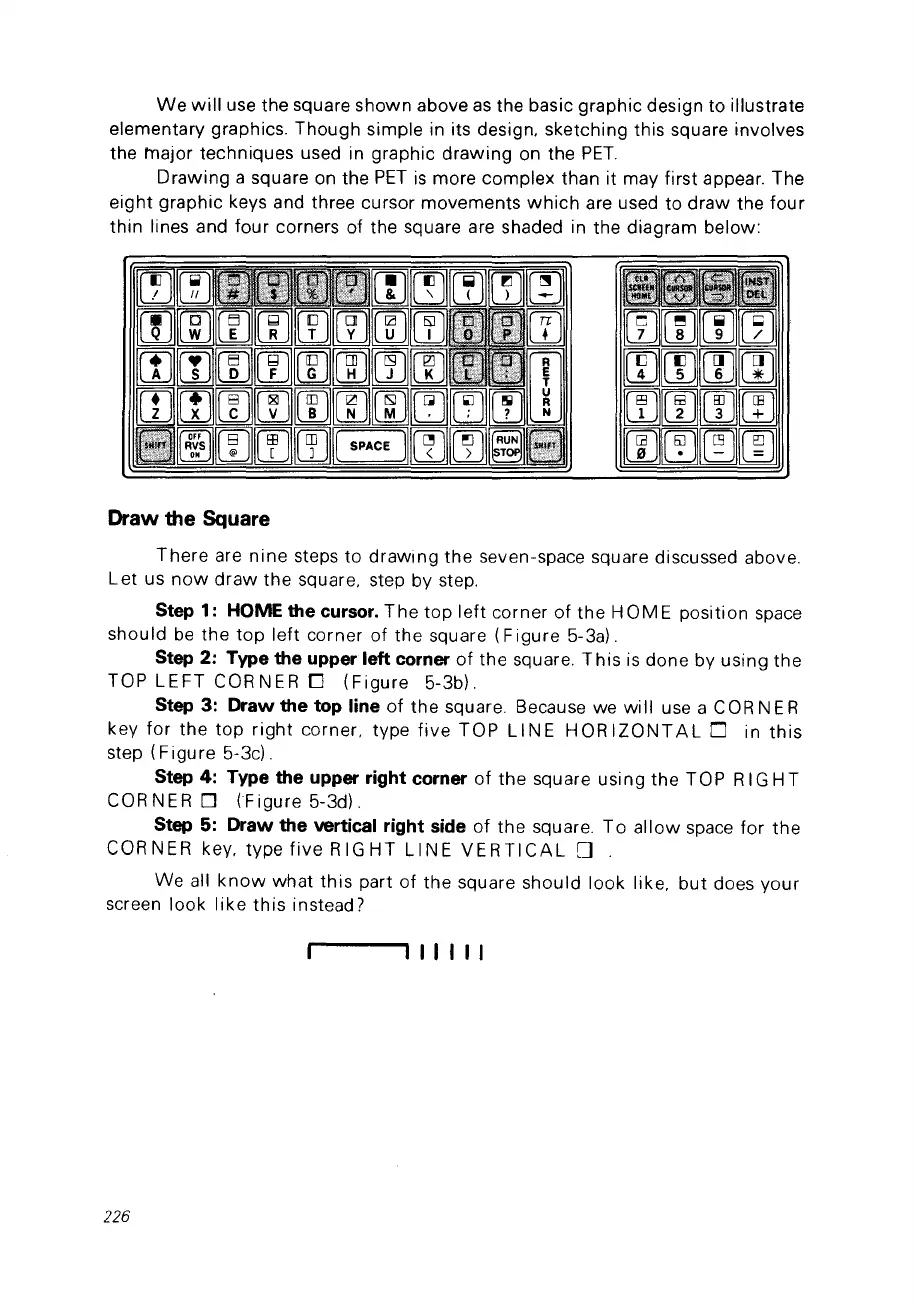
We
will
use the square shown above
as
the basic graphie design to illustrate
elementary graphies. Though simple in its design, sketching this square involves
the major techniques used in graphie
drawing
on the
PET.
Drawing a square on the
PET
is
more complex than it may first appear. The
eight
graphie keys and three cursor movements
which
are used
to
draw
the four
thin lines and four corners of the square are shaded in the diagram below:
Draw the Square
There
are
nine
steps
to
drawing
the
seven-space square discussed above.
Let us
now
draw
the
square, step by step.
Step
1:
HOME
the
cursor.
The
top
left
corner
of
the
HOME
position space
should
be
the
top
left corner
of
the
square (F igure 5-3a).
Step 2: Type the upper left corner
of
the square.
This
is
done by using
the
TOP
LEFT
CORNER
0
(Figure
5-3b).
Step 3: Draw the top line
of
the
square Because we
will
use a COR NE R
key
for
the
top
right
corner, type
five
TOP
LI
NE H
OR
IZONT
AL
0 in
this
step
(Figure
5-3cl.
Step 4: Type the upper right corner
of
the
square using the TOP RIG
HT
COR NE R 0 (F igure 5-3d).
Step
5:
Draw the vertical right side
of
the square. T0
allow
space
for
the
CORNER
key, type
five
RIGHT
L1NE
VERTICAL
0 .
We ail
know
what
this
part
of
the square should
look
like,
but
does
your
screen
look
like
this
instead?
111111
226



 To Next Page