position. Make the proper changes. and the program should look like this:
5
F'RIHT":'J";
10
PRINT"r".;
:
GOSLIB
100
15
FOR
1=1
TO
5:PRINT"-";
:
GOSLIB
100:NEXT
1
213
piu
NT"
'm";
:
GOSLIB
11313
25
FOF:
1=1
TO
5:
PRINT"
lm".; :
GOSLIB
1130: NEXT 1
30
PR
1
NT"
-1.1";
:
GOSLIB
100
35
FOR
1=1
TO
5:PRINT"-I.I";
:
GOSLIB
100:NEXT
1
413
PR
1
NT"
un";
:
GOSLIB
1013
45
FOR
1=1
TO
5:
F'RINT"I
ln";
:
GOSLIB
1(113:
NEXT 1
513
EHD
11313
FOR
J=l
TO
le:NEXT
J:RETLIRN
Now
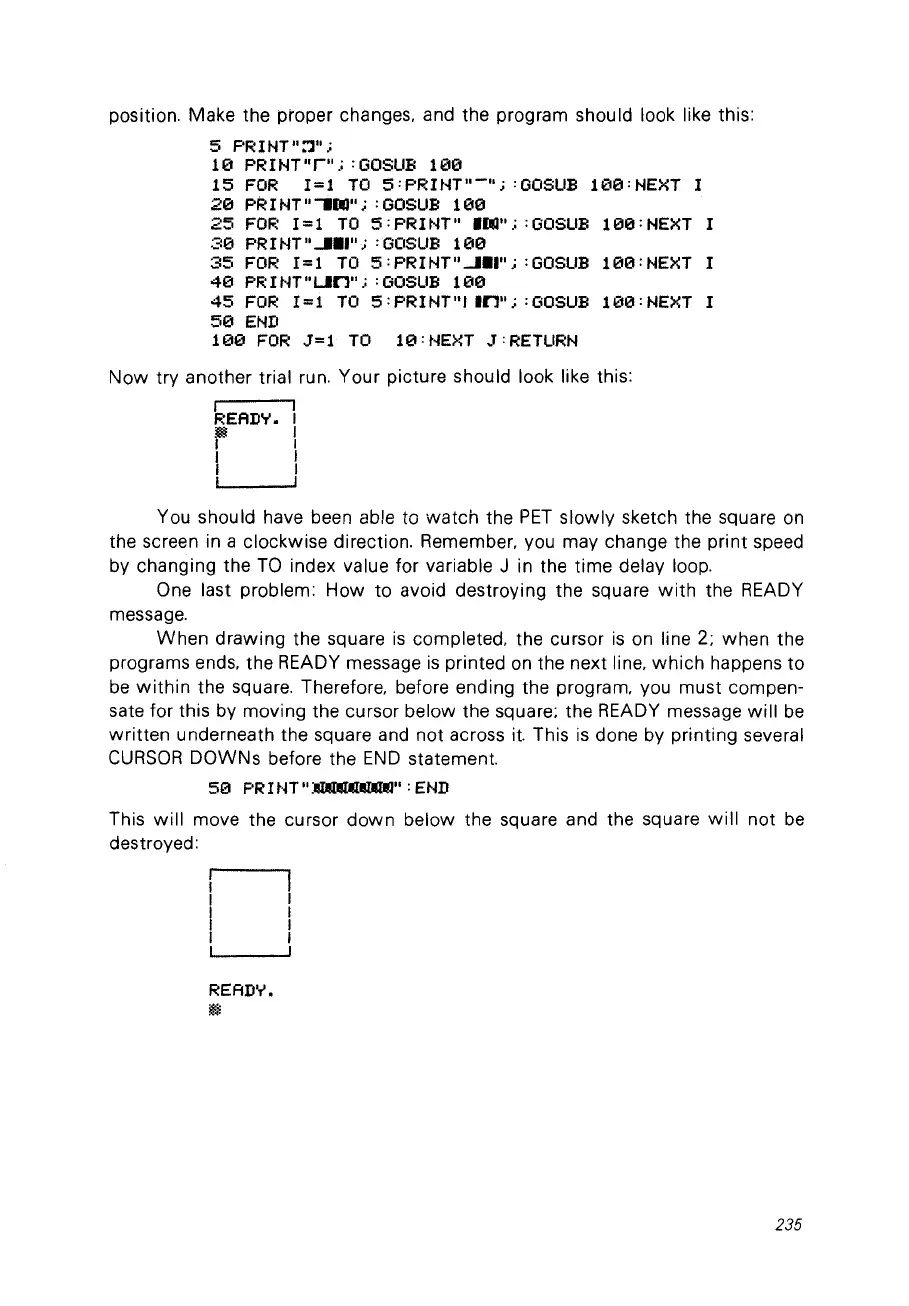
try another trial run. Your picture should look like this:
1
F:EAD'r'.
F
1
1
Vou should have been able ta
watch
the
PET
slowly
sketch the square
on
the screen in a clockwise direction. Remember. vou may change the print speed
by changing the
Ta
index value for variable J in the time delay loop.
One last problem: How to avoid destroying the square
with
the READY
message.
When
drawing
the square
is
completed. the cursor
is
on line 2; when the
programs ends. the READY message
is
printed
on
the next line.
which
happens to
be
within
the square. Therefore. before ending the program. vou must compen-
sate for this by moving the cursor below the square; the READY message
will
be
written
underneath the square and
not
across
it.
This
is
done by printing several
CURSOR
DOWNs before the
END
statement.
50
PRItH"~":END
This
will
move the cursor
down
below the square and the square
will
not
be
destroyed:
READ'.,'.
~
235



 To Next Page