---
Print N on screen
---
Print N
on
data file #1
(NUMBERS)
This
OPEN
command opens 10gÎcai file
#i,
physical devÎce
#1
(the cassette tape
unit). secondary address 2
(OPEN
for
write
and
EOT
mark at close of file). assign-
ing the new data file the
na
me NUMBERS.
10
Next.
we
set up a
FOR
...
NEXT loop ta print the numbers 1 through
~O
on
the screen and on the data tape:
50
FOR
N=l
TO
10
·60
PRINT
N
70
PRIHT#l,N
80
NEXT
N
Printing
to
the
sereen and
to
the
tape
require separate eommands.
PRINT#1
,N
will
print
only ta the tape. Remember
that
PRINT# cannat
be
typed in
as
?
#.
PRINT
must
be
spelled
out
completely,
with
the number sign, file number,
comma, and variable
following
respectively.
Incorrect
?#l,N
PRINT N
PRINT
#l,N
PRINT#lN
PRINTl, N
Correct
PRINT#l,N
Any
of the above incorrect methods
will
result in a syntax error, except
PRINT
N,
which
will
print ta the screen
but
not
ta the tape.
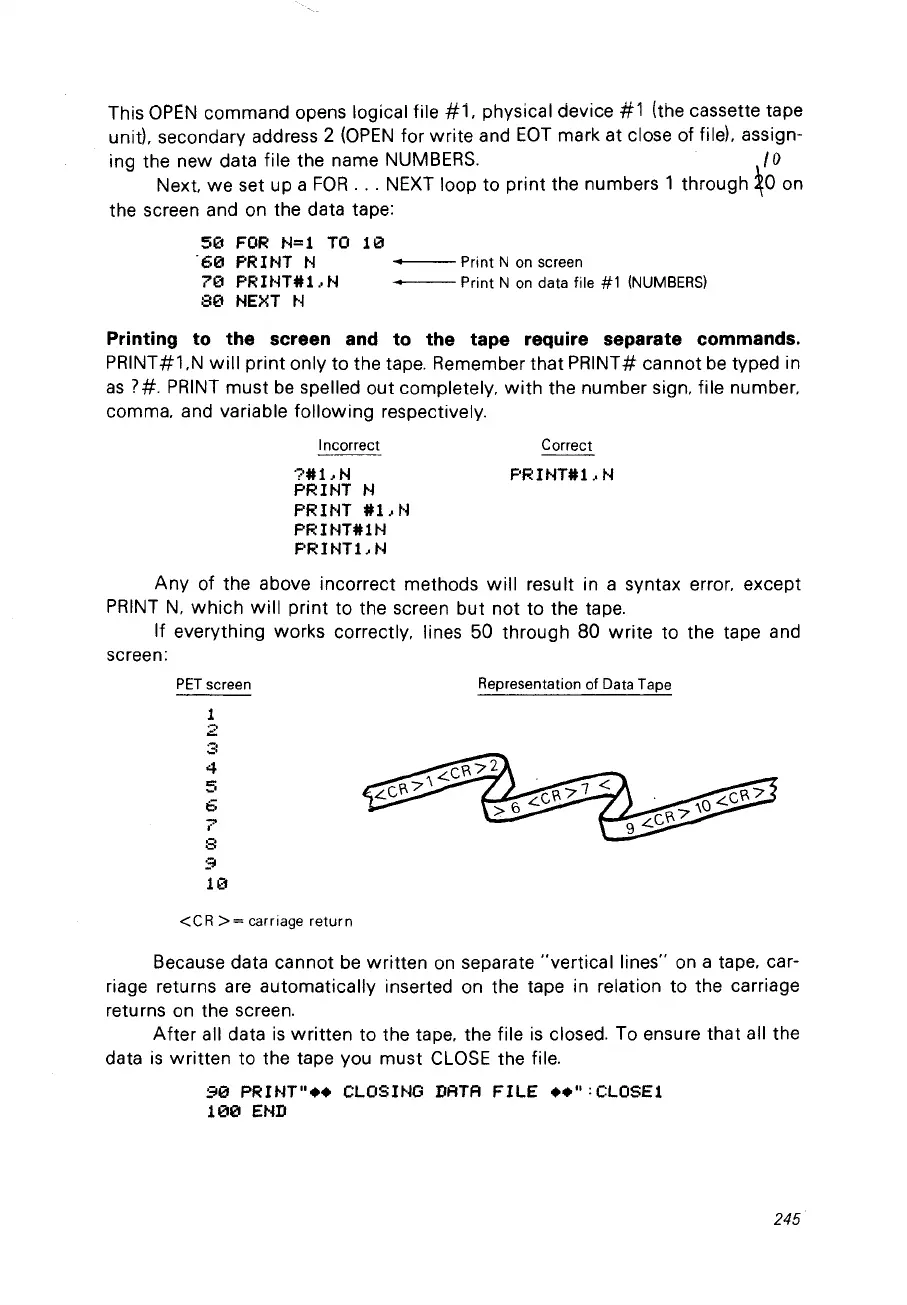
If
everything works correctly, lines
50
through 80
write
ta the tape and
screen:
PET
screen
1
2
.-,
,;:0
4
5
6
7
8
9
10
<CR
>=
carriage return
Representation of Data Tape
Because data cannat be
written
on
separate
"vertical
lines"
on
a tape, car-
riage returns are automatically inserted on the tape in relation ta the carriage
returns
on
the screen.
After
ail data
is
written
ta the tape, the file
is
closed. Ta ensure that ail the
data
is
written
ta the tape vou must
CLOSE
the file.
90
PRINT"
••
CLOSINO
DATA
FILE
••
":CLOSEl
100
END
245



 To Next Page