••
RE
AD NUMERIC
DATA
TAPE
••
••
MOUNT
TAPE;
PRESS <RETURNJ
WHEN
READY
••
••
OPENING DATA
FILE
••
PRESS
PLAY
ON
TAPE
#1
OK
1
2
.-
.
..::>
4
5
6
7
8
9
10
••
CLOSING
DATA
FILE
••
Reading Strings
The
INPUT*
statement also reads strings.
In
the
"Writing
Strings" section
(page
247).
we
wrote the program WORD.PRINT* to
write
onto tape ten strings
read from a DATA statement. The data file created was named NUMWORD. The
data from NUMWORD looks like this
on
tape
~
<CR>
ONE
<CR>
TWO
<CR>
:.~:~
<CR>
NINE
<CR>
TEN
<CR>
i>
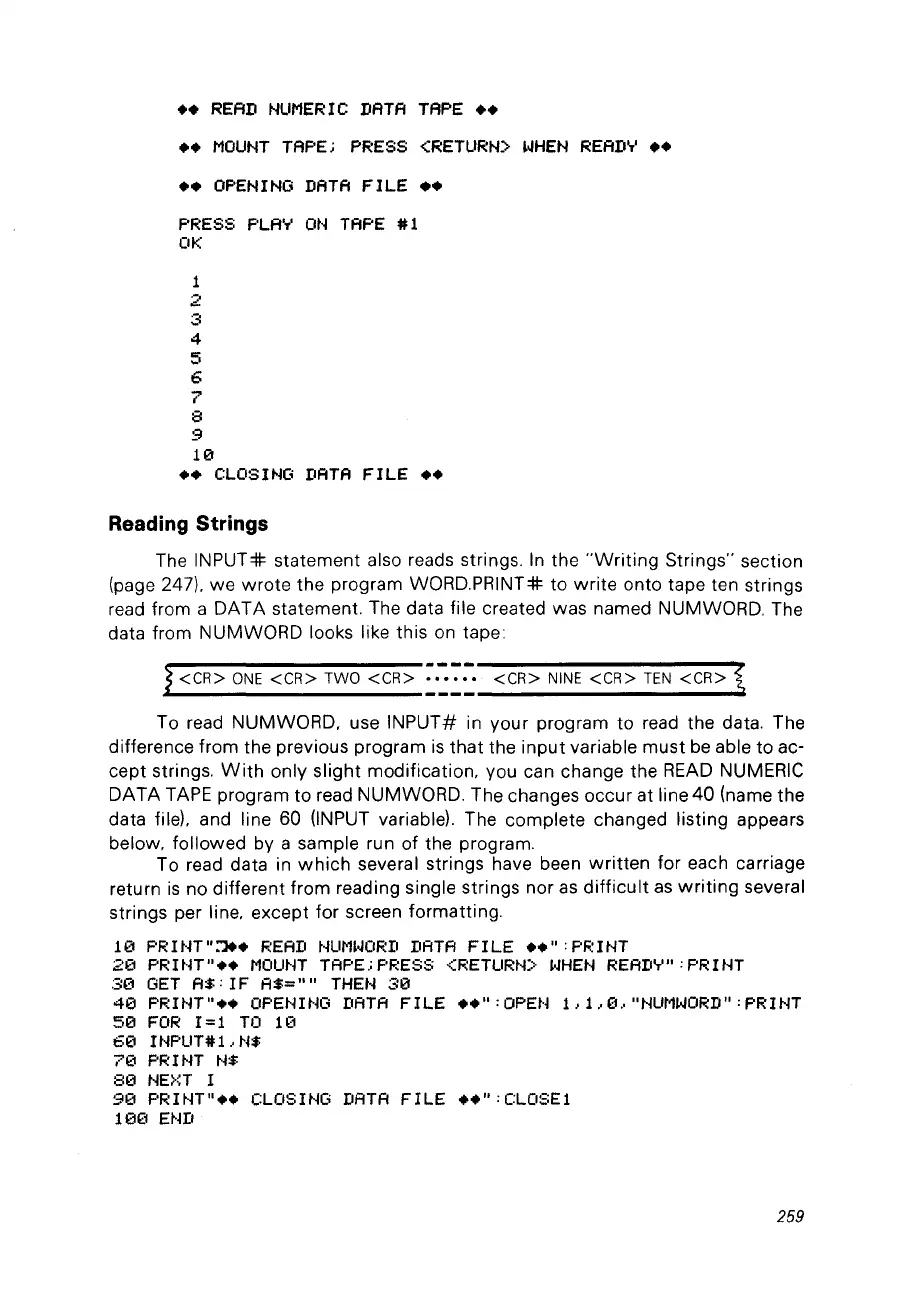
To read NUMWORD, use
INPUT#
in your program to read the data. The
difference from the previous program
is
that
the input variable must
be
able to ac-
cept strings.
With
only slight modification, vou can change the
READ
NUMERIC
DATA
TAPE
program to read NUMWORD. The changes occur at line
40
(name the
data
file), and line 60 (INPUT variable). The complete changed listing appears
below, followed by a sample run of the program.
To read data in
which
several strings have been
written
for each carriage
return
is
no different from reading single strings nor
as
difficult
as
writing
several
strings per line, except for screen formatting.
le
PR
1
t-H
"~.
READ
NUMI.JORD
DATA
FILE
••
":
PR 1NT
2(1
PRUn
....
MOUNT
TAPE.; PRESS <RETURt·O
l.JHEN
REAIIY":
PRIt..jT
:30
GET
A$:
IF
A$=
.... THEN
:313
413
PRINT"
••
OPENING DATA
FILE
....
:OPEt·j 1,1.,13., "NUMWORD" :
PRINT
513
FOR
1=1
TO
1(1
60
INPUT#L
N$
7(1
PRINT
N$
813
NE>~T
1
913
PRINT
....
CLOSING
DATA
FILE
••
":CLOSEl
10(1 END
259



 To Next Page