Because
GET#
reads one character at a time and
not
a 191-byte block at a
time like INPUT#.
it
is
able
to
read
ail
file
delimiters
and
anything
else
on
the
tape. This feature
is
especially helpful when vou
want
to
read
everything
that
is
written
on a bad data tape
to
find the problem.
GET#
also allows a single
character to
be
compared to a status or character value
within
programs. This
will
be
demonstrated in the sampie programs.
The
two
sample programs in this section
will
demonstrate
how
to print
out
an entire file including ail file delimiters. and
how
to print out the
MAIL
data file
separated into records.
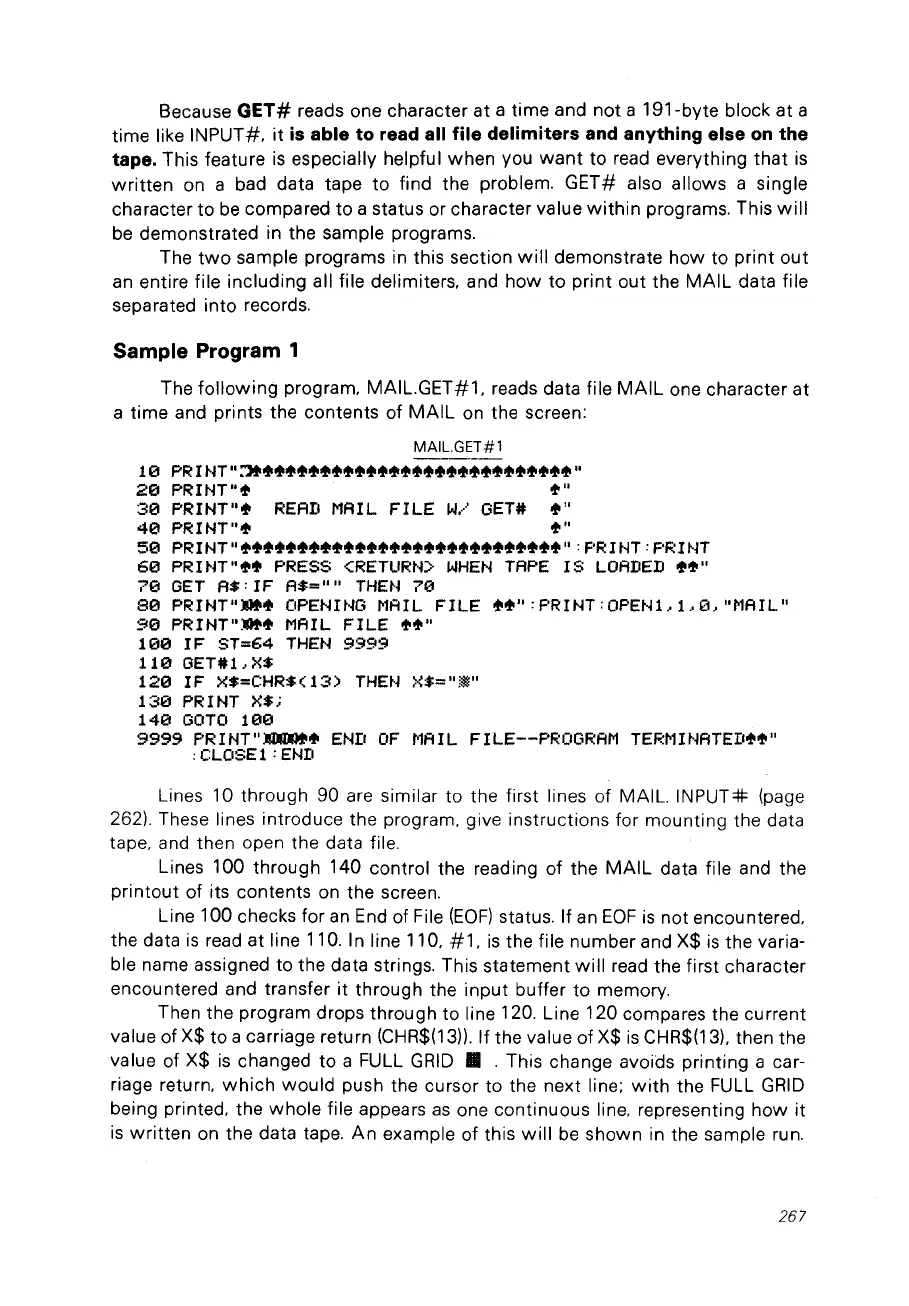
Sample Program 1
The
following
program. MAIL.GET#1. reads data file
MAIL
one character
at
a time and prints the contents of
MAIL
on
the screen:
MAIL.GET#l
10
PRIHT":'l!'~~~~~~~~~~""""""""""~~""~"""
20
PRmT""
ot"
30
PRIHT""
READ
MAIL
FILE
w.····
GET#
~"
40
PRIHT"ot
ot"
50
PRIHT"ot~""""~"~""""""~"~""""""~"~"":
PRINT:
PRUn
60
PR 1HT"....
PRESS
<RETURtD'
WHEH
TAPE 1S
LOADED
..
~"
70
GET
A$:
IF
A$=""
THEH
7121
80
PRIHT".~
OPEmHG
MAIL
FILE
~~":
PRIHT:
OPEHL
1..0,
"MAIL"
90
PRIHT"."
MAIL
FILE
ot~"
100
IF
ST=64
THEN
9999
110
GET#l,
X$
1213
1F X$=CHR$ (
13)
THEt·~
X$="
*"
130
PRmT
X$;
14121
GOTO
100
9999
PRINT"~~
EHIJ
OF
MAIL
FILE--PROGRAM
TERMU~ATED~~"
:CLOSE1:EHD
Lines 10 through 90 are similar to the first lines of MAIL.
INPUT=IF
(page
262). These lines introduce the program. give instructions for mounting the data
tape. and then open the data file.
Lines 100 through 140 control the reading of the
MAIL
data file and the
printout
of its contents
on
the screen.
Line 100 checks for
an
End
of File
(EOF)
status. If an
EOF
is
not encountered.
the data
is
read at line 110. 1n line 110. #
1.
is
the file number and X$
is
the varia-
ble name assigned to the data strings. This statement
will
read the first character
encountered and transfer
it
through the
input
buffer to memory.
Then the program drops through to line 120. Line 120 compares the current
value of X$ to a carriage return (CHR$(13)). If the value of X$
is
CHR$(13), then the
value of X$
is
changed to a FULL
GRID
•.
This change avoids printing a car-
riage return.
which
would
push the cursor to the next line:
with
the FULL
GRID
being printed. the
whole
file appears
as
one continuous line. representing
how
it
is
written
on
the data tape.
An
example of this
will
be
shown in the sample run.
267



 To Next Page