Program
11,
BOTTOM UP.
5
REM
PROGRAM
11
BOTTOM
UP
10
REM
~*
**
B
LAN
K E T
__
**_**
20
REM
CONTINUOUS-LINE DISPLAY
OF
ONE
30
REM
CHARACTER
ENTERED
FROM
THE
40
REM
KEYBOARD
50
REM
****_*********************~*.*~
90
PRINT"HIT A
KE'r'
OR
<R:>
TO
ENI.".;
100
GET
CS:IF
C$=....
GOTO
100
105
PR
1tH":']"
.;
:
REl'l
CLEAR
SCREEN
110
IF
C$=CHR$(13)
GOTO
170
115
F'RI
t-./T
"~~.na~~IQI
••••••••••••••••••••
I"
117
F'OKE
33767,(ASC(C$)ANS128)/2
OR
(ASC(C$)AND
63)
120
FOR
1=1
TO
999
:REM
999/40=25
LINE8
13~1
F'R
1
NT
C$.;
"1.'"
.;
140
NE;'(T
150
POKE
33767,(ASC(CS)AND128)/2
OR
(ASC(C$)AND63)
160
GOTO
10(1
17(1
END
Changes
Add:
Change:
Delete:
Exchange:
Lines
5.
115, 117
Lines 120. 130, 160
Line 150
Lines 105 and 110
Comments
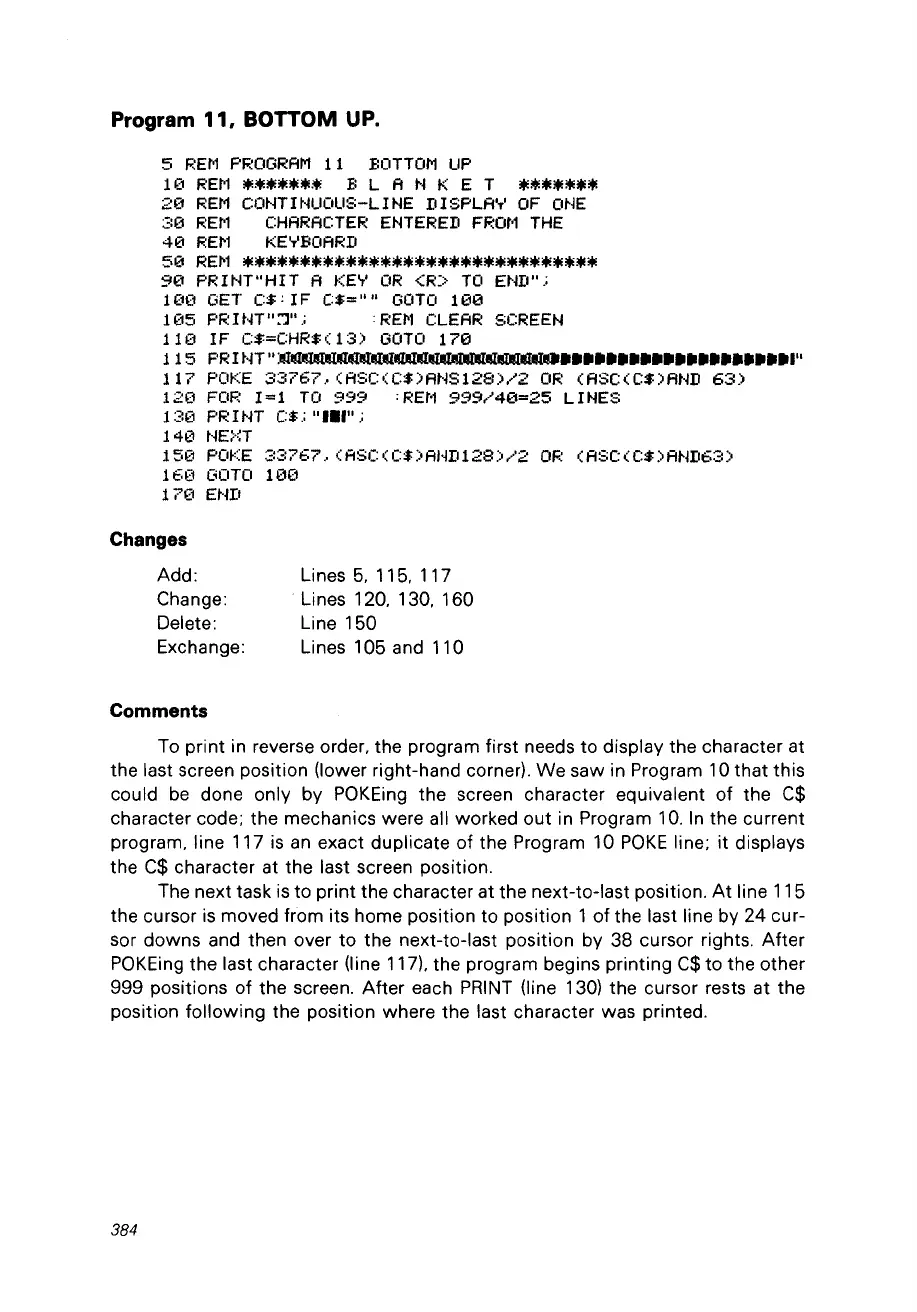
To print in reverse order, the program first needs to display the character at
the last screen position (Iower right-hand corner).
We
saw in Program 10
that
this
could
be
done only by POKEing the screen character equivalent
of
the
C$
character code; the mechanics were ail worked
out
in Program 10.
In
the current
program. line 117
is
an
exact duplicate
of
the Program 10
POKE
line;
it
displays
the
C$
character at the last screen position.
The next task is to print the character at the next-to-Iast position.
At
line 115
the cursor
is
moved from its home position
to
position 1
of
the last line by 24 cur-
sor
downs
and then over
to
the next-to-Iast position by 38 cursor rights.
After
POKEing the last character (Iine 117), the program begins printing
C$
to the other
999 positions of the screen. After each
PRINT
(Iine 130) the cursor rests at the
position
following
the position where the last character was printed.
384



 To Next Page