Section 10: Balancing Walk-through
146
Step 1. Set Balancing Parameters
• Check the battery capacity of the instrument and if it is less
than 30%, charge the battery pack (see Battery Management
on page
161).
• From the Main Menu press
to access the Balancing
Menu.
• Press
+ twice to reset any previous readings.
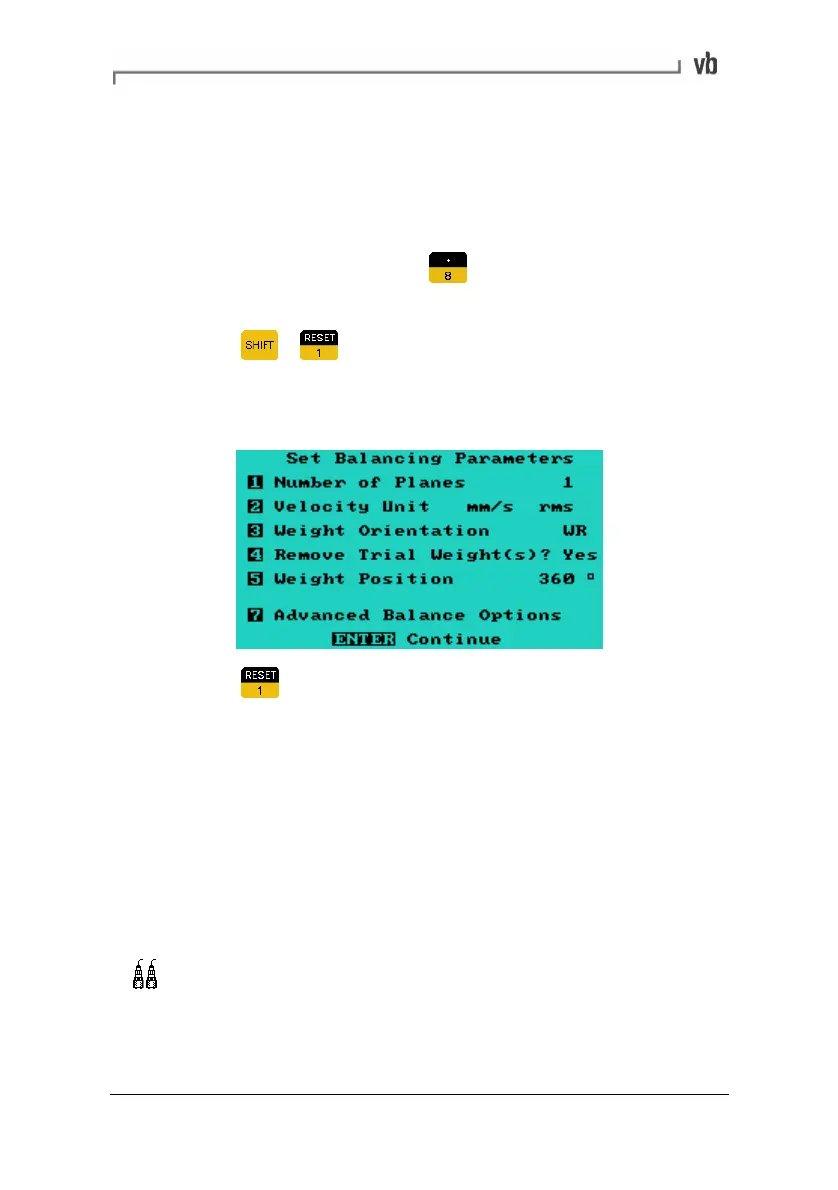
The following screen shows the parameters that were set for this
walk-through.
• Press to access the Set Balancing Parameters Menu.
See Set Balancing Parameters (page
127), for details of how
to set your parameters.
Step 2. Initial Reading
• Stop the machine.
• Attach the sensor to the bearing housing closest to the rotor.
For best results attach it in the radial direction in which the
machine is most flexible (and vibrates the most).
Attach the sensor to each of the bearings supporting the
rotor. It does not matter how the sensors are paired or which
sensor is attached to which end.
• Set up the tachometer (see Tachometer Setup on page
23).
Artisan Technology Group - Quality Instrumentation ... Guaranteed | (888) 88-SOURCE | www.artisantg.com



 To Next Page