Section 3: Onsite Analysis - Measurement Menu
39
This running values screen will display the RPM and the equivalent
value in Hz. With the sensor connected, the vibration level will also
be displayed along with its phase angle relative to the tachometer
signal.
Setting your own parameters
Option
Custom Setup allows you to customize this menu to use
your own settings instead of the factory defaults. See Custom Setups
(page
57) for more information.
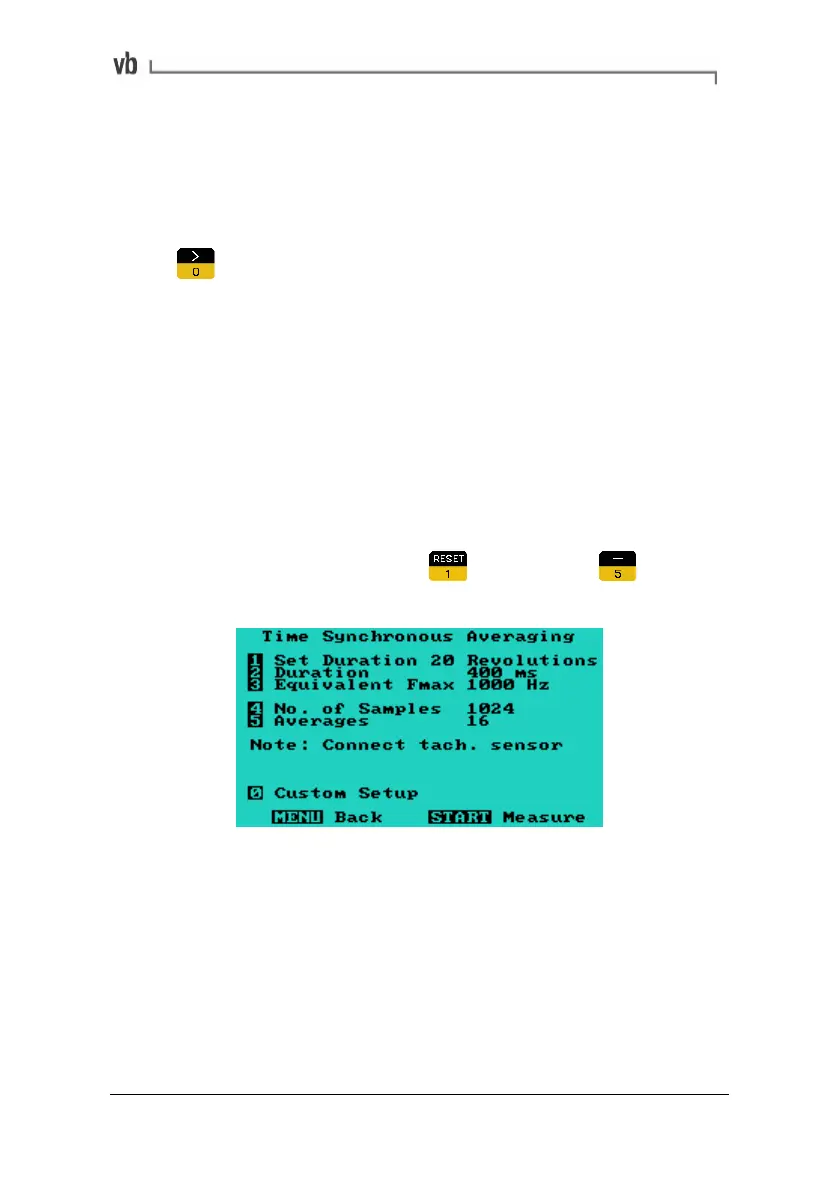
5. Time Synchronous Averaging
This is a useful vibration analysis technique for distinguishing
between spectral peaks that are very close to, but not exactly, the
harmonics of the machine's running speed. After performing a large
number of averages, peaks that are whole number multiples of the
running speed will be still be visible while those that are non-
synchronous will be cancelled out from the spectrum.
• From the Main Menu press
Measure then to
display the Time Synchronous Averaging Menu.
The parameters you need to set are the duration, number of samples
and number of averages.
Artisan Technology Group - Quality Instrumentation ... Guaranteed | (888) 88-SOURCE | www.artisantg.com



 To Next Page