NBLB2 Service Manual
4. Disassembling the ODD (CD-ROM/DVD-ROM/CD-RW…)
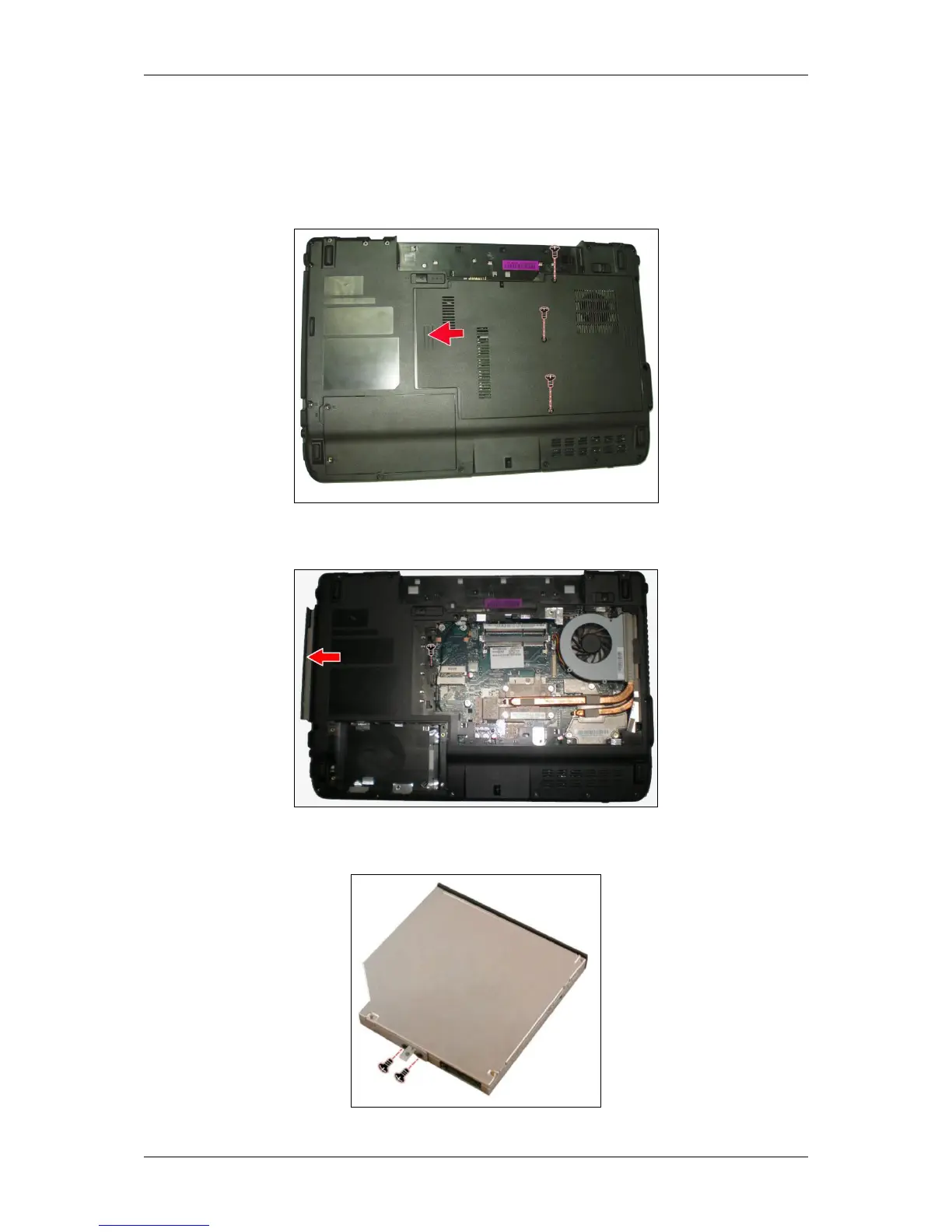
Follow the steps below to disassemble the optical drive (ODD):
1. Turn the notebook upside down.
2. Remove three screws securing and remove the thermal cover upward.
3. Remove the screw and insert a flat screwdriver into the slot as shown and
gently push out the ODD.
4. Remove two screws from the bracket plate, and then remove the bracket
plate.



 To Next Page