NBLB2 Service Manual
10. Disassembling the Display
To disassemble the display and inverter board, first remove the keyboard.
Then follow these steps:
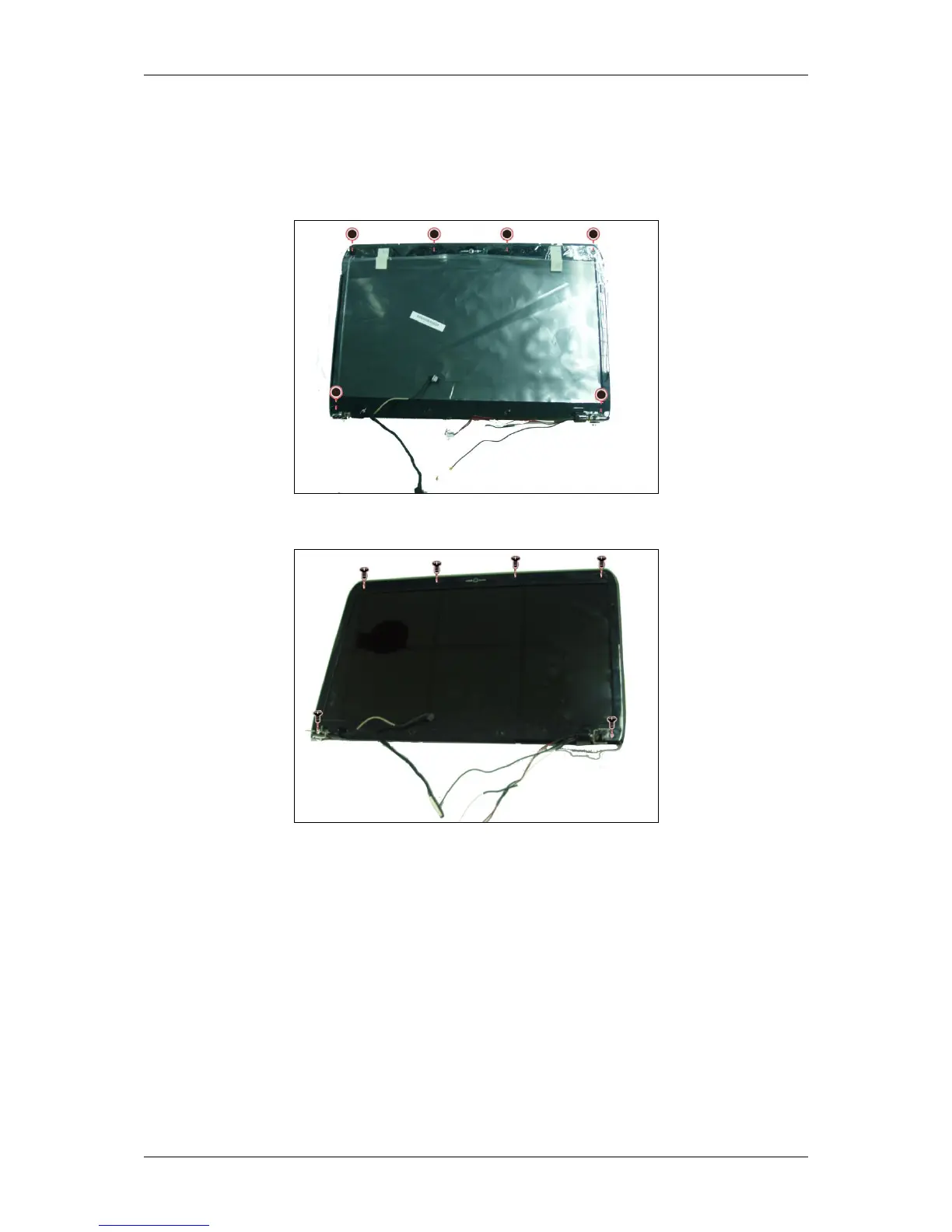
1. Remove six screw pads as shown.
2. Remove the six screws securing the LCD bezel to the LCD module.
3. Carefully insert your fingers between the display and the LCD bezel as
indicated by the arrow, and gently pry up the LCD bezel.



 To Next Page