. . . . . . . . . . . . . . . . . . . . . . . . . . . . . . . . . . . . .
5-48
ArmadaStation Removal and Replacement Procedures
NOTE: When routing the control panel cable around the backplane assembly, inspect the
subpan side shield and backplane-brace spacer to determine if they should be replaced.
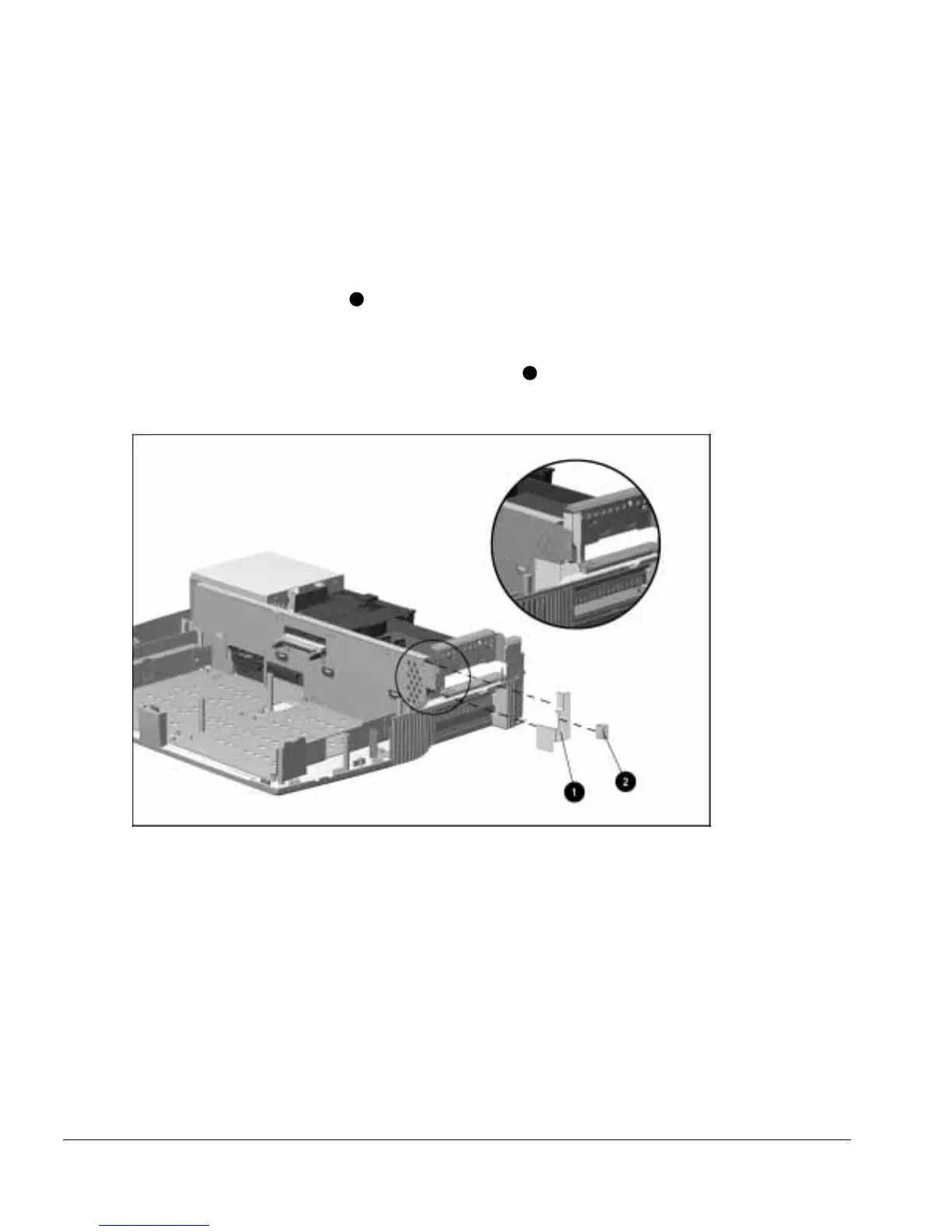
To replace these components, follow these steps:
1. Completely remove the old subpan side shield and backplane-brace spacer from the
backplane and base assemblies.
2. Insert the subpan side shield
1
between the backplane assembly and lower case
sheetmetal, making sure the square section of the shield is positioned in front of the
backplane assembly as illustrated in Figure 5-46.
3. Remove the backing from the backplane-brace spacer
2
and insert it between the
backplane assembly and the subpan side shield.
Figure 5-46.
Replacing the Subpan Side Shield and Backplane-Brace Spacer



 To Next Page