DeviceMaster LT User Guide: 2000586 Rev. B
Troubleshooting and Technical Support - 121
Sending and Receiving Data (RS-485: 2-Wire)
Sending and
Receiving Data (RS-
485: 2-Wire)
This procedure shows how to use Test Terminal (WCom2) to test two RS-485 (2-
Wire, Half-Duplex) ports.
1. In PortVision DX, click Tools >Applications >Test Terminal (WCom2) to start Te
st
Te
rminal.
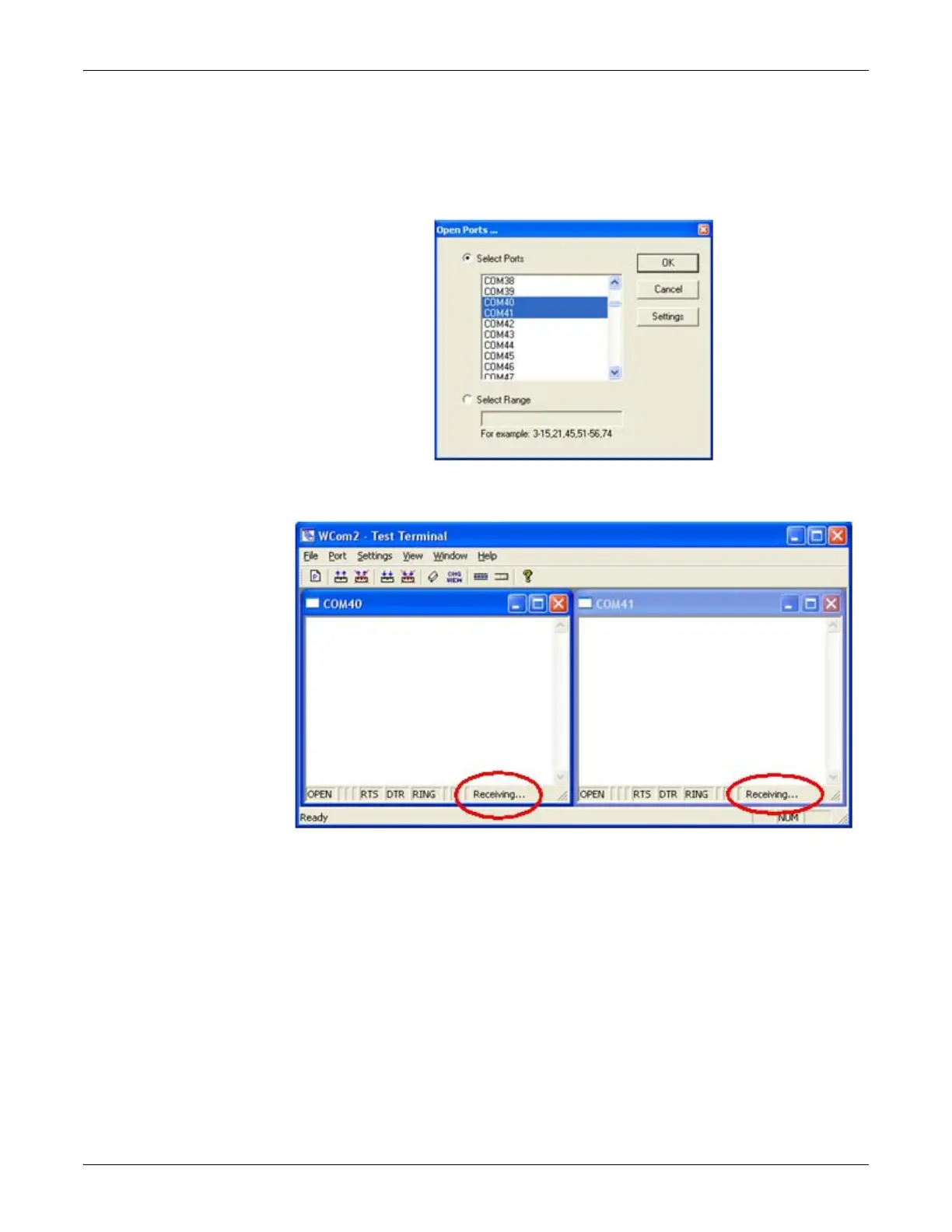
2. Open two ports RS-485 ports. This example uses COM40 and COM41.
Test Terminal will open two windows, note that both ports show Receiving on
the status bar.



 To Next Page