66 - Connecting Serial Devices
DeviceMaster LT User Guide: 2000586 Rev. B
RJ45 Null-Modem Cables (RS-232)
RJ45 Null-Modem Cables (RS-232)
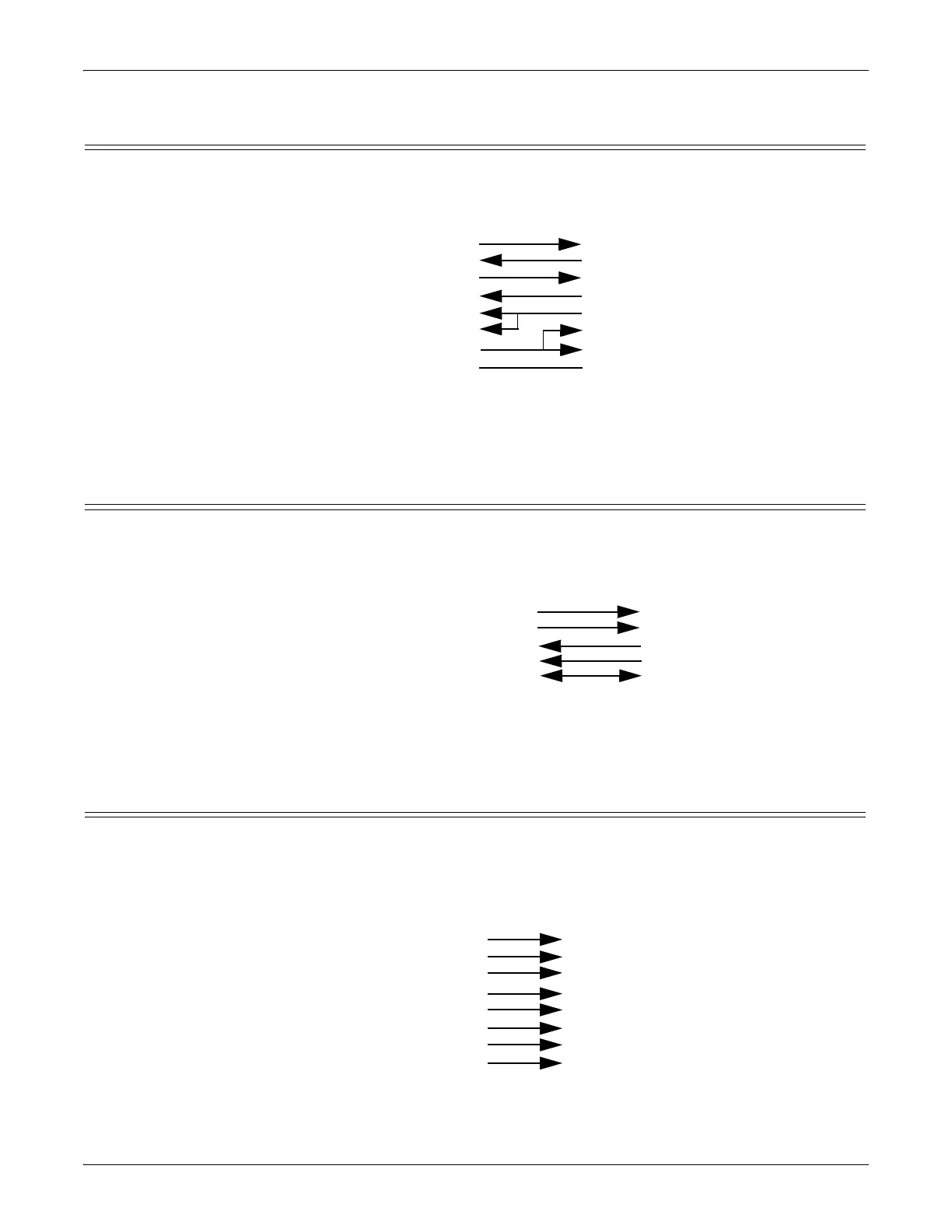
Use the following figure if you need to build an RS-232 null-modem cable. A null-
modem cable is required for connecting DTE devices.
Note: You
may want to purchase or build a straight-through cable and purchase a
null-modem adapter. For example, a null-modem cable can be used to
connect COM2 of one PC to COM2 of another PC.
RJ45 Null-Modem Cables (RS-422)
Use the following figure if you need to build an RS-422 null-modem RJ45 cable. A
null-modem cable is required for connecting DTE devices.
Note: RS-422 pinouts are not standardized. Each peripheral manufacturer uses
different pinouts. Please refer to the documentation for the peripheral to
determine the pinouts for the signals above.
RJ45 Straight-Through Cables (RS-232/485)
Use the following figure if you need to build an RS-232 or RS-485 straight-through
cable. Straight-through cables are used to connect modems and other DCE
devices. For example, a straight-through cable can be used to connect COM2 of one
PC to COM2 to a modem.
TxD
RxD
RTS
CTS
DSR
GND
DCD
DTR
Signal
RxD
TxD
CTS
RTS
DTR
GND
DCD
DSR
Signal
DB9
2
3
8
7
4
5
1
6
Pins
DB25
3
2
4
7
8
6
Pins
RJ45
5
4
1
8
2
6
3
7
Pins
20
5
RJ45
4
5
1
6
3
2
Pins
7
8
TxD+
TxD-
RxD+
Signal
RJ45
5
7
4
Pins
RxD+
Rx
D-
Signal
RxD-
TxD+
TxD-
GND GND
2
6
DB9
1
2
3
4
5
8
6
7
Pins
DCD
RxD
TxD or TRxD+
DTR or TRxD+
GND
CTS
DSR
RTS
Signal
DCD
RxD
TxD or TRxD+
DTR or TRxD+
GND
CTS
DSR
RTS
Signal
RJ45
3
4
5
7
6
8
2
1
Pins
RJ45
3
4
5
7
6
8
2
1
Pins
DB25
8
3
2
20
7
5
6
4
Pins



 To Next Page