DeviceMaster LT User Guide: 2000586 Rev. B
DeviceMaster LT Security - 61
Example 3
Example 3 The -c option enables the use of color instead of < and > to indicate the data flow
direction. Tx is green and Rx is red.
dm> monitor -c 1
Serial monitoring started for port 1 -- press [Enter] to stop.
61 62 63 41 42 43 31 32 33 61 62 63
41 42 43 31
32 33 61 6
2 63 41 42 43 31 32 33 61 62 63 41 42
43 31 32 33 61 62
63 41 42 43 31 32 33 61 62 63
41 42 43 31 32 33 61 62 63
41 42 43 31 32 33 61
62 63 41 42 43 31 32 33 61
62 63 41 42 43 31 32
33 61 62 6
3 41 42 43 31 32 33 61 62 63 41 42 43
31 32 33 6
1 62 63 41 42 43 31 32 33 61 62 63 41
42 43 31 32 33 61
62 63 41 42 43 31 32 33 61 62
63 41 42 43 31 32 33 61 62
63 41 42 43 31 32 33
The
-a and -c options can be used together:
dm> monitor -ac 1
Serial monitoring started for port 1 -- press [Enter] to stop.
61 62 63 41 42 43 31 32 33 61
62 63 41 42 43 31 | abcABC123abcABC1
32 33 61 62
63 41 42 43 31 32 33 61 62 63 41 42 | 23abcABC123abcAB
43 31 32 33 61
62 63 41 42 43 31 32 33 61 62 63 | C123abcABC123abc
41 42 43 31 32 33 61
62 63 41 42 43 31 32 33 61 | ABC123abcABC123a
62 63 41 42 43 31 32 33 6
1 62 63 41 42 43 31 32 | bcABC123abcABC12
33 61 62
63 41 42 43 31 32 33 61 62 63 41 42 43 | 3abcABC123abcABC
31 32 33 61 62 63
41 42 43 31 32 33 61 62 63 41 | 123abcABC123abcA
42 43 31 32 33 61 62
63 41 42 43 31 32 33 61 62 | BC123abcABC123ab
63 41 42 43 31 32 33 61 6
2 63 41 42 43 31 32 33 | cABC123abcABC123
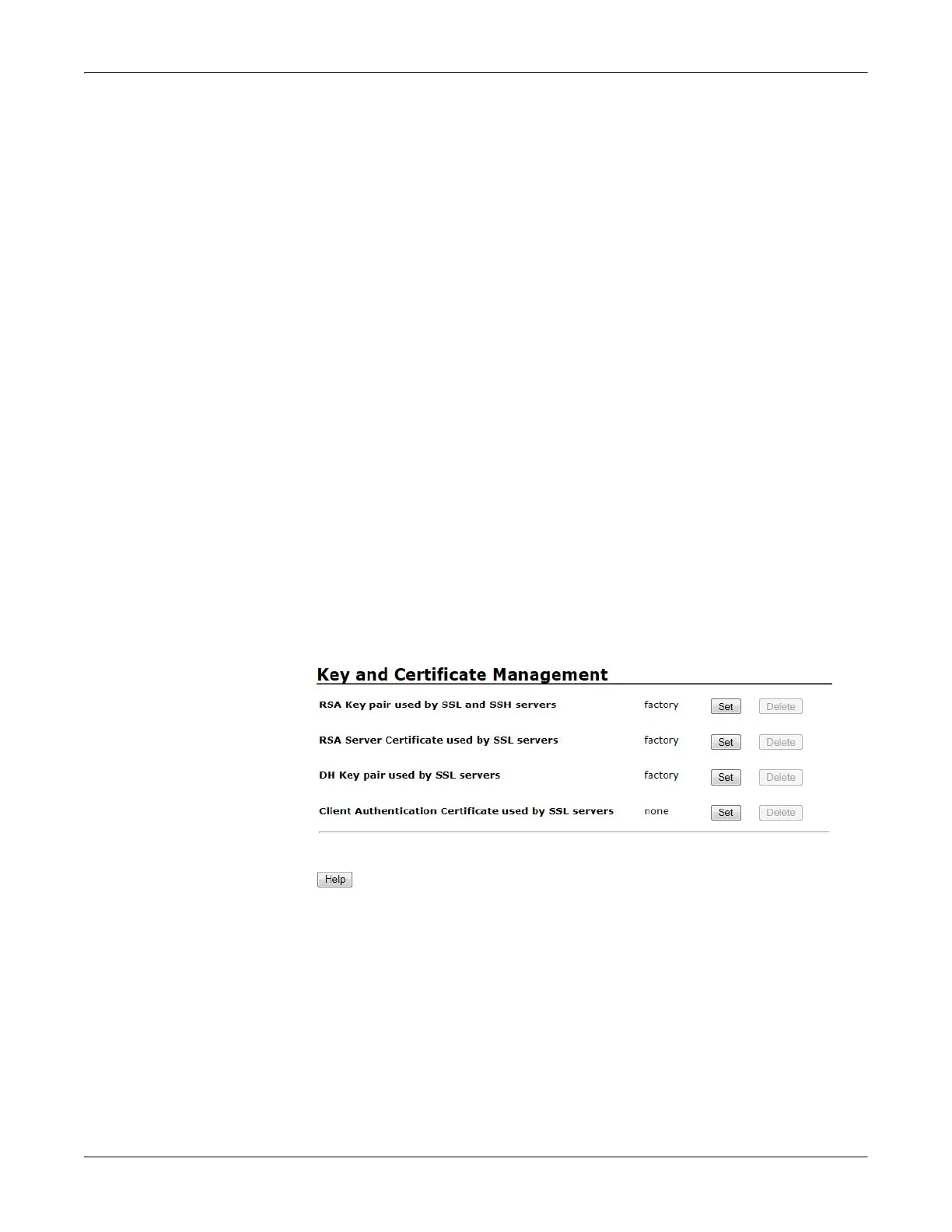
Key and Certificate
Management
Key and Certificate management is only available in Edit Security Configuration
web page.



 To Next Page