DeviceMaster LT User Guide: 2000586 Rev. B
Troubleshooting and Technical Support - 125
Socket Mode Serial Port Testing
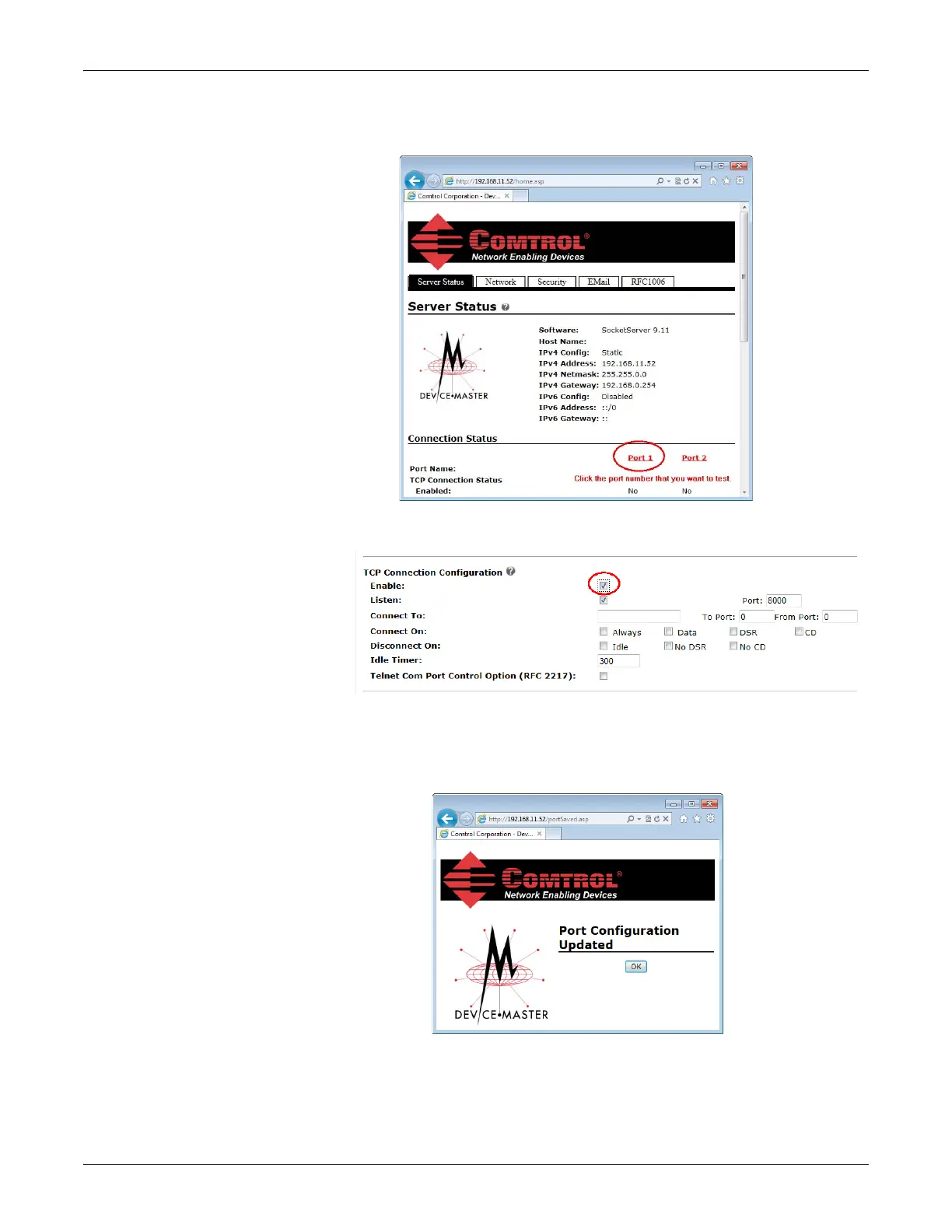
5. If necessary, re-open the web pages and click on the port that you want to test.
The follow
ing example tests Port 1.
6. Scroll down TCP Connection Configuration options, click the Enable
option,
a
nd leave all other settings on this page at their default values.
Note the Port number as it is needed later in this procedure. In this example,
the port number is 8000.
7. Scroll to the bottom of the page and click the Save button.
8. Click Ok when the Port Configuration Updated page appears.



 To Next Page