Parameter
structure
Keypad and
display
Parameter x.00
Parameter description
format
Advanced parameter
descriptions
Serial comms
protocol
Electronic
nameplate
Performance
8 Digitax ST Advanced User Guide
www.controltechniques.com Issue Number: 1
2 Keypad and display
2.1 Understanding the display
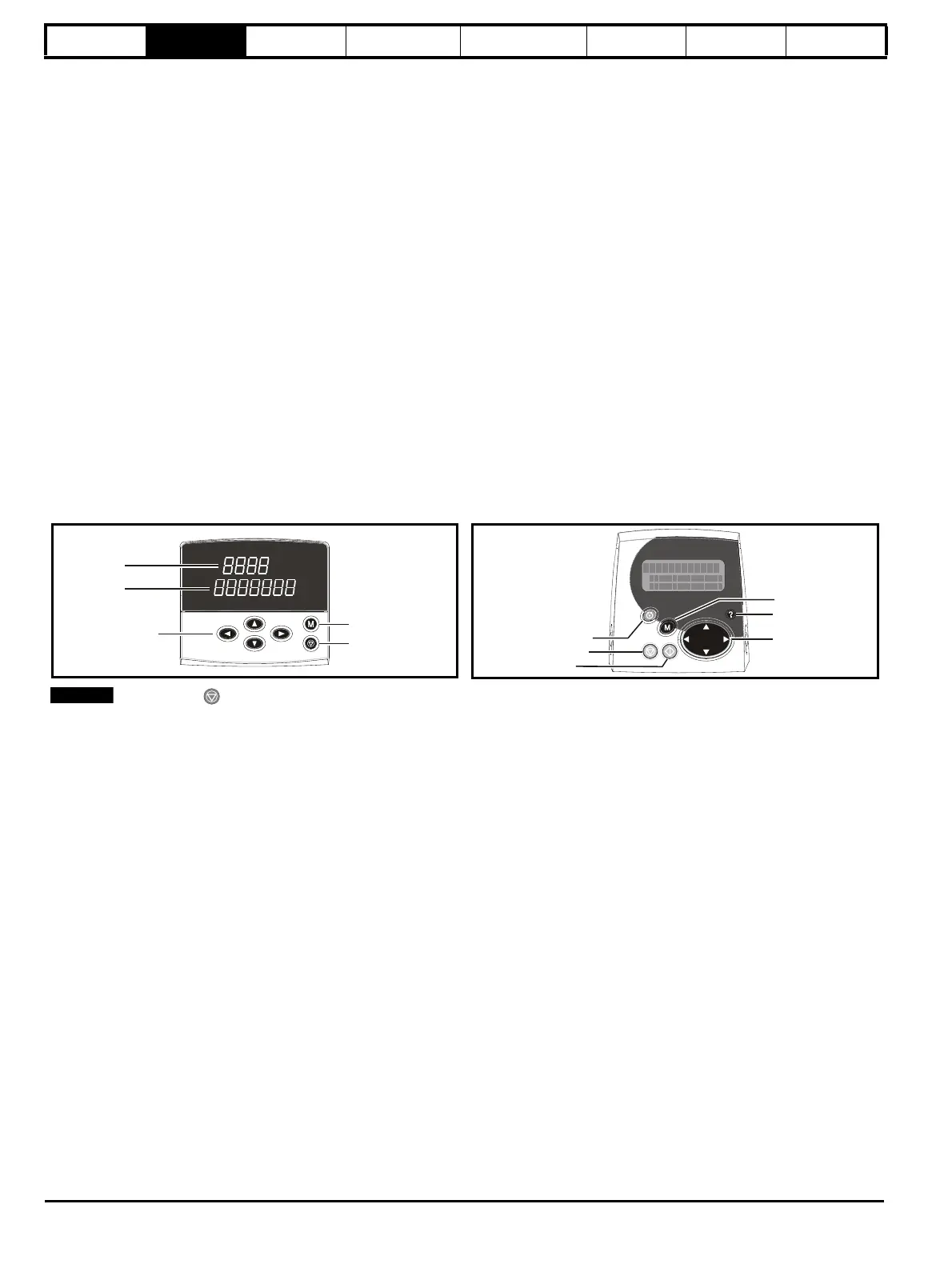
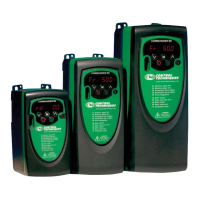
There are two keypads available for the Digitax ST. The DST-Keypad has an LED display and the SM-Keypad Plus has an LCD display. The DST-
Keypad can only be fitted on to the drive and the SM-Keypad Plus can only be remotely mounted on an enclosure door. The SM-Keypad Plus
cannot be fitted on the drive.
2.1.1 DST-Keypad
The display consists of two horizontal rows of 7 segment LED displays.
The upper display shows the drive status or the current menu and
parameter number being viewed.
The lower display shows the parameter value or the specific trip type.
2.1.2 SM-Keypad Plus
The display consists of three lines of text.
The top line shows the drive status or the current menu and parameter
number being viewed on the left, and the parameter value or the specific
trip type on the right.
The lower two lines show the parameter name or the help text.
Features :
• Parameter names displayed
• Units displayed (Hz, A, rpm, %)
• Parameter help text
• Diagnostics help text
• 5 language support: (English, French, German, Spanish and Italian)
• Displays SM-Applications virtual parameters: Menus 70 to 91
• Hardware key using the SM-Keypad Plus as a key to modify the
drive set-up
• User defined parameter set
• Browsing filter
• Adjustable contrast
Figure 2-1 Digitax ST Keypad Figure 2-2 SM-Keypad Plus
The red stop button is also used to reset the drive.
2.2 Keypad operation
2.2.1 Control buttons
The keypad consists of:
1. Programming buttons: used to navigate the parameter structure and change parameter values.
2. Mode button: used to change between the display modes – parameter view, parameter edit, status.
3. Reset button
4. Help button (Keypad Plus only) - displays text briefly describing the selected parameter.
5. Start, Fwd/Rev buttons (Keypad Plus only) - used to control the drive if Keypad mode is selected.
The Help button toggles between other display modes and parameter help mode. The up and down functions on the joypad scroll the help text to
allow the whole string to be viewed. The right and left functions on the joypad have no function when help text is being viewed.
The display examples in this section show the DST-Keypad 7 segment LED display. The examples are the same for the SM-Keypad Plus except
that the information displayed on the lower row on the DST-Keypad is displayed on the right hand side of the top row on the SM-Keypad Plus.
The drive parameters are accessed as shown in Figure 2-3.
Upper display
Lower display
Mode (black) button
Programming buttons
Stop/reset (red) button
Joypad
Fwd / Rev (blue) button
Stop/reset (red) button
Start (green) button
Control buttons


 To Next Page