Menu 12
Parameter
structure
Keypad and
display
Parameter x.00
Parameter
description format
Advanced parameter
descriptions
Serial comms
protocol
Electronic
nameplate
Performance
162 Digitax ST Advanced User Guide
www.controltechniques.com Issue Number: 1
* For more information on Oht4.P and PH.P trips, and SPMC see Unidrive SPM User Guide.
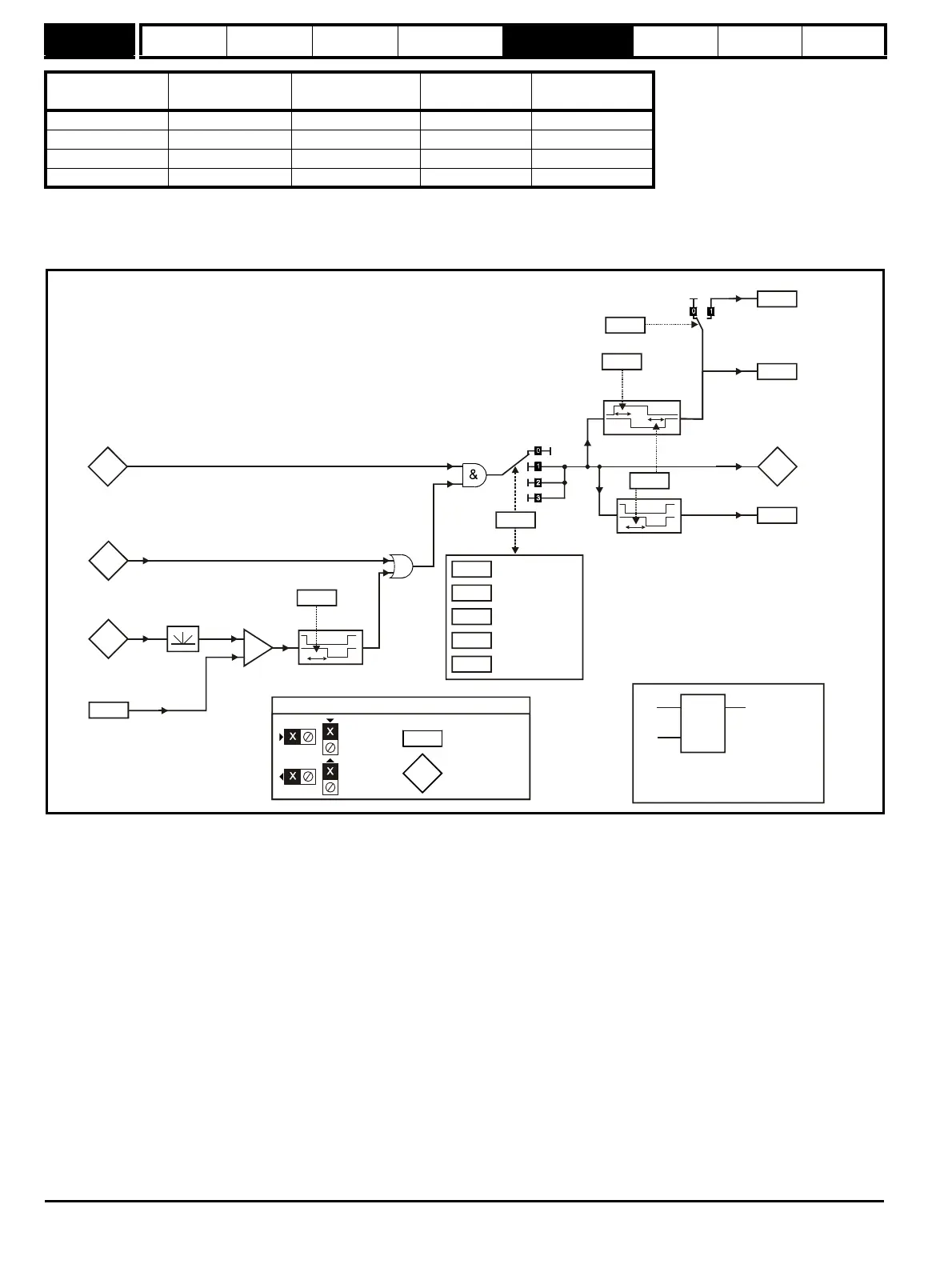
5.14.1 Brake control function
The brake control function can be used to control an electro-mechanical brake via the drive digital I/O.
Figure 5-13 Brake function
Input 1
(Pr 12.08, Pr 12.28)
Input 2
(Pr 12.09, Pr 12.29)
State Trip
Output
(Pr 12.12, Pr 12.32)
High High OK None 0%
High Low Over temperature Oht4.P trip* 100%
Low High Phase loss PH.P trip* 100%
Low Low Mains Loss None 100%
3.02
Speed
feedback
Brake apply
speed
12.45
+
_
Post-brake
release delay
0.XX
0.XX
Key
(RW)
parameter
Read-only (RO)
parameter
Input
terminals
Output
terminals
If the reset input is 1, the output is 0.
If the reset input is 0, the output latches
1.11
Reference
on
OR
Brake apply
speed delay
12.46
10.02
Drive active
8.12
8.17
8.22
8.27
8.32
T25 digital
I/O 2 invert
Relay source
invert
source / destination
Relay source
T25 digital I/O 2
output select
Position
control
mode
( = 1)


 To Next Page