Viewing EventsViewing Events
EvacuateEvacuate
Silence
Alarms
Silence
Alarms
Mute
Buzzer
Mute
Buzzer
ResetReset
OthersOthers
Enable/DisableEnable/Disable
Check
Auto Config.
Check
Auto Config.
PrintPrint
Lamp TestLamp Test
Pre
Alarms
Pre
Alarms
DisabledDisabled
FaultsFaults
Weekly TestWeekly Test
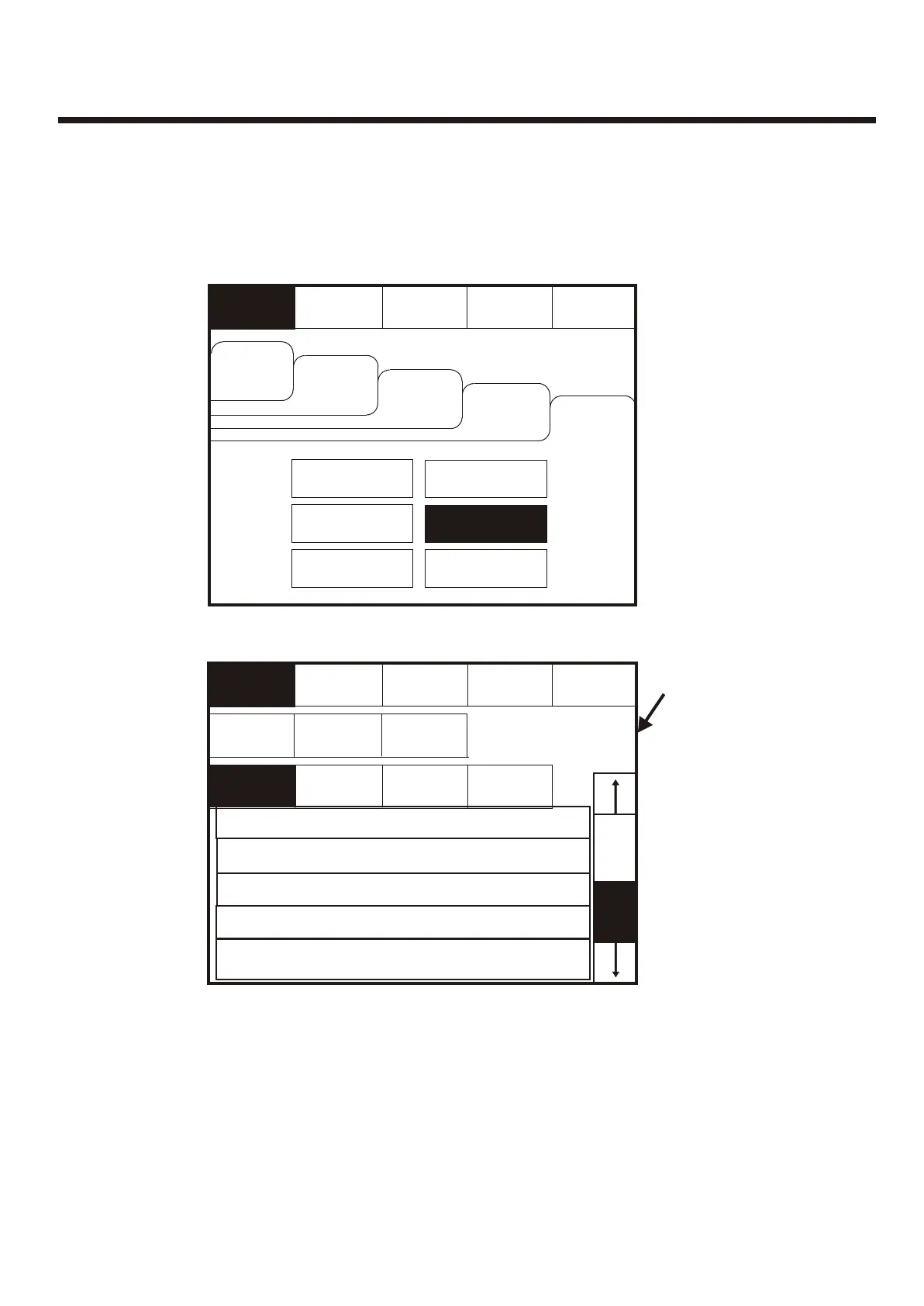
Enter the Supervisor Mode Passcode. Select the “Others” tab and press View Log.Enter the Supervisor Mode Passcode. Select the “Others” tab and press View Log.
EvacuateEvacuate
OldestOldest
Silence
Alarms
Silence
Alarms
Show
Faults
Show
Faults
Mute
Buzzer
Mute
Buzzer
Show
Fires
Show
Fires
Show
Tests
Show
Tests
ResetReset
ExitExit
Newest Newest
Use the scroll bar to view the list of upto 1000 events.Use the scroll bar to view the list of upto 1000 events.
The Panel event log stores up to 1000 events including, fires, faults, resets and address changes.
Once the maximum 1000 events has been reached Panel will automatically overwrite the oldest
event every time a new event is stored. The event log can only be reset by an approved service
engineer.
The Panel event log stores up to 1000 events including, fires, faults, resets and address changes.
Once the maximum 1000 events has been reached Panel will automatically overwrite the oldest
event every time a new event is stored. The event log can only be reset by an approved service
engineer.
Events can be sorted
by selecting from the
sort option menu.
Events can be sorted
by selecting from the
sort option menu.
View LogView Log
View Fires
AC = 19
View Fires
AC = 19
Supervisor
FRE off
Supervisor
FRE off
Supervisor
FRE off
Supervisor
FRE off
Show
All
Show
All
To activate the touch screen, touch the top left corner of the screen until the screen
illuminates. To enter the supervisor mode touch the supervisor button and enter the
passcode.
To activate the touch screen, touch the top left corner of the screen until the screen
illuminates. To enter the supervisor mode touch the supervisor button and enter the
passcode.
002 FIRE! Lobby, [Optical] (Ana=150)
Building 1, Ground floor, Panel 1, Loop 1, device 1
002 FIRE! Lobby, [Optical] (Ana=150)
Building 1, Ground floor, Panel 1, Loop 1, device 1
001 Monday 13-Jan-2004 08:34:12
Hard Reset
001 Monday 13-Jan-2004 08:34:12
Hard Reset
003 Monday 06-Nov- 2000 11:22.56
Soft Reset
003 Monday 06-Nov- 2000 11:22.56
Soft Reset
004 Monday 13-Nov-2001, 18:09.07 Fault
Panel1, Loop 2 Zone 2, Address 5
004 Monday 13-Nov-2001, 18:09.07 Fault
Panel1, Loop 2 Zone 2, Address 5
005 Monday 18-Feb-2001 22:20.18
Mains or Battery failure
005 Monday 18-Feb-2001 22:20.18
Mains or Battery failure
49



 To Next Page