Analogue LevelAnalogue Level
Service
FRE Off
Service
FRE Off
CommissionCommission
TestTest
ConfigureConfigure
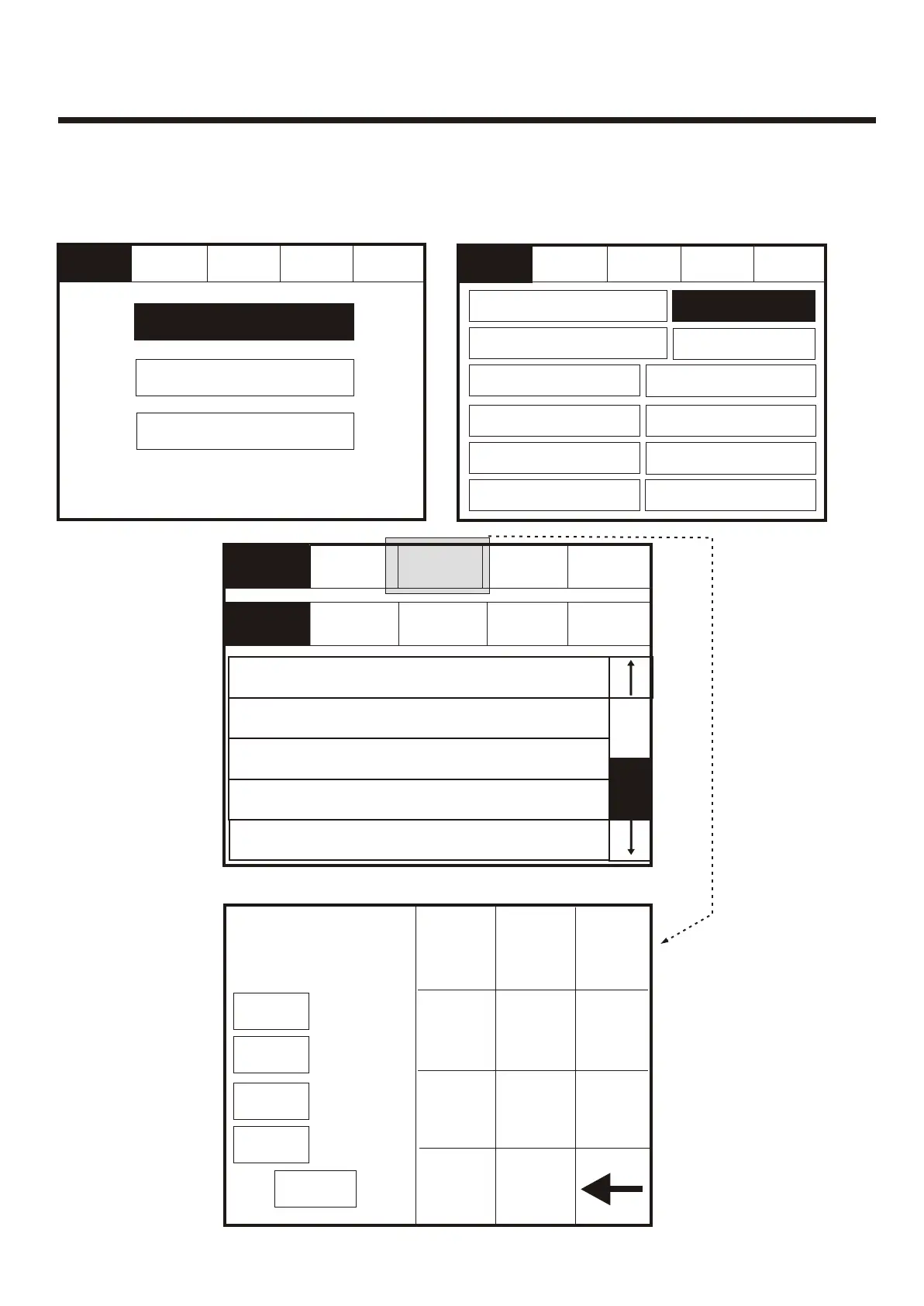
Enter the Service Mode and Select Commission then press “Analogue Levels”.Enter the Service Mode and Select Commission then press “Analogue Levels”.
001 Device 1, Zone 1
Loop: 1, Zone: 1, Type: Opto/thermal
001 Device 1, Zone 1
Loop: 1, Zone: 1, Type: Opto/thermal
002 Device 2, Zone 1
Loop: 1, Zone: 1, Type: Opto/thermal
002 Device 2, Zone 1
Loop: 1, Zone: 1, Type: Opto/thermal
003 Device 3, Zone 1
Loop: 1, Zone: 1, Type: Opto/thermal
003 Device 3, Zone 1
Loop: 1, Zone: 1, Type: Opto/thermal
004 Device 4, Zone 1
Loop: 1, Zone: 1, Type: Opto/thermal
004 Device 4, Zone 1
Loop: 1, Zone: 1, Type: Opto/thermal
005 Device 5, Zone 1
Loop: 1, Zone: 1, Type: Opto/thermal
005 Device 5, Zone 1
Loop: 1, Zone: 1, Type: Opto/thermal
ExitExit
ExitExit
GotoGoto
ResetReset
ResetReset
Service
FRE off
Service
FRE off
Show
Detectors
Show
Detectors
Show
Optical
Show
Optical
Show
Ionisation
Show
Ionisation
Show
Thermal
Show
Thermal
Show
All
Show
All
Enter AddressEnter Address
CancelCancel
Loop 1Loop 1
0 - 130 - 13
Loop 2Loop 2
0 - 00 - 0
Loop 3Loop 3
0 - 00 - 0
Loop 4Loop 4
0 - 00 - 0
11
44
55
66
77
88
99
okok
00
22
33
..................
To activate the touch screen, touch the top left corner of the screen until the screen
illuminates. To enter the supervisor mode touch the supervisor button and enter the
service passcode.
To activate the touch screen, touch the top left corner of the screen until the screen
illuminates. To enter the supervisor mode touch the supervisor button and enter the
service passcode.
Note
Go to
command can
be used to
jump to a
specific
address
Mute
Buzzer
Mute
Buzzer
ExitExit
ResetReset
Service
FRE Off
Service
FRE Off
Load CDR from LaptopLoad CDR from Laptop
Download CDR to LaptopDownload CDR to Laptop
Auto LearnAuto Learn
Erase Log and ResetErase Log and Reset
Analogue LevelAnalogue Level
Printer SettingsPrinter Settings
Change Panel NumberChange Panel Number
Number of Panels
in Network
Number of Panels
in Network
Italian ModeItalian Mode
Mute
Buzzer
Mute
Buzzer
System DetailSystem Detail
Screen CoverScreen Cover
Load logo from PCLoad logo from PC
63



 To Next Page