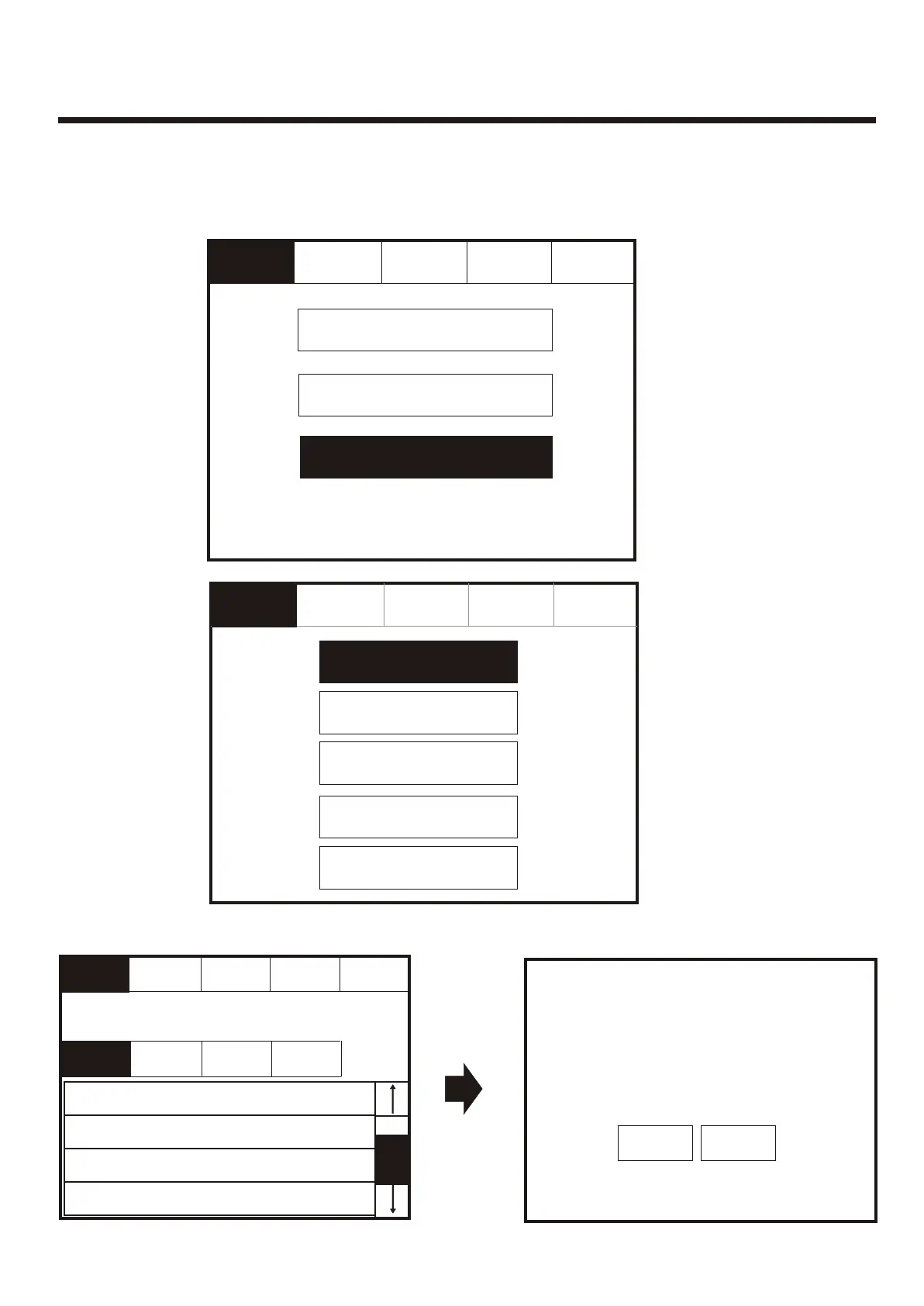
Touch row to select device to test.Touch row to select device to test.
Enter the Service
mode. Select
“Test”.
Enter the Service
mode. Select
“Test”.
Service
FRE Off
Service
FRE Off
ExitExit
Mute
Buzzer
Mute
Buzzer
Mute
Buzzer
Mute
Buzzer
ResetReset
ResetReset
ConfigureConfigure
CommissionCommission
TestTest
Test Device (Access Level 3)Test Device (Access Level 3)
001 Lobby, Build 1, 1st floor
Loop: 1, Zone: 2, Type: Optical
001 Lobby, Build 1, 1st floor
Loop: 1, Zone: 2, Type: Optical
002 Main Reception, Building 1, 1st floor
Loop: 1, Zone: 2, Type: Optical
002 Main Reception, Building 1, 1st floor
Loop: 1, Zone: 2, Type: Optical
003 Storage/archive, Building 1, 1st floor
Loop: 1, Zone: 2, Type: Optical
003 Storage/archive, Building 1, 1st floor
Loop: 1, Zone: 2, Type: Optical
004 Meeting Room 1, Building 1, 1st floor
Loop: 1, Zone: 2, Type: Optical
004 Meeting Room 1, Building 1, 1st floor
Loop: 1, Zone: 2, Type: Optical
Show
Detectors
Show
Detectors
Show
I/O Units
Show
I/O Units
ResetReset
Show
All
Show
All
Show
Alarms
Show
Alarms
Testing Address: ATesting Address: A
StopStop
Select the “Test
Device” button.
Select the “Test
Device” button.
Service
FRE Off
Service
FRE Off
Global Flashing LED on/offGlobal Flashing LED on/off
Test ZoneTest Zone
Sounder Level Test ModeSounder Level Test Mode
One Man Walk TestOne Man Walk Test
Test DeviceTest Device
Touch row to testTouch row to test
Go toGo to
Service
FRE Off
Service
FRE Off
To activate the touch screen, touch the top left corner of the screen until the screen
illuminates. To enter the service mode touch the supervisor button and enter supervisor
passcode.
To activate the touch screen, touch the top left corner of the screen until the screen
illuminates. To enter the service mode touch the supervisor button and enter supervisor
passcode.
ExitExit
StopStop
Testing DeviceTesting Device
52



 To Next Page