ABS 2.0 Operator’s Manual
© 2019, Cornelius Inc. - 13 - Publication Number: 621058590OPR
AUTOMATIC MODE OPERATION
In automatic mode the beverage dispense automatically from the input of POS system. By default ABS 2.0 Sys-
tem is setup to Automatic operation mode.
If alarm conditions are present (but previously acknowledged) the ABS
2.0 status will indicate Warning.
While the Warning status is present. the word AUTOMATIC will flash.
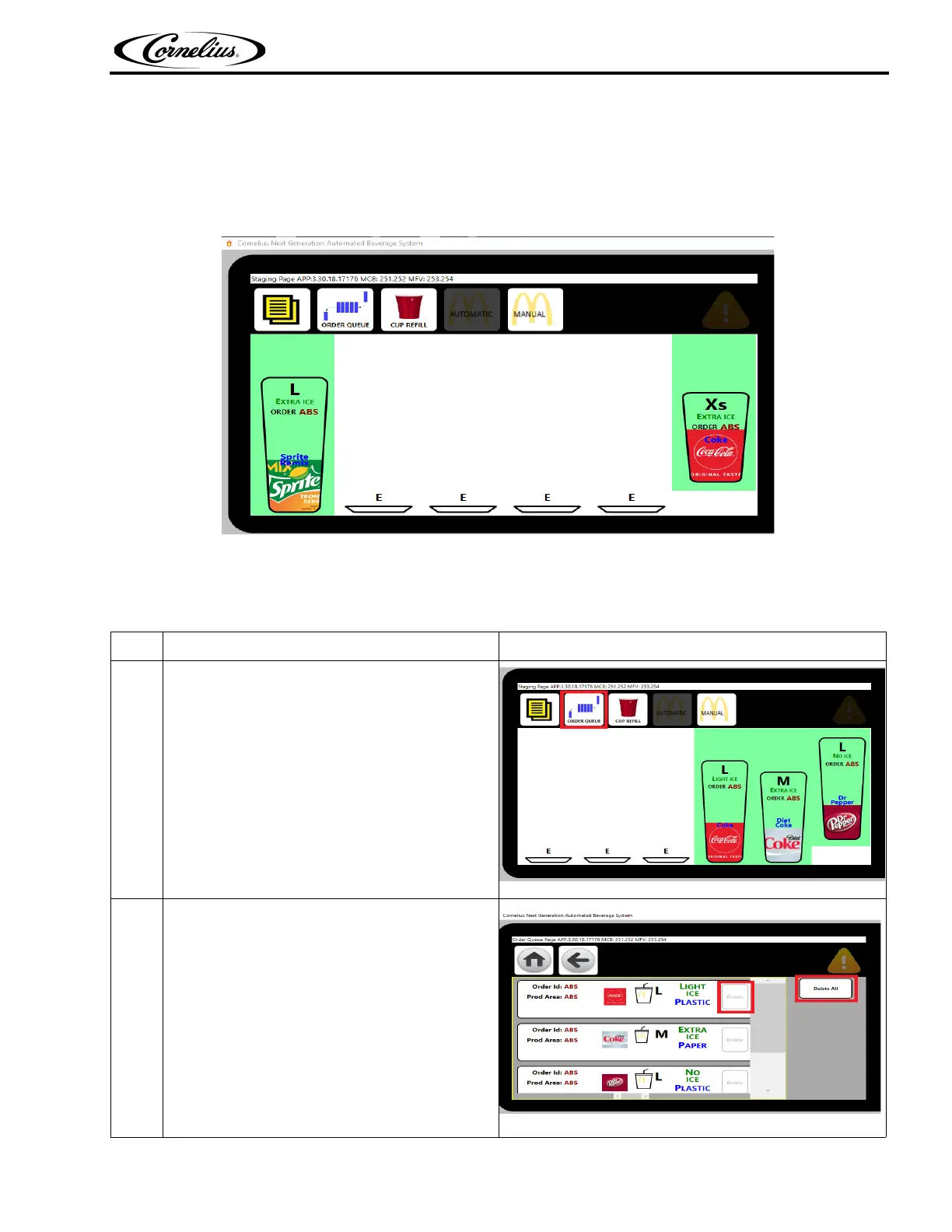
Figure 11.
CLEAR THE POS ORDER BUFFER
Table 8.
Step Action Figure
1
Select Order Queue as shown Figure 12.
Figure 12.
2
Delete Undesired Orders or D
elete All
If several orders stack up and are no longer
needed,
it may be easier to delete all and manu-
ally enter in what is missing
Figure 13.





 To Next Page