EasyManua.ls Logo

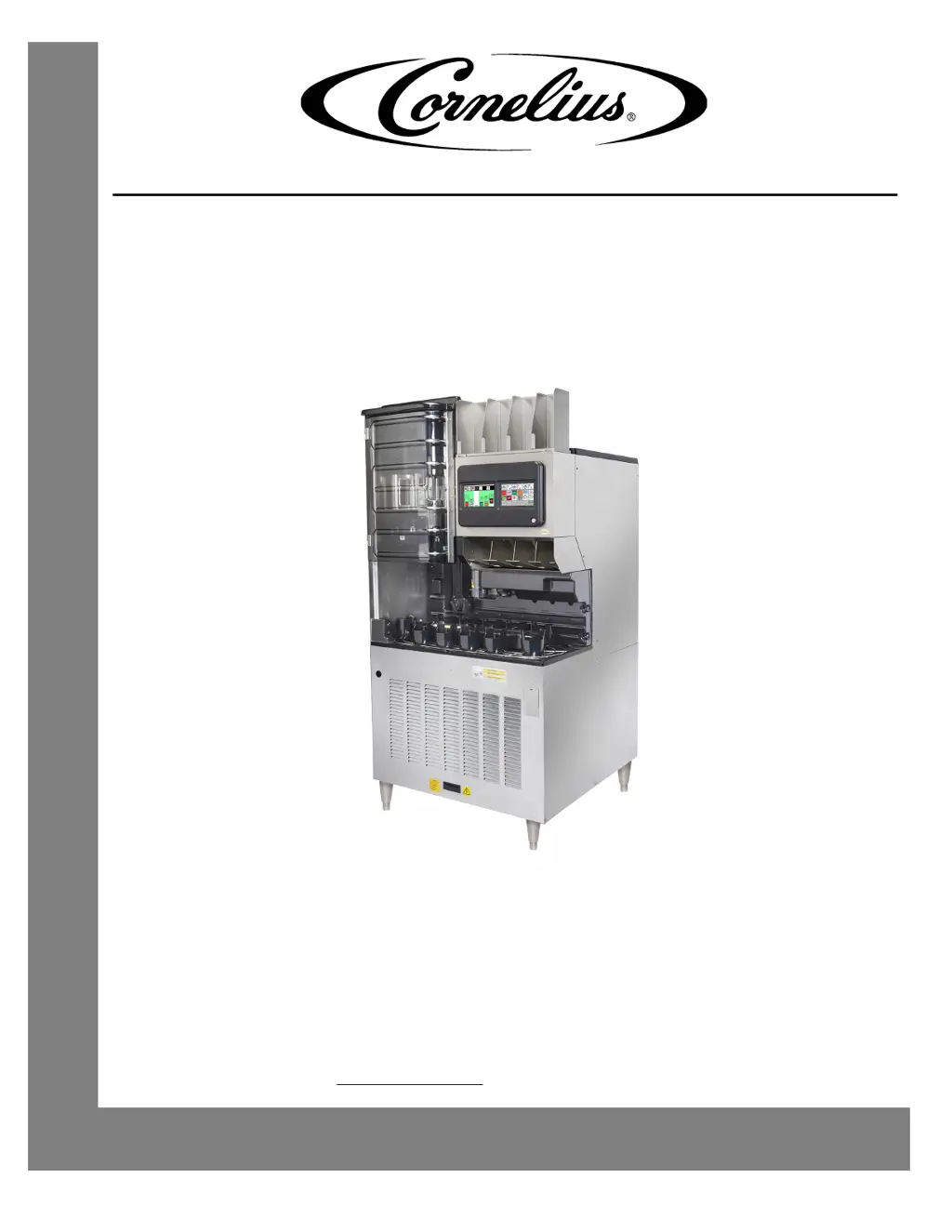
Cornelius ABS 2.0 - User Manual

Cornelius ABS 2.0
64 pages
Print Icon
To Next Page IconTo Next Page
Loading...
ABS 2.0
Operator’s Manual
Release Date: July 9, 2019
Publication Number: 621058590OPR
Revision Date: July 9, 2019
Revision: A
Visit the Cornelius web site at
www.cornelius.com for all your Literature needs.

Table of Contents

Other manuals for Cornelius ABS 2.0

Questions and Answers

  • F
    fitzpatrickmatthewNov 27, 2025
    What to do if the Cornelius Dispenser agitator does not turn?
    • A
      Ashley YoungNov 27, 2025
      If the agitator in your Cornelius Dispenser isn't turning, here's what you can check: 1. **Power**: Ensure the unit is plugged in and has power. 2. **Upper Ice Chute Assembly**: Verify it's properly installed and functioning correctly. 3. **Reed Switch**: Replace if inoperable. 4. **Electrical Board**: Replace the main control board if the driver circuit is defective. 5. **Gear Motor**: Replace if it has an open circuit. 6. **Ice Chute Assembly**: Ensure the tongue of the upper chute engages into the back of the lower chute, the upper chute engages outside the lower chute, and the front of the chute snaps into place. 7. **Wiring**: Repair or replace the 2-wire harness leading to the reed switch if broken. 8. **Main Control Board Connection**: Repair the connection or replace the 2...
  • A
    Amy OwenAug 25, 2025
    What causes CONVEYOR STALLED in Cornelius Dispenser?
    • L
      Lisa StewartAug 25, 2025
      If the conveyor in your Cornelius Dispenser is stalled, it's likely due to a cup jammed in the conveyor at the cup extraction position. Remove all cups from the conveyor cup holders at the EXTRACT POSITION before pressing the ENTER button. Make sure the conveyor is installed correctly. Repair or replace if necessary.
  • J
    joshuabeanAug 25, 2025
    What to do if the Cornelius Dispenser has low water pressure?
    • W
      William ClarkAug 26, 2025
      If you're experiencing low water pressure with your Cornelius Dispenser, there are several potential causes and solutions: * If the water supply line is excessively long (over 40 ft.) and 3/8” in diameter, increase the line size to 1/2”. * If the water pressure is generally low, consider adding a water pressure booster pump. * If the water filter is plugged, change it. * If the water booster bladder has burst, replace the water booster tank/bladder.
  • M
    Matthew SmithAug 27, 2025
    What causes slushy ice in my Cornelius Dispenser?
    • I
      icantuAug 27, 2025
      Slushy ice or water in the hopper of your Cornelius Dispenser can be caused by: * Blocked drains in the cold plate. To resolve this, remove the access covers in the cold plate cover and inspect/clean the drains. * Poor ice quality due to water quality or ice maker problems. Correct the water quality or repair the ice maker.
  • A
    autumn50Aug 27, 2025
    How to fix a blown fuse in Cornelius Dispenser?
    • J
      Jennifer RogersAug 27, 2025
      A blown fuse or circuit breaker in your Cornelius dispenser could be due to: * A short circuit in the electrical wiring. In this case, repair the wiring. * An inoperable agitator motor (shorted motor). If this is the cause, replace the gear motor.
  • G
    Gabriela JacksonSep 14, 2025
    What to do if the Cornelius ABS 2.0 Commercial Food Equipment conveyor is stalled?
    • J
      jennifer88Sep 15, 2025
      If the conveyor in your Cornelius Commercial Food Equipment is stalled, it's likely due to a cup jammed in the conveyor at the cup extraction position, preventing both the conveyor and turret from operating. To resolve this, remove all cups from the conveyor cup holders at the EXTRACT POSITION, then press the ENTER button to allow another cup to be extracted and dispensing to continue. Also, ensure the conveyor is correctly installed and repair or replace if necessary.
  • M
    Monica BradfordSep 12, 2025
    Why is the air or CO2 low or out in my Cornelius ABS 2.0?
    • J
      Jonathan RogersSep 12, 2025
      If the air or CO2 is low or out in your Cornelius Commercial Food Equipment, it may be because the CO2 supply is low or empty, or the air compressor is not operating. Change the CO2 cylinder or have the bulk tank refilled. Check why the air compressor is not operating and repair it.
  • T
    Timothy MyersSep 13, 2025
    What to do if the Cornelius Commercial Food Equipment shows a clear cup jam?
    • D
      Donald WilsonSep 13, 2025
      If the Cornelius Commercial Food Equipment displays a 'CLEAR CUP JAM' error, it means a cup is stuck in the conveyor at the extraction point, preventing the conveyor and turret from working. First, remove all cups from the conveyor cup holders at the Extract Position, and then press the ENTER button. This should allow another cup to be extracted and dispensing to continue. Also, avoid over-stacking cups in the cup tubes (do not fill above the top), check if the cup tube fingers are damaged (replace if bent), ensure cup tubes are properly mounted (remove and remount if necessary), and verify all hardware is present on the cup tubes (replace any missing hardware).
  • M
    Michelle GouldSep 5, 2025
    How to fix A. Ice Chute not installed correctly in Cornelius Dispenser?
    • S
      slevineSep 5, 2025
      If the ice chute is not installed correctly in your Cornelius Dispenser, reinstall it.
  • B
    Bryan Blevins Jr.Sep 3, 2025
    What causes NO CUP EXTRACTED in Cornelius Dispenser?
    • J
      Jodi FuentesSep 3, 2025
      If your Cornelius Dispenser is showing 'NO CUP EXTRACTED', it could be due to: * The gripper failing to extract a cup from the cup tube. Check the cup supply at the extract station to ensure cups aren't stuck and that gripper pads aren't damaged. * Wet grabber pads. Dry them off, and replace them if damaged. * Empty CO2. Check the bulk CO tank, and if empty, switch to the backup CO and turn it on. * Damaged cup tube fingers. If damaged, replace all four fingers. * Cups that are packed together and will not separate.

Summary

Safety Instructions and Alerts

Safety Overview and Alert Recognition

General safety awareness and recognizing alert symbols for potential hazards.

Types of Safety Alerts

Explanation of DANGER, WARNING, and CAUTION alert levels and their implications.

Operational Safety Guidelines

Key tips for safe unit operation, placement, and handling.

Service and Handling Precautions

Guidelines for qualified personnel, shipping, storage, and CO2 hazards.

ABS 2.0 System Overview and Specifications

System Overview

Description of the Automated Beverage System ABS 2.0's function and design.

Product Specifications

Detailed technical specifications including dimensions, weight, and electrical requirements.

Product Features

Key features of the ABS 2.0, such as cup storage and dispensing capabilities.

Unit Dimensional Drawing

Visual representation of the unit with key dimensions and clearances.

ABS 2.0 Unit Operation and Modes

Normal Operations and Setup

Procedures for unit location, power-on, and initial preparation.

Operational Modes Explained

Details on initializing, self-testing, and operating in manual or automatic modes.

Dispensing Process Overview

Step-by-step breakdown of how drinks are dispensed from order to serve.

Semi-Automatic Drink Order Entry

Instructions for manual drink order input and dispensing.

ABS 2.0 Maintenance and Troubleshooting

Service, Settings, and Display Navigation

Accessing service menus, settings, display explanations, and manager access.

Comprehensive Cleaning Procedures

Detailed instructions for daily, weekly, monthly, and quarterly cleaning tasks.

System Diagrams and Troubleshooting

Plumbing diagram and solutions for mechanical, beverage, and POS-related issues.

Cornelius ABS 2.0 Specifications

General IconGeneral
BrandCornelius
ModelABS 2.0
CategoryCommercial Food Equipment
LanguageEnglish

Related product manuals