ABS 2.0 Operator’s Manual
© 2019, Cornelius Inc. - 15 - Publication Number: 621058590OPR
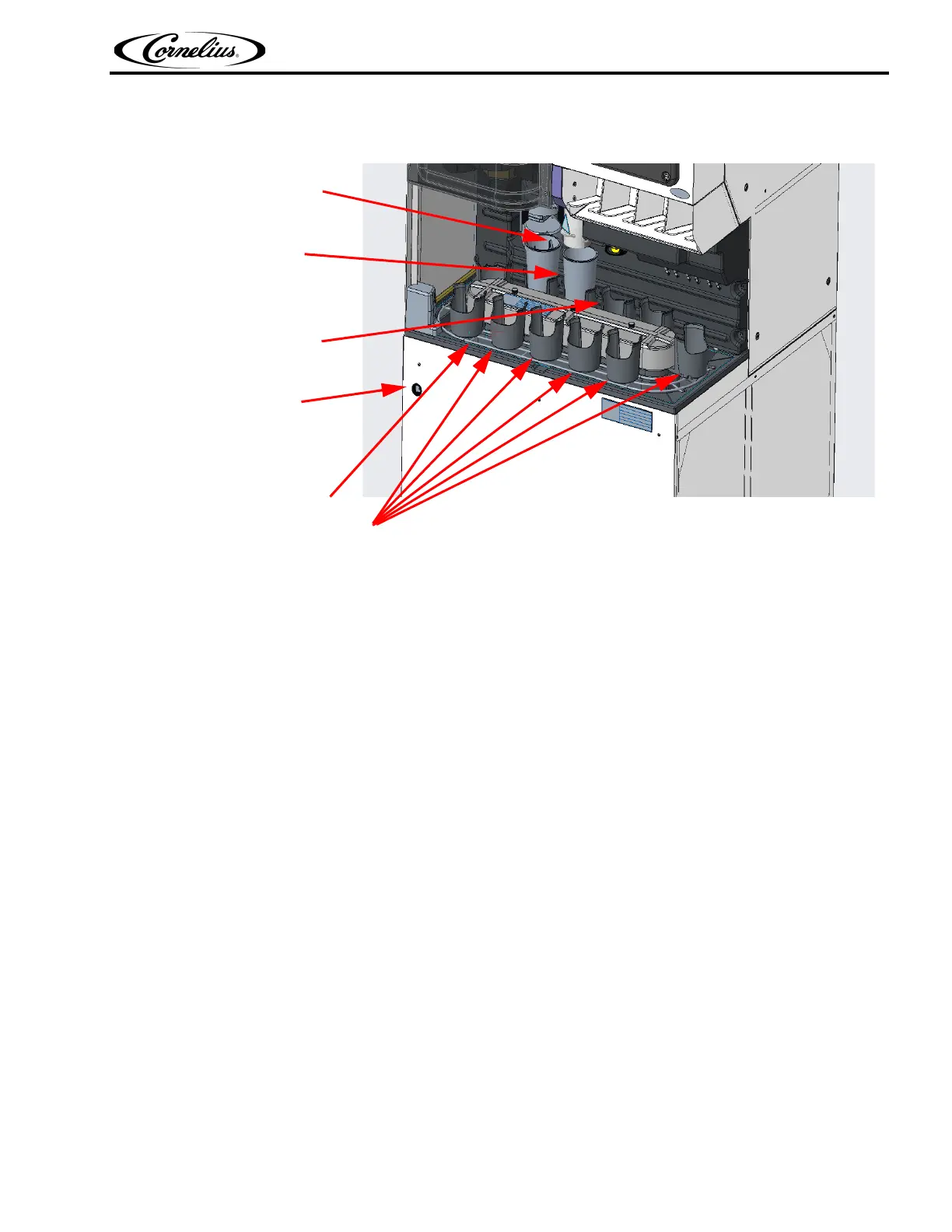
EXPLANATION OF CONVEYOR POSITIONS
Cup Extraction Position
Ice Fill Position
Beverage Fill Position
ABS ON/ OFF Switch
Conveyor Position
“A” Last Position
Figure 14.
SEMI-AUTOMATIC DRINK ORDER ENTRY
Manual order entry can be made without entering the drink at the POS. This is normally done to correct an
error in entry, to pour a replacement drink or to accommodate a customer special request.
NOTE: Steps 1, 2, 3, 4 below can be made in any order. If any selection in any step is incorrect it may be
re
entered. “Order Entry” will be displayed on the second line of the display.
NOTE: Pressing the Clear button at any time will cancel the operation.
While in the Au
tomatic mode:
1. Press a Cup button to selec
t the size drink desired. The display will indicate the selection made.
2. Press a BRA
ND button to select the brand desired. The display will indicate the selection made.
3. Press the No Ice or Ex
tra Ice, or FLOAT button if either ice feature is desired, or a float drink is requested. Not
pressing these buttons will cause the normal ice portion to dispense. The display will indicate the selection
made. The No Ice, Extra Ice and light Ice buttons are toggle buttons, so, if an error is made simply press the
button again to cancel.
4. After the proper selections are made, press the En
ter button to dispense the drink.
Once entered, the ABS system will determine how
many drinks are ahead in the POS queue before the Semi--
Automatic drink order will be started.





 To Next Page