ABS 2.0 Operator’s Manual
Publication Number: 621058590OPR - 16 - © 2019, Cornelius Inc.
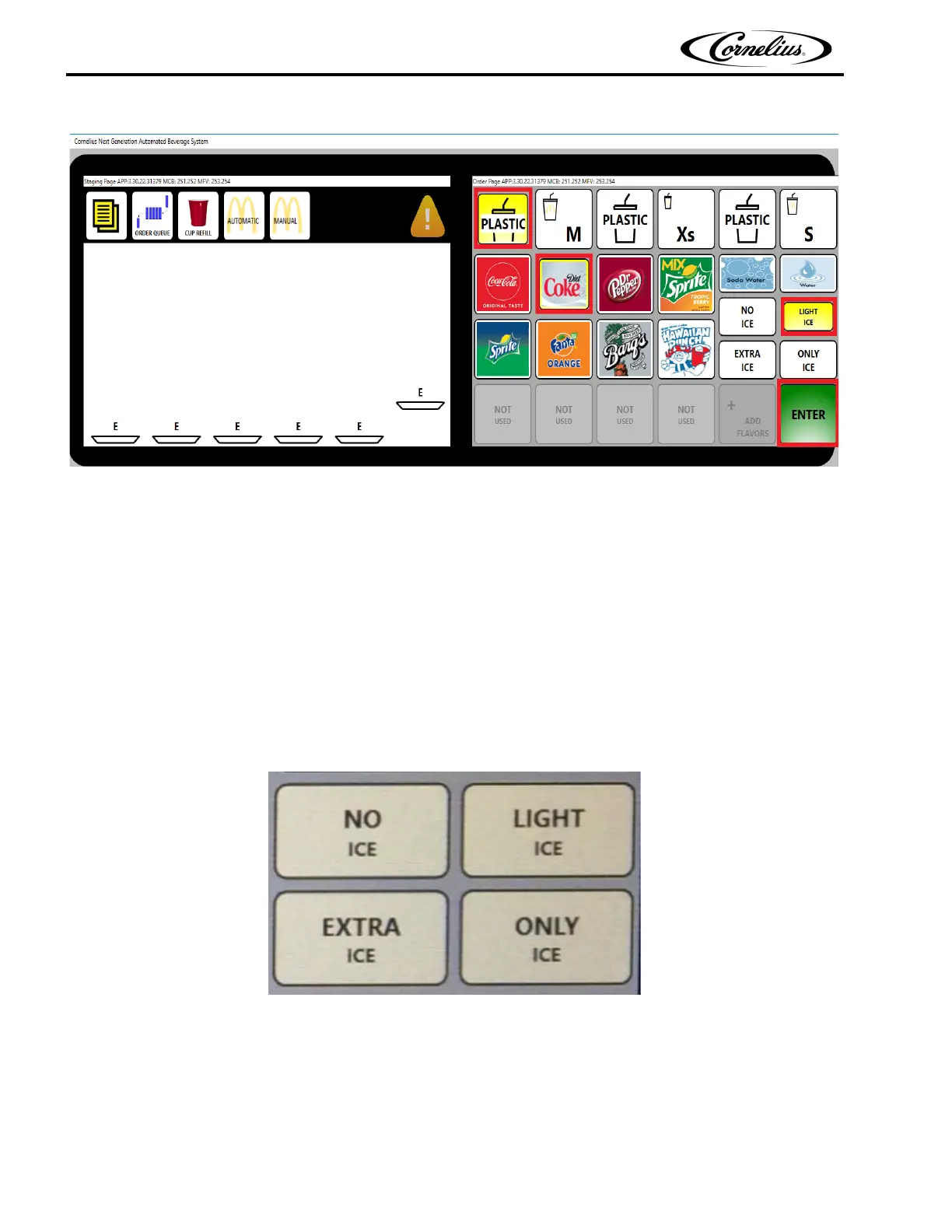
Figure 15.
PRESS CUP SIZE
Operation of the ABS 2.0 is restricted to employees and service personal that have been trained and certified
in the proper operation, service and maintenance of the equipment.
While in automatic mode, to dispense a drink semi-automatically, press the desired cup size button.
PRESS SPECIAL ICE REQUIREMENT IF REQUESTED
If extra ice is desired, press the EXTRA ICE button. If no ice is required, press the NO ICE button. If light ice is
desired, press the LIGHT ICE button. If only ice is desired, press the ONLY ICE button.If normal ice is desired, no
button is pressed. As shown in Figure 16.
Figure 16.
WHEN CORRECT, PRESS ENTER
Sequence of pressing the cup size, brand, and special ice buttons is not important. At any time, pressing any
button will change the selection of the drink to be dispensed. When the correct order is displayed, press ENTER
and the drink will be dispensed.
Any Drink through Semi automatic method, OR under quotes ar
e identified by the order ID saying "ABS" instead
of a number.




 To Next Page