Kangaroo™ Console | 11
Initial Administrator Use
When the console is powered on for the first time, or after being reset to factory
settings, the administrator account needs to set up the console settings. A settings
menu will appear once the language preference, administrator password and
encryption password have been set.
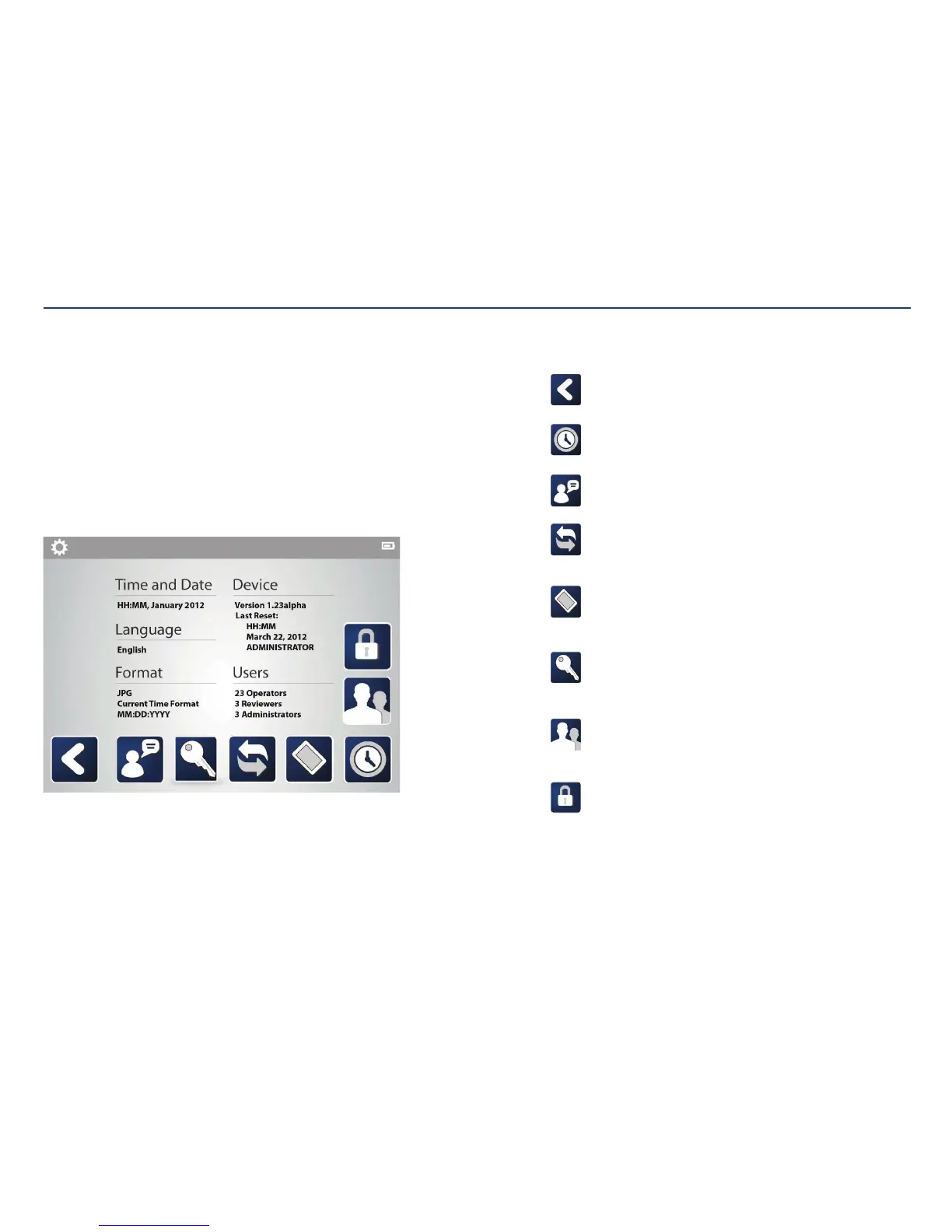
Settings menu:
Tap on the icons at the bottom of the screen to make changes to the date/time,
language, file format, device, and users.
It is recommended that the current time and date is set prior to use. New user logins
and passwords should be added at this point.
Section II: Assembly and Initial Administrator Use
Back:
Return to previous screen.
Time and date:
Set or change the time and date.
Language:
Change the preferred language.
Format:
Choose the preferred image type (.jpg or .bmp) for export.
Edit the way the time and date are written on the patient files and images.
Device:
Erase patient data, update software, or reset console back to
factorysettings.
Password:
Change the login password.
Passwords must be reset after 90 days.
User groups:
Create logins and passwords for operators and reviewers.
Change login names and/or passwords for other users.
Encryption password:
Create password to decrypt and open exported files.



 To Next Page