Kangaroo™ Console | 29
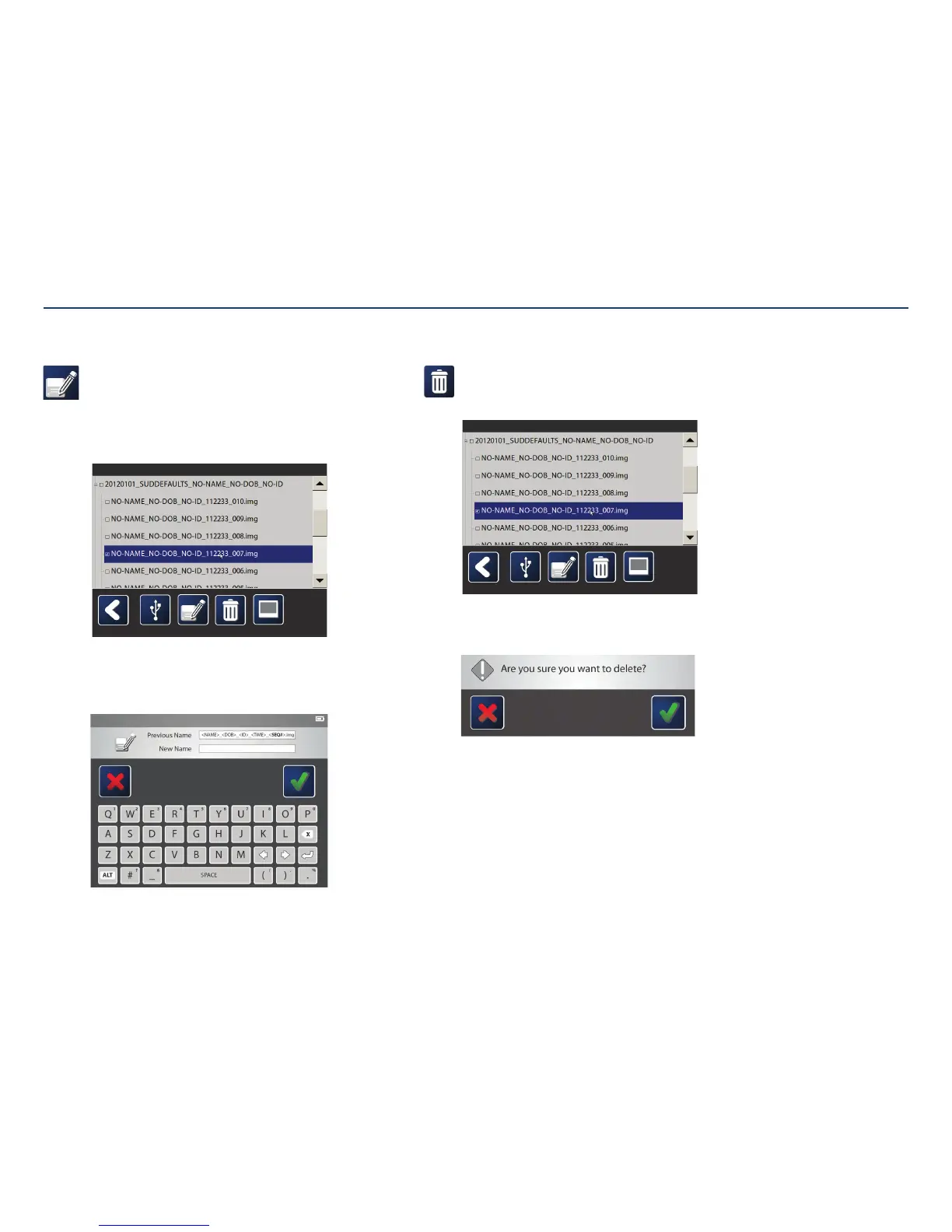
Delete image(s):
Select one or more images to delete by tapping on the boxes to the left.
Then, tap the delete icon.
The system will require confirmation before deleting.
Tap the check mark toconfirm.
Renaming an image:
Captured images are automatically titled with the patient’s name, date of
birth, identification number, and an image number. The image numbers
are created sequentially as they are captured.
When renaming an image, only the portion with the image number can
bechanged.
Select the image to rename by tapping on it, then tapping on the rename
image icon. A screen will pop up. Using the text field, enter the new name
for the image. Press the check mark whenfinished.
Note: Images can only have letters or numbers in the name;
symbols will not work.
Only one image can be renamed at a time.
Rename Image Delete Image(s)
Section V: User Interface Features



 To Next Page