Kangaroo™ Console | 32
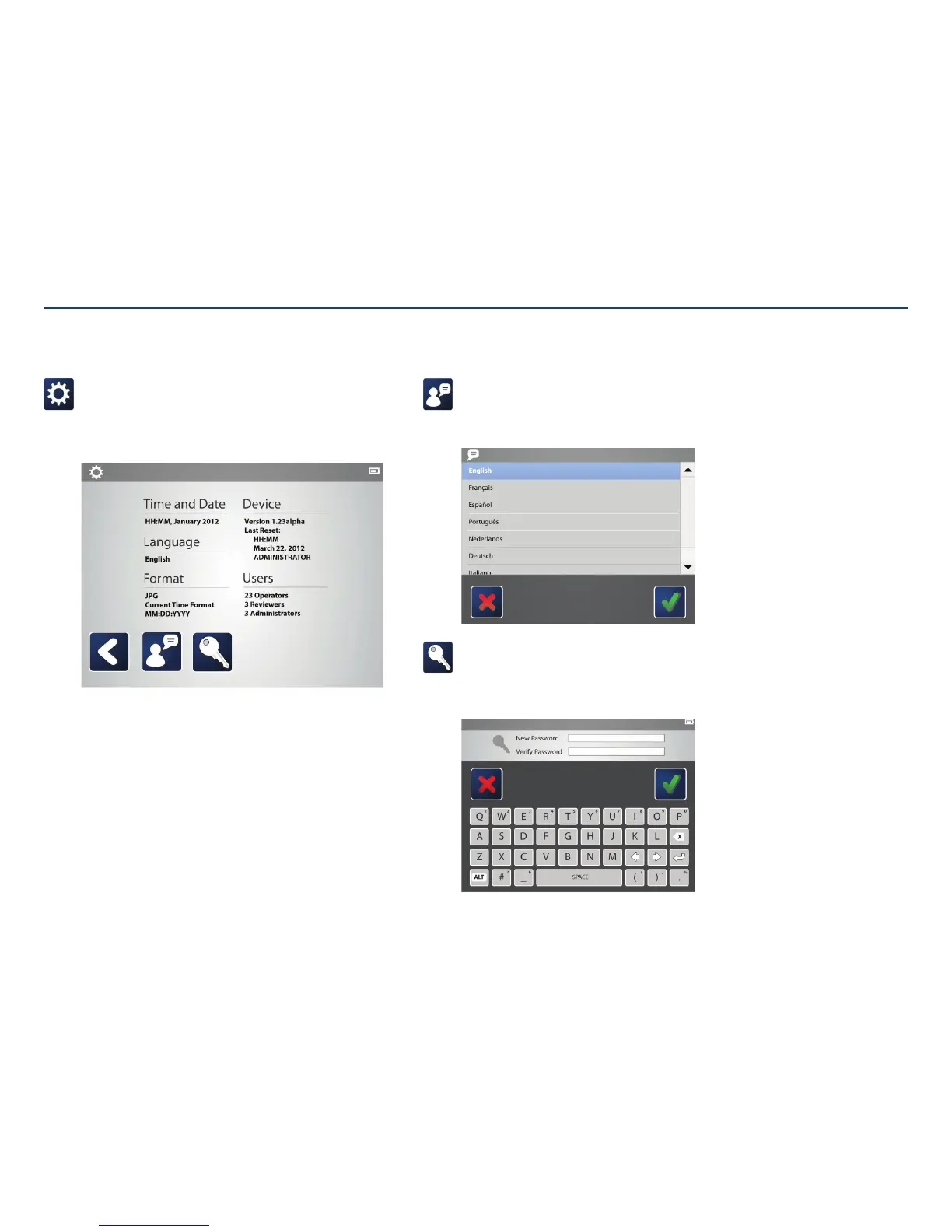
Settings:
Operators and reviewers can change the language preference and their
password from the settings menu.
The current settings for the console are shown on the screen. The Device
Version shown indicates the software version currently on the console.
Operator and Reviewer Settings
Change language:
Tapping on the language icon displays a screen giving optional language
preferences. Tap once on the preferred language, then tap the check mark to
save changes.
Change password:
To change the account password, tap on the key icon. Use the keyboard to
enter a new password, then repeat the password in the second text field.
Tapping the check mark saves the changes.
Section V: User Interface Features



 To Next Page