Kangaroo™ Console | 31
Annotating images:
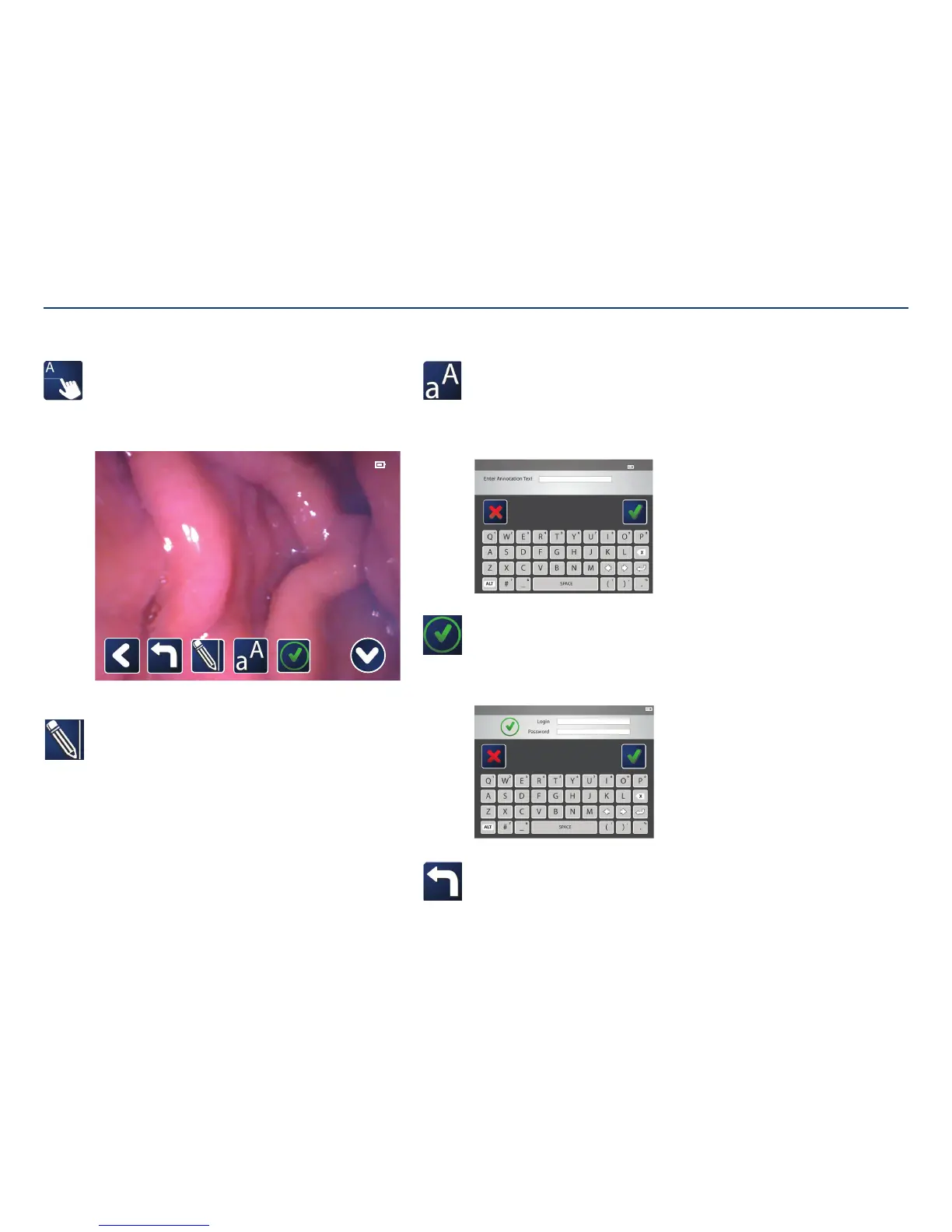
Tap on the annotate icon to bring up a icon tray with annotation options.
Tap the icons to add text, lines, or undo actions. A reviewer can view the
images and confirm that they have reviewed them. Further annotation of
images is not allowed after a still image is reviewed.
Note: Annotation is not possible when image is zoomed in.
11:11:11 PATIENT-NAME-UP-TO-THIRTY-CHARACTERS 11-11-2011 PATIENT-ID -XXXX
Draw a line on the image:
Tap on the icon. Then, touch the screen where the line should start.
Touch the screen again at the point where the line shouldend.
Annotating Images
Add text to the image:
Select the icon, then tap on the screen where the text should be. A list
of anatomical marker labels will appear. At the bottom of the list is an
option to enter free text. With free text, a keyboard will appear. Enter the
text, then press the check mark. Confirmation will be required to save the
changes.
Review an image (reviewer only):
Reviewing an image places a time stamp with the reviewer’s login name
and the time.
Note: Once a reviewer confirms the review by tapping the checkmark, no
further annotations can be made.
Undo:
Undo up to twenty previous actions. You can “undo” a review in order to
continue making annotations.
Section V: User Interface Features



 To Next Page